Why My Secrets Looked Missing in ECS
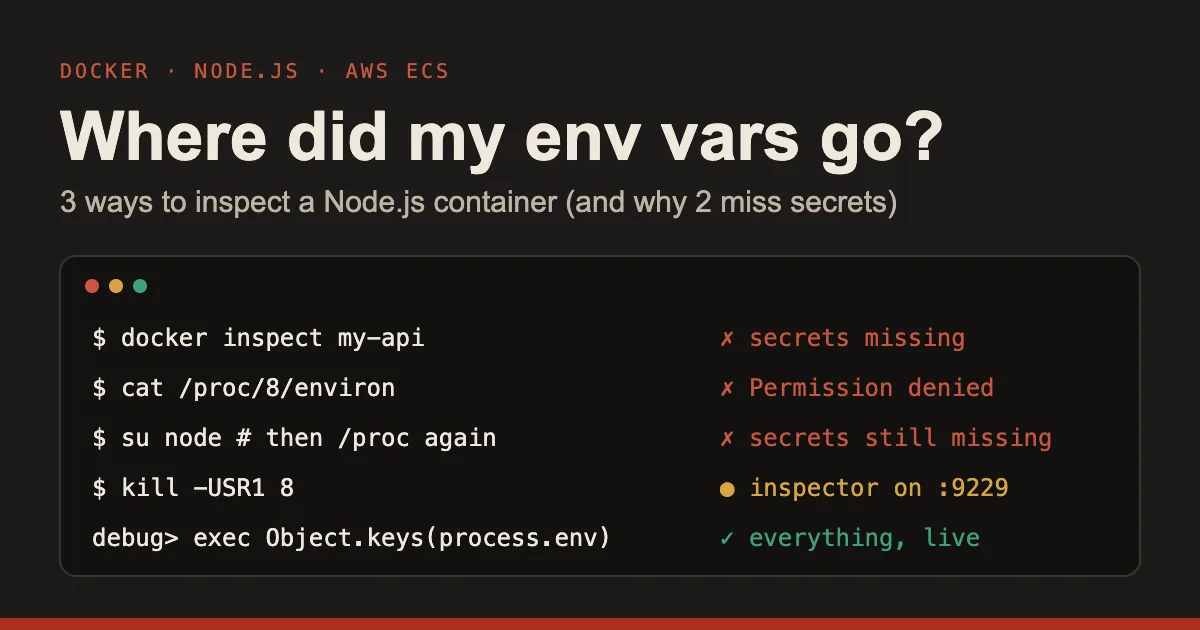
Every env var list in our ECS container was missing the Secrets Manager values. Here is why, and how the Node inspector found them.

ON THIS PAGE
The issue I faced
Our NestJS API runs on AWS ECS Fargate. Some of its Node.js environment variables come from the ECS task definition, and the rest (database password, third-party API keys) come from AWS Secrets Manager.
One day I needed to confirm which variables the running API had actually loaded, especially the ones from Secrets Manager. So I opened a shell in the container with ECS Exec and started looking.
Every list I checked was missing the secrets. This post is what I tried, what each attempt showed, and why the secrets were "missing" even though the app was working fine.
How our app loads its Node.js environment variables
This is the part I had forgotten. When the API starts, its own code calls Secrets Manager and copies the result into process.env. Simplified:
const secret = await secretsManager.send(new GetSecretValueCommand({ SecretId: '/myapp/dev/external-secrets' }));
Object.assign(process.env, JSON.parse(secret.SecretString));So there are two kinds of variables:
- Task definition variables. ECS gives these to the container before Node starts.
- Secrets Manager variables. The app adds these to its own memory after it starts.
Keep that in mind. It explains everything below.
Attempt 1: docker inspect
On a machine running Docker, this is the usual first check:
docker inspect <container-name>The output is a big JSON document. Look for the "Env" list inside "Config". It shows every variable the container was started with.
We run on Fargate, so I could not run docker inspect: AWS does not give you access to the host. The closest thing is the ECS console: Task → Containers → api → Environment variables. It shows the same thing, the variables from the task definition.
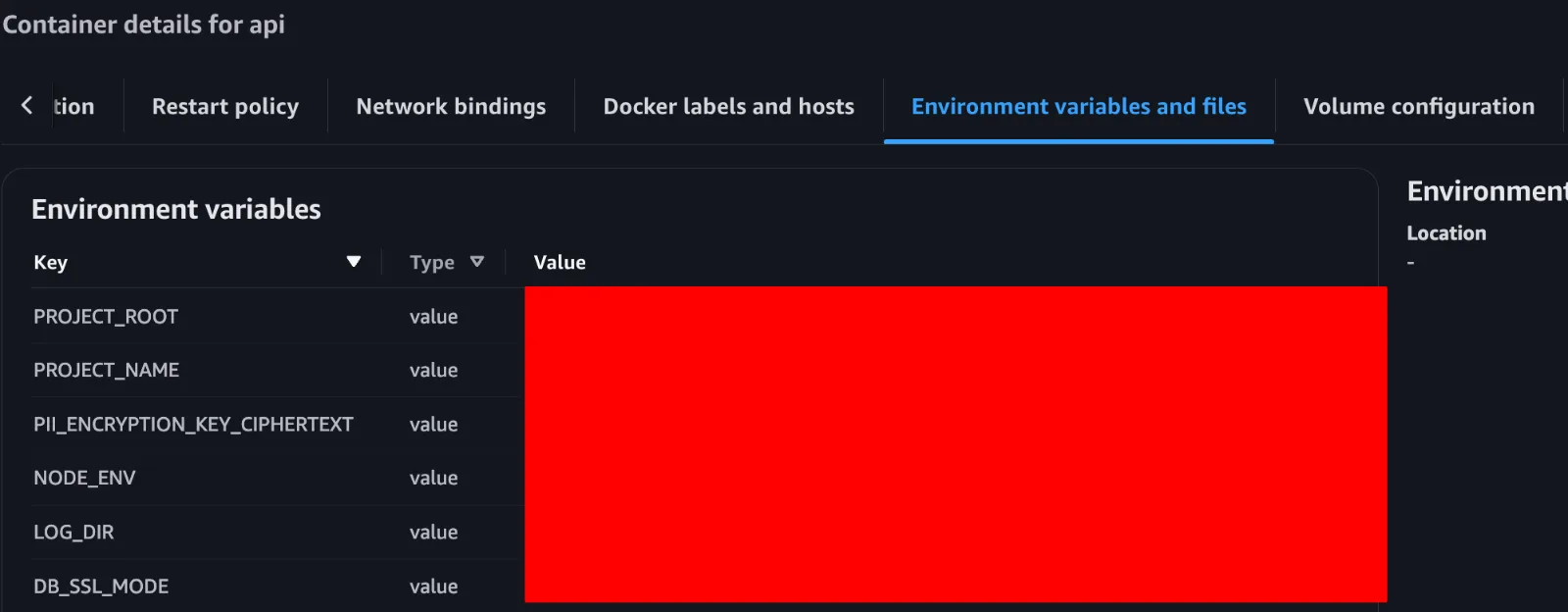
What I saw: PROJECT_ROOT, PROJECT_NAME, NODE_ENV, LOG_DIR, and similar. No secrets.
Attempt 2: env and /proc inside the container
Next I opened a shell in the container and looked at the processes:
/app # ps -ef
PID   USER     TIME  COMMAND
    1 node      0:00 /dev/init -- docker-entrypoint.sh node apps/api/dist/src/main
    8 node      0:17 {MainThread} node apps/api/dist/src/main
   10 root      0:00 /managed-agents/execute-command/amazon-ssm-agent
   38 root      0:00 /managed-agents/execute-command/ssm-agent-worker
  239 root      0:00 /bin/sh
241 root 0:00 ps -efPID 8 is the API. PID 239 is my shell.
env
The quick way is env. It prints the environment of my shell, not the API. I only wanted the names, so I cut off the values:
env | cut -d= -f1 | sort/proc/<pid>/environ
To read the environment of the API process itself, Linux has /proc/<pid>/environ. The entries are separated by a NUL byte, so tr turns them into lines:
 Permission denied, even as root. My shell was
root, but the API runs as node. Linux treats reading another user's process environment like attaching a debugger, and the container does not have the capability for that (CAP_SYS_PTRACE).
The fix was to switch to the same user as the process:
su node -s /bin/sh
In our case, env and /proc showed the same list. Our container runs only one app, and my shell ended up with the same environment. In a container with several processes, or where processes start with different environments, the two can differ. Then /proc/<pid>/environ is the one to trust.
The list matched the ECS console, plus a few variables ECS adds itself (AWS_CONTAINER_CREDENTIALS_RELATIVE_URI, ECS_CONTAINER_METADATA_URI_V4 and so on).
Still no secrets. No DATABASE_URL, no API keys.
Why the secrets were missing
A process gets a copy of its environment when it starts. docker inspect, the ECS console and /proc/<pid>/environ all show that starting copy.
Our app adds the Secrets Manager values to process.env later, inside its own memory. Nothing outside the process can see that change. So all three lists were correct. They just answered a different question: "what did the app start with?", not "what does the app have now?".
Attempt 3: asking the running process (Node.js inspector)
To see the live process.env, you have to ask the process itself. Node has a built-in debugger for this.
Only do this on a dev task you can restart. It opens a debug port inside the task.
Turn on the inspector
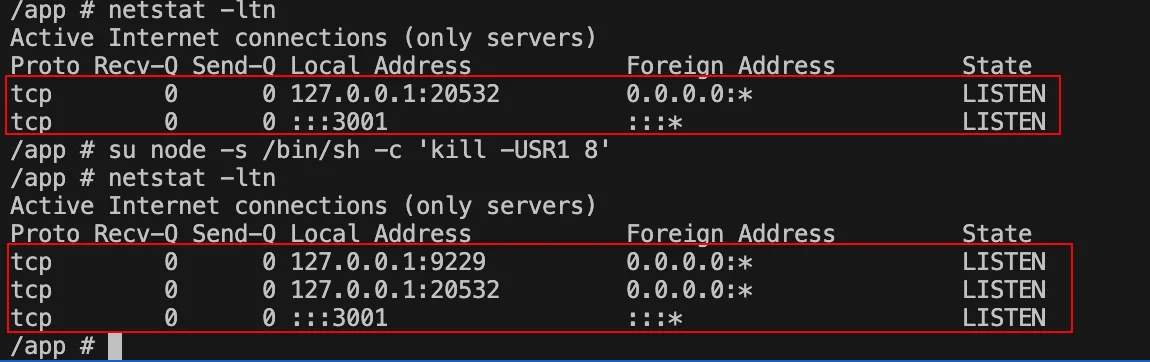
su node -s /bin/sh -c 'kill -USR1 8'Then check the ports:
/app # netstat -ltn
Proto Recv-Q Send-Q Local Address           Foreign Address         State
tcp        0      0 127.0.0.1:20618         0.0.0.0:*               LISTEN
tcp        0      0 127.0.0.1:9229          0.0.0.0:*               LISTEN
tcp 0 0 :::3001 :::* LISTEN3001 is the API, still running. 127.0.0.1:9229 is new: the Node inspector, reachable only from inside the task. Here you can see before and after response here.
Connect and list the names
node inspect 127.0.0.1:9229At the debug> prompt:
debug> exec Object.keys(process.env).sort()This time the list was much longer. Along with everything from Attempt 2, it had DATABASE_URL, the database username and password, and all our third-party API keys. These were the Secrets Manager values, loaded fine all along.
For values, I only printed settings I knew were safe:
debug> exec ['NODE_ENV', 'AWS_REGION', 'API_PORT'].map(k => k + '=' + process.env[k])
And for secrets, I only checked that they exist:
debug> exec Boolean(process.env.DATABASE_URL)
Leave and clean up
debug> .exitDo not type kill at the debug> prompt. There it means "kill the app".
Port 9229 stays open after you exit, so I restarted the task. The new task's netstat showed no 9229.
Wait, did I just kill my API?
That was my first worry when I typed kill -USR1 8.
kill does not always kill. It sends a signal to a process:
kill 8sendsSIGTERM, which shuts the app downkill -9 8sendsSIGKILL, which stops it immediatelykill -USR1 8sendsSIGUSR1, and Node's response is to turn on the inspector and keep running
The API kept serving on port 3001 the whole time, and the health check still answered.
What I learned
- The environment belongs to a process, and it is copied at start.
docker inspect, the ECS console,envand/procall show the starting copy. - Secrets loaded by code at startup are invisible from outside the process. "Missing" in those lists did not mean missing in the app.
- Root in a container cannot read another user's
/proc/<pid>/environ.suto the process owner instead. kill -USR1turns on Node's debugger. It does not stop the app. Restart the task afterwards to close the port.- Print names, not values. I never needed to see a secret to answer my question.
References
- Node.js debugging guide (
SIGUSR1, inspector): https://nodejs.org/en/learn/getting-started/debugging - Node.js debugger (
node inspect,exec): https://nodejs.org/api/debugger.html docker inspect: https://docs.docker.com/reference/cli/docker/inspect/
Keep reading
- Install Docker on Ubuntu and Essential Docker Commands
Install Docker Engine on Ubuntu from Docker's official apt repository, then manage containers, images, networks and volumes with the essential CLI commands.
- Docker Introduction: Containers, Architecture and Objects
How a container differs from a VM, how the Docker client, daemon and registry fit together, and what images, volumes, bind mounts and networks do.
- Docker Compose: Multi-Container Apps with compose.yaml
Define a whole multi-container stack in one compose.yaml with Docker Compose v2: services, ports, named volumes, .env variables and a MySQL-backed example.