Docker Swarm: Building a Cluster with Vagrant
Build a Docker Swarm cluster on Vagrant VMs, then initialise it, join nodes, run and scale services, and use overlay networks and volumes in swarm mode.

ON THIS PAGE
A single Docker host is a single point of failure: when it goes down, every container on it goes down too. This guide builds a Docker Swarm cluster on Vagrant VMs, joins the nodes, and runs, scales and networks services across them.
By the end, you can stand up a lab cluster and explain what manager and worker nodes do.
Prerequisites
- Vagrant and VirtualBox installed on the host machine
- Enough free memory for the VMs (each VM in the Vagrantfile gets 1 GB)
- Working knowledge of the Docker CLI from part 2
Container orchestration
Container orchestration means automating where containers run, how many copies run, how they find each other and what happens when a host fails. You describe the desired state ("three copies of nginx on port 8080") and the orchestrator keeps the cluster in that state.
The two most common orchestrators are Docker Swarm and Kubernetes. Kubernetes is the most widely used and is supported by every major cloud, but it takes more work to set up (see Kubernetes architecture). Swarm is built into Docker Engine (since Docker 1.12), uses the same CLI and is quick to start with, but it has fewer advanced features such as autoscaling. That makes Swarm a practical first orchestrator.
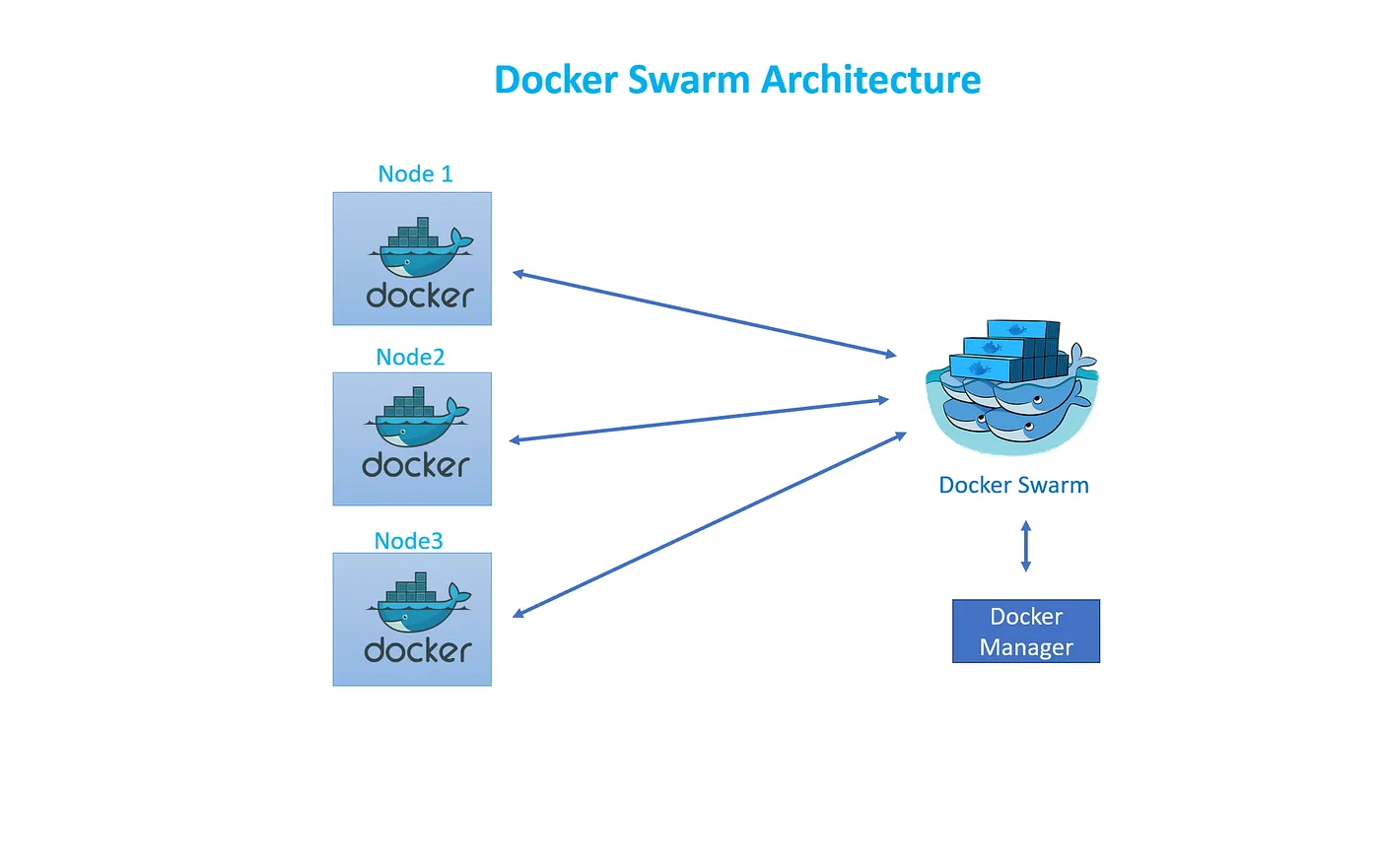
Swarm architecture
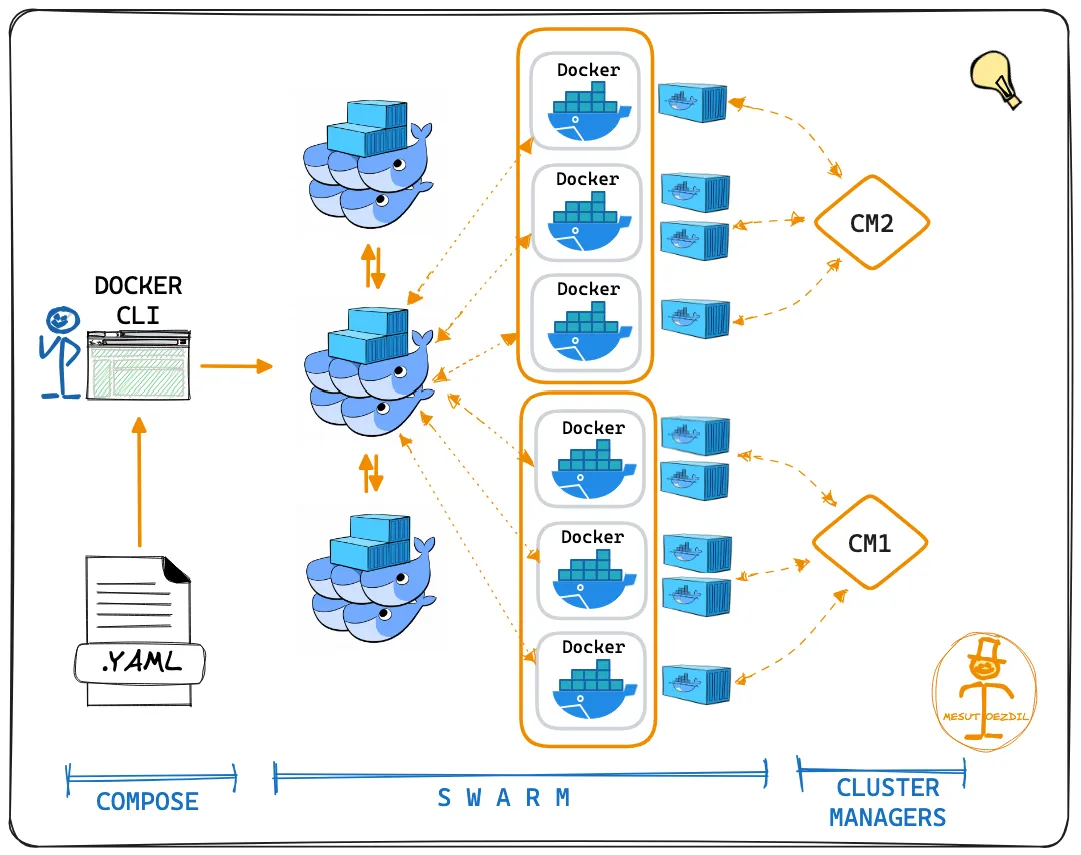
A swarm is a group of Docker hosts, called nodes. Each node is a manager or a worker, and every swarm needs at least one manager.
Manager nodes
- Accept commands from the CLI or API, such as a service definition.
- Store the cluster state and keep it consistent between managers using the Raft consensus algorithm. The state lives in a built-in store on each manager; there is no separate etcd to install.
- Split each service into tasks (one task = one container) and assign them to nodes.
- Watch the cluster and reschedule tasks if a node fails or a new node joins.
- Run workloads too by default. You can drain a manager so it only does management work.
Worker nodes
- Receive tasks from the managers and run the containers.
- Report task status back to the managers.
For example, if a service requests 10 replicas of nginx and the swarm has 3 worker nodes, the manager spreads the 10 tasks across them as evenly as it can.
Key Swarm features
| Feature | What it means in practice |
|---|---|
| Built into Docker Engine | No extra software; docker swarm init turns it on |
| Declarative services | You state the desired number of replicas, ports and networks |
| Desired-state reconciliation | If a container or node dies, the manager starts replacement tasks |
| Scaling | docker service scale adds or removes tasks |
| Overlay networking | Services on different hosts share a virtual network |
| Service discovery | Every service gets a DNS name inside the swarm |
| Load balancing | A published port is reachable on every node (the routing mesh) and spread across the tasks |
| Secure by default | Nodes use mutual TLS to authenticate and encrypt their traffic |
| Rolling updates | Update tasks in batches with a delay, and roll back if something breaks |
The official Swarm mode overview covers each feature in detail.
Building the lab with Vagrant
Network requirements
Each VM needs Docker Engine, a fixed IP that the others can reach, and these ports open between the nodes:
| Port | Protocol | Used for |
|---|---|---|
| 2377 | TCP | Cluster management, nodes talking to managers |
| 7946 | TCP and UDP | Communication among nodes |
| 4789 | UDP | Overlay network traffic (VXLAN) |
The Vagrantfile
This Vagrantfile uses VirtualBox to create two VMs, one manager and one worker. It installs Docker on each VM and forwards three ports from the first manager to the host machine:
$install_docker_script = <<SCRIPT
sudo apt-get update
curl -sSL https://get.docker.com/ | sh
sudo usermod -aG docker vagrant
SCRIPT

BOX_NAME = "generic/ubuntu2204"
MEMORY = "1024"
MANAGERS = 1
MANAGER_IP = "192.168.56.1"
WORKERS = 1
WORKER_IP = "192.168.56.10"
CPUS = 1
VAGRANTFILE_API_VERSION = "2"

Vagrant.configure(VAGRANTFILE_API_VERSION) do |config|
    #Common setup
    config.vm.box = BOX_NAME
    config.vm.synced_folder ".", "/vagrant"
    config.vm.provision "shell",inline: $install_docker_script, privileged: true
    config.vm.provider "virtualbox" do |vb|
      vb.memory = MEMORY
      vb.cpus = CPUS
    end
    #Setup Manager Nodes
    (1..MANAGERS).each do |i|
        config.vm.define "manager0#{i}" do |manager|
          manager.vm.network :private_network, ip: "#{MANAGER_IP}#{i}"
          manager.vm.hostname = "manager0#{i}"
          if i == 1
            #Only configure port to host for Manager01
            manager.vm.network :forwarded_port, guest: 8080, host: 8080
            manager.vm.network :forwarded_port, guest: 5001, host: 5001
            manager.vm.network :forwarded_port, guest: 9000, host: 9000
          end
        end
    end
    #Setup Worker Nodes
    (1..WORKERS).each do |i|
        config.vm.define "worker0#{i}" do |worker|
            worker.vm.network :private_network, ip: "#{WORKER_IP}#{i}"
            worker.vm.hostname = "worker0#{i}"
        end
    end
endHow the Vagrantfile works:
- The IP is built by appending the node number to a prefix, so
manager01gets192.168.56.11andworker01gets192.168.56.101. - As written, the file creates two nodes:
manager01andworker01(MANAGERS = 1,WORKERS = 1). SetWORKERS = 2to get a three-node cluster with one manager and two workers (worker02gets192.168.56.102). - The provisioning script uses Docker's convenience script, which is acceptable for a lab but not for production (see part 2).
Start the VMs and connect to the manager:
$ vagrant up
$ vagrant ssh manager01Initialise the swarm and join nodes
Check whether swarm mode is on. A fresh node shows Swarm: inactive:
$ docker info | grep -i swarmOn the manager, a plain docker swarm init fails on Vagrant VMs. Each VM has two network interfaces (the Vagrant NAT one and the private network), and Docker cannot choose which address to advertise. The error itself says to use --advertise-addr, so give it the private IP:
$ docker swarm init --advertise-addr 192.168.56.11The output includes a ready-made join command. To print the worker or manager join command again later, run these on the manager:
$ docker swarm join-token worker
$ docker swarm join-token managerOn each worker, run the join command it prints:
$ docker swarm join --token <worker-token> 192.168.56.11:2377Managing nodes
| Command | What it does |
|---|---|
docker node ls | List nodes (run on a manager) |
docker node inspect manager01 --pretty | Readable details of a node |
docker node promote worker01 | Turn a worker into a manager |
docker node demote manager02 | Turn a manager into a worker |
docker node update --availability drain worker01 | Stop scheduling tasks on a node and move its running tasks elsewhere |
docker swarm leave | Run on a node to make it leave the swarm (--force on the last manager) |
docker node rm -f worker01 | Remove a node from the node list (on a manager) |
Reading the docker node ls output:
- An asterisk next to the ID marks the node you are running the command on.
- AVAILABILITY controls scheduling:
Active: the scheduler can assign tasks to the node.Pause: no new tasks, but existing tasks keep running.Drain: no new tasks, and existing tasks are shut down and rescheduled on other nodes.
- MANAGER STATUS shows the node's role:
Leader: the manager currently making decisions for the swarm.Reachable: another manager that takes part in Raft and can become leader.Unavailable: a manager that other managers cannot reach.- Blank: a worker.
Running services
A service is the swarm version of docker run: you describe the container and how many replicas you want.
$ docker service create -d --name nginx_service -p 8080:80 --replicas 2 nginx:latest
$ docker service ls
$ docker service ps nginx_service
$ curl http://192.168.56.11:8080Because of the routing mesh, port 8080 answers on every node, even one that runs no nginx task. With the Vagrant port forward, http://localhost:8080 on the host machine also reaches the service.
| Command | What it does |
|---|---|
docker service ls | List services and their replica counts |
docker service ps nginx_service | List the tasks of a service and the node each runs on |
docker service inspect nginx_service --pretty | Readable details of a service |
docker service logs nginx_service | Logs from all tasks of the service |
docker service scale nginx_service=3 | Change the number of replicas |
docker service update --image nginx:1.27 nginx_service | Rolling update to a new image (docker service update --help lists every option) |
docker service rm nginx_service | Remove the service and its tasks |
Overlay networks in swarm mode
An overlay network spans all nodes, so service tasks on different hosts can talk to each other by service name.
$ docker network create -d overlay my_overlay
$ docker network create -d overlay --opt encrypted encrypted_overlay
$ docker service create -d --name nginx_overlay --network my_overlay -p 8081:80 --replicas 2 nginx:latest--opt encrypted encrypts the traffic between nodes on that network. Encryption adds some performance overhead.
| Command | What it does |
|---|---|
docker network ls | List networks (overlay networks show swarm scope) |
docker network inspect encrypted_overlay | Show the network's settings and connected tasks |
docker service update --network-add my_overlay nginx_service | Attach an existing service to a network |
docker service update --network-rm my_overlay nginx_service | Detach it |
docker network rm my_overlay | Remove the network |
Volumes and plugins in swarm mode
Create a volume with a specific driver:
$ docker volume create -d local portainer_data
$ docker volume lsDocker plugins add drivers for volumes, networks and logging:
| Command | What it does |
|---|---|
docker plugin install splunk/docker-logging-plugin | Install a plugin (this one is a logging driver) |
docker plugin ls | List installed plugins |
docker plugin disable <id> | Disable a plugin |
docker plugin rm <id> | Remove a plugin |
Troubleshooting
could not choose an IP address to advertiseondocker swarm init: the VM has more than one interface. Use--advertise-addr <private-ip>.- Worker cannot join: check that TCP 2377 on the manager is reachable from the worker, and that the worker uses the manager's private IP, not the NAT one.
- Service stuck at
0/2replicas: rundocker service ps <name> --no-truncto see why tasks fail, for example an image that cannot be pulled. - Data missing after a task moved: the task landed on another node with its own
localvolume. See the note above.
Key takeaways
- Swarm is built into Docker Engine;
docker swarm initanddocker swarm joinare the only commands needed to form a cluster. - Managers hold the cluster state with Raft and schedule tasks; workers run them.
- On multi-interface VMs, always set
--advertise-addrto the private IP. - Services declare replicas and ports, and the routing mesh makes a published port reachable on every node.
- Overlay networks connect tasks across hosts, but
localvolumes do not follow tasks between nodes.
This is the final part of the Docker from scratch series. For a more capable orchestrator, continue with Kubernetes architecture.
Keep reading
- Install Docker on Ubuntu and Essential Docker Commands
Install Docker Engine on Ubuntu from Docker's official apt repository, then manage containers, images, networks and volumes with the essential CLI commands.
- Docker Introduction: Containers, Architecture and Objects
How a container differs from a VM, how the Docker client, daemon and registry fit together, and what images, volumes, bind mounts and networks do.
- Docker Compose: Multi-Container Apps with compose.yaml
Define a whole multi-container stack in one compose.yaml with Docker Compose v2: services, ports, named volumes, .env variables and a MySQL-backed example.