Github Hooks in Jenkins
🚀 Step 1: Install Required Jenkins Plugins Go to Jenkins Dashboard → Manage Jenkins → Manage Plugins. GitHub Integration GitHub Plugin Pipeline: GitHub (if not installed) Install and Restart…

ON THIS PAGE
🚀 Step 1: Install Required Jenkins Plugins
- Go to Jenkins Dashboard → Manage Jenkins → Manage Plugins.
- Under the Available tab, search for:
- GitHub Integration
- GitHub Plugin
- Pipeline: GitHub (if not installed)
- Install and Restart Jenkins.
🚀 Step 2: Configure GitHub Webhook in Jenkins
A. Configure Jenkins for GitHub Webhooks
- Go to Manage Jenkins → Configure System.
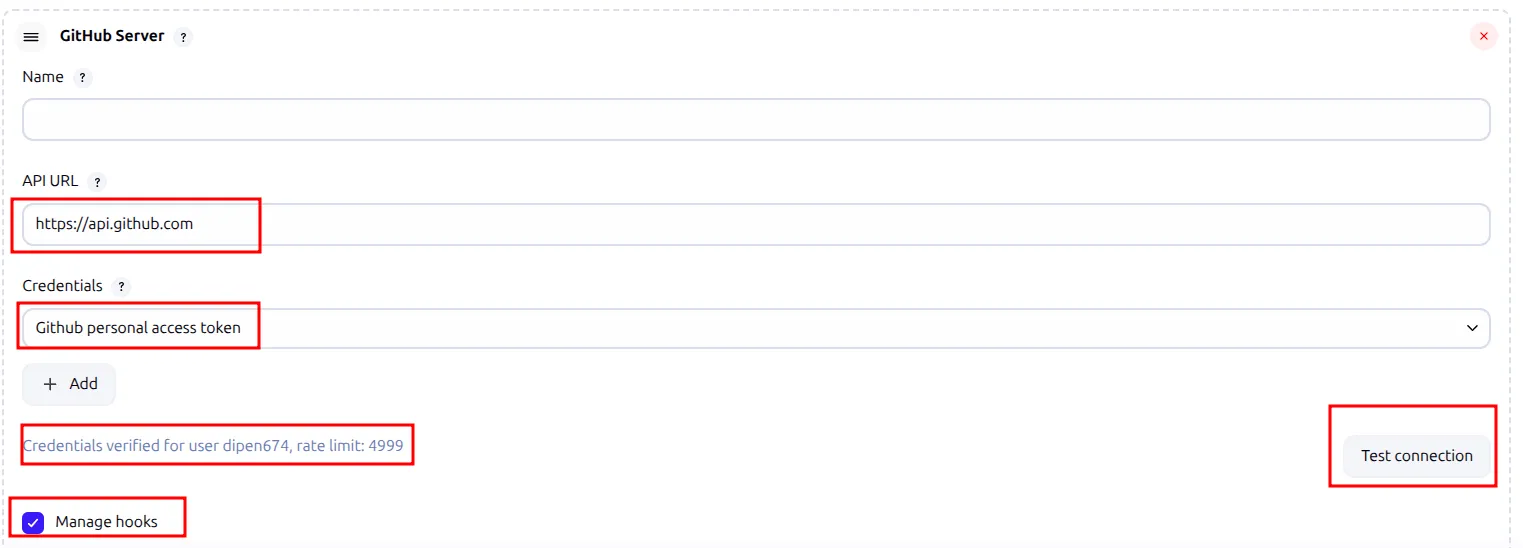
- Under GitHub, add a GitHub Server:
- Name:
GitHub(or any name) - API URL:
https://api.github.com - Credentials: Click Add → Jenkins:
- Kind:
Secret text - Secret: GitHub Personal Access Token
- ID:
github-token(or any ID)
- Kind:
- Click Test Connection (should say “Credentials verified”).
- ✅ Manage hooks (must be checked).
- Name:
Save.
B. Update Jenkins Pipeline to Use GitHub Webhook
- Open your Jenkinsfile (or pipeline script).
pipeline {
    agent none

    triggers {
        // Trigger on push to 'develop' branch
        githubPush()
    }

    environment {
        mydockerimage = "harbor.registry.local/jenkins/mylocalimage"
    }

    stages {
        // Your existing stages...
    }
}- Commit & Push to GitHub.
Now it’s time to setup web hook in github
- Currently i am using vagrant machine and i have tried a lot to expose it port publically but i was unable to so to trigger the web hook i have used ngrok.
- To setup ngrok i have have installed and setup with github link.
- After installation signup and add the authentication key in the machine.
- After that you can run this command “ngrok http 8080” this will provide a url like this “https://2ca59e943d83.ngrok-free.app/github-webhook/” in current screen.
- To run in background i have created a script and it will run and print the url in screen.
#!/bin/bash

PORT=8080
LOGFILE="ngrok.log"

# Kill any existing ngrok process on this port (optional)
pkill -f "ngrok http $PORT"

# Start ngrok in background and save logs
nohup ngrok http $PORT > $LOGFILE 2>&1 &

# Wait for ngrok to initialize
sleep 5

# Fetch the public HTTPS URL
NGROK_URL=$(curl -s http://localhost:4040/api/tunnels \
  | grep -o 'https://[a-zA-Z0-9.-]*.ngrok-free.app' | head -n 1)

if [[ -n "$NGROK_URL" ]]; then
  echo "Your Jenkins webhook URL is:"
  echo "$NGROK_URL/github-webhook/"
  echo ""
  echo "Use this URL in your GitHub webhook settings."
else
  echo "Failed to get ngrok URL. Check logs in $LOGFILE"
fi- After that you can validate using
- ps aux | grep ngrok
- curl http://localhost:4040/api/tunnels
- To kill the process
- pkill ngrok

- After getting this url paste it in the
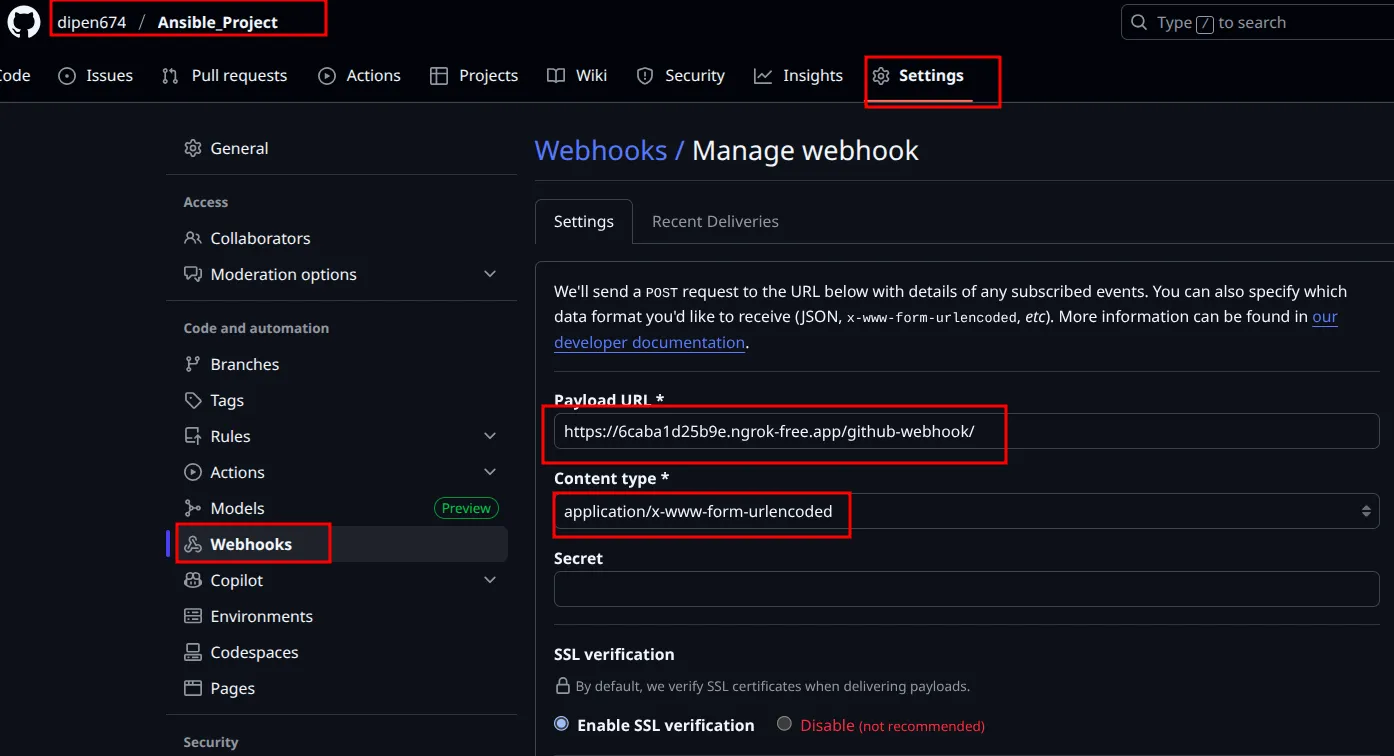
- In payload url paste the link and content-type application/x and add this.
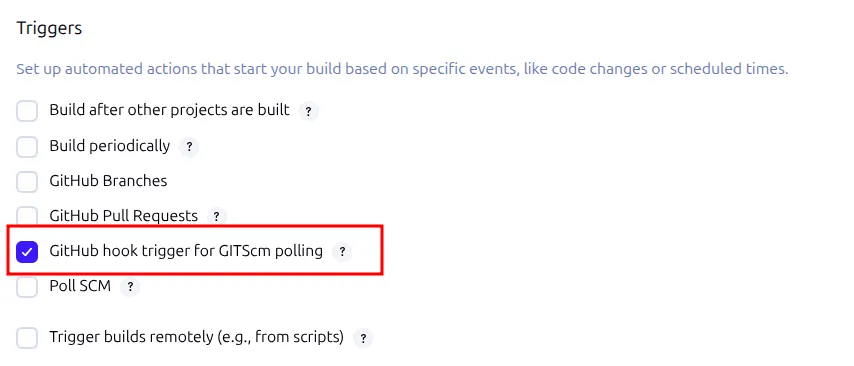
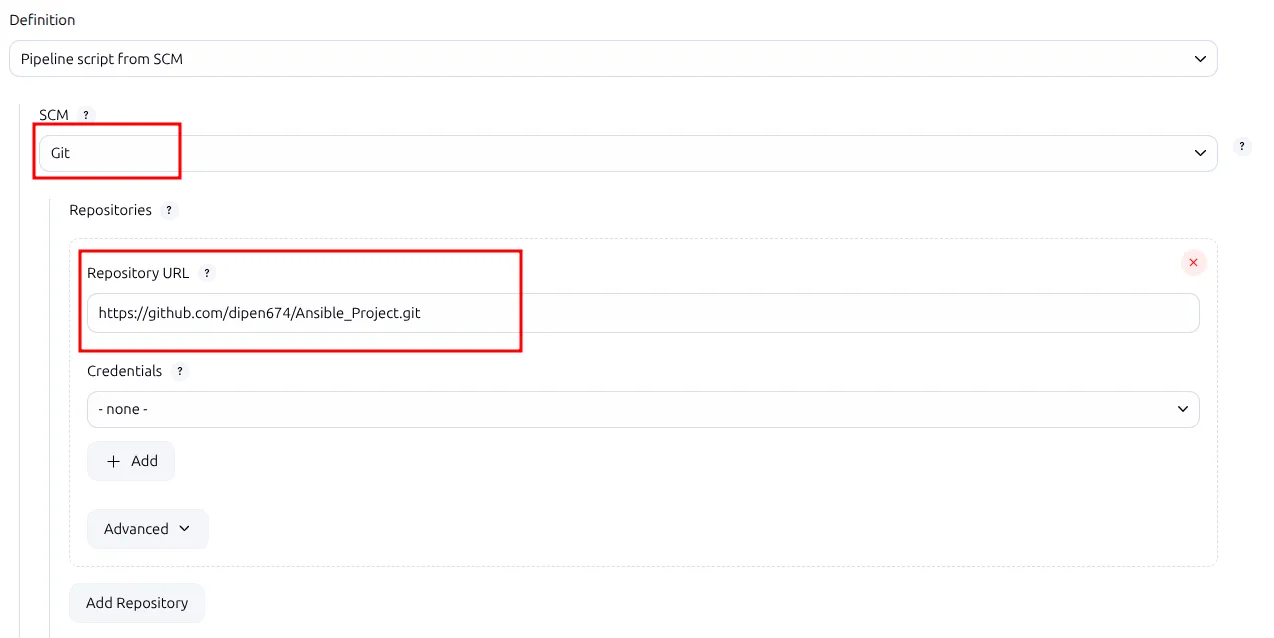
- Now let’s configure jenkins to detect this
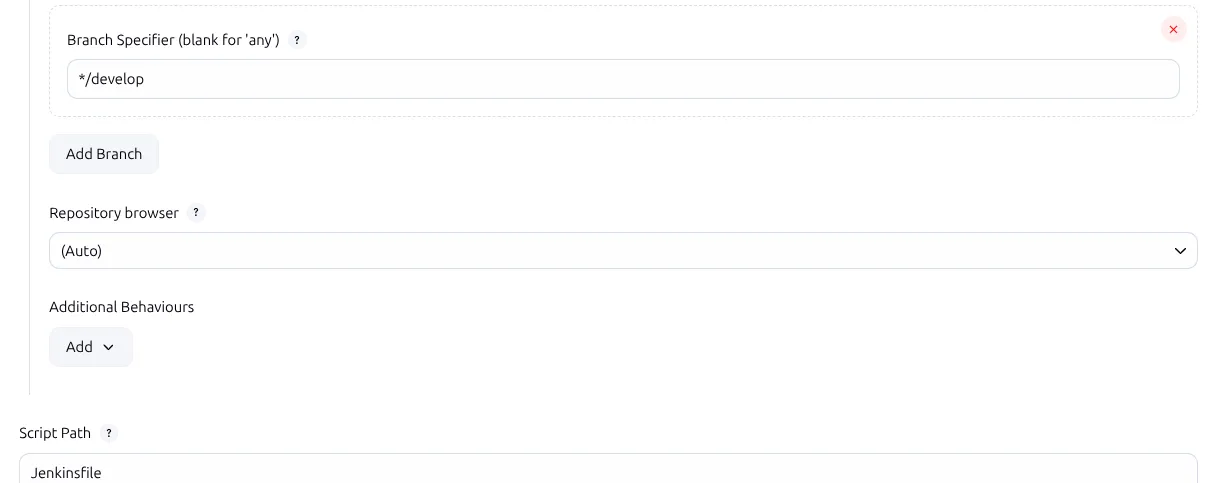
- After setting all these now if you push the code to github it will automatically trigger the pipeline.
Keep reading
- Distributed Build Example in Jenkins
Creating 2 VMs to know the concept of multistage distributed builds. Setting up Node in Jenkins master Setting label for Jenkins master Example 1: So first let’s run a simple pipeline in this node…
- Maven, Tomcat and Jenkins simple project
In this project we are creating a maven project and deploying it with tomcat. We are building and deploying manually to see the manual steps of deploying a war file. After that we will be deploying…
- GITHUB Actions
From Zero to Deploy: Building a MERN Stack CI/CD Pipeline with GitHub Actions Continuous Integration (CI) and Continuous Deployment (CD) have become essential pillars of modern software development…