VPC
VPC We can isolate resources from other resources and also isolate it from other resources.Amazon Virtual Private Cloud (VPC) is an Amazon Web Services (AWS) service that allows you to launch AWS…

ON THIS PAGE
VPC
We can isolate resources from other resources and also isolate it from other resources.Amazon Virtual Private Cloud (VPC) is an Amazon Web Services (AWS) service that allows you to launch AWS resources in a virtual network that you define, giving you a logically isolated section of the AWS cloud to control. You can select your own IP address ranges, create subnets, configure route tables, and set up network gateways and security features, creating an environment similar to a traditional network in your own data center but with the scalability and benefits of the AWS cloud.
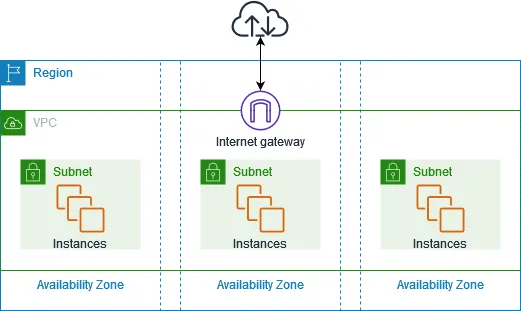
- Here in figure we can share the resources in different availability zones. Here the resources in the VPC are isolated from other resources. So this will make secure.
- We can also delete the default vpc and create our own.
- We can create the default vpc if it is deleted.
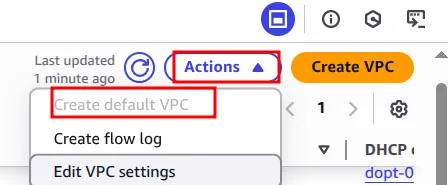
TO CREATE CUSTOM VPC
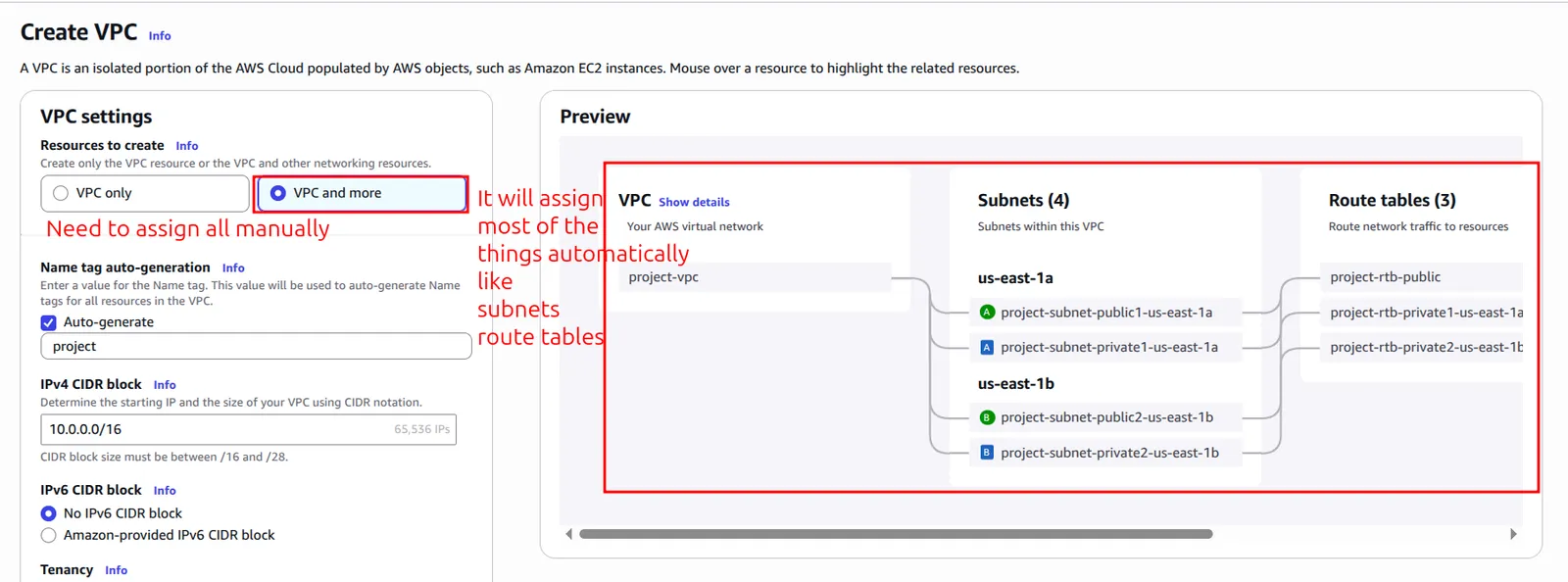
- Select VPC only
- Name tag – optional
- dipendra-demovpc
- IPv4 CIDR block Info
- IPv4 CIDR manual inputIPAM-allocated IPv4 CIDR block
- Consider the block size show in the instruction
- 10.0.0.1/16
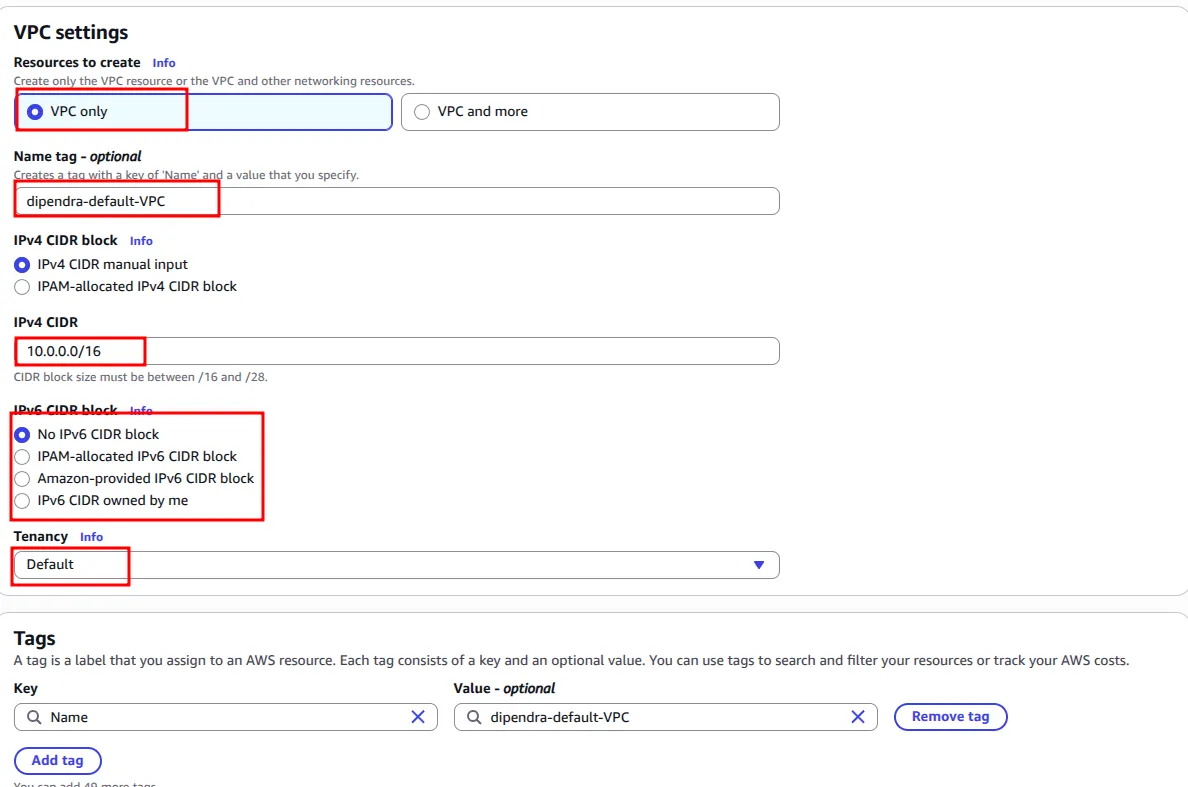
- Now it will create the VPC.
- Now we need to create the subnets
Now we need to create internet Gateway
What actually is internet gateway?
An internet gateway is a horizontally scaled, redundant, and highly available VPC component that allows communication between your VPC and the internet. It supports IPv4 and IPv6 traffic. It does not cause availability risks or bandwidth constraints on your network traffic.
Without this the VPC is not accessible in the internet
To create internet gateway
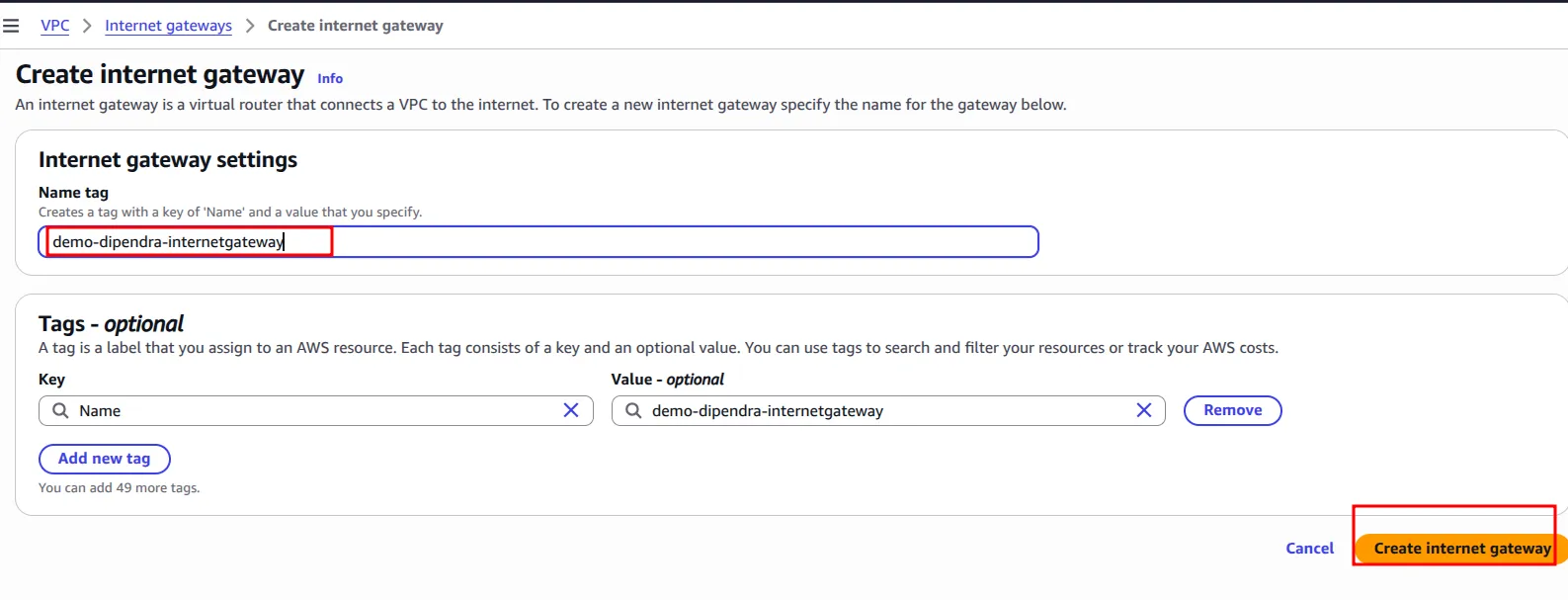
Now we need to attach this internet gateway to the VPC.
Now we need to make subnet
For this search the subnet in the search bar and create a subnet.
- Select the VPC ID that you have created earlier here.
- ie; demo-vpc-dipendra
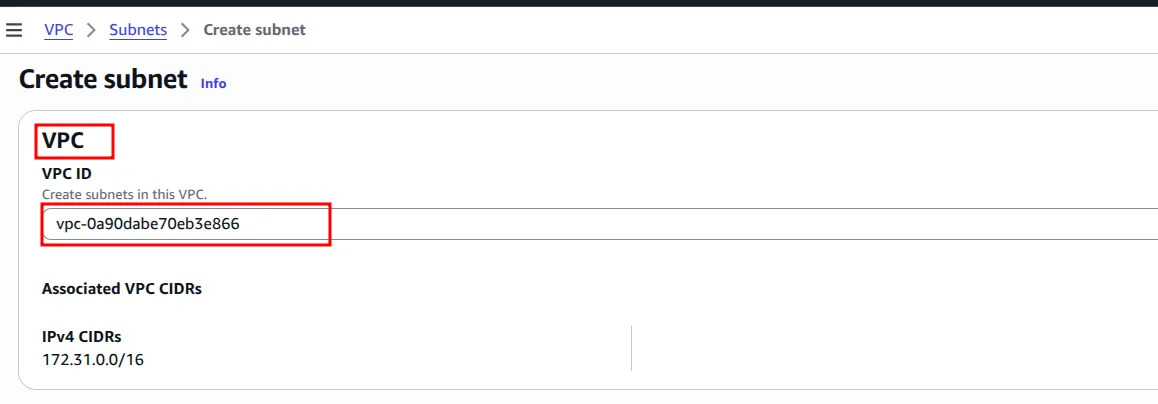
- Now provide the name for this subnet
- Subnet settings
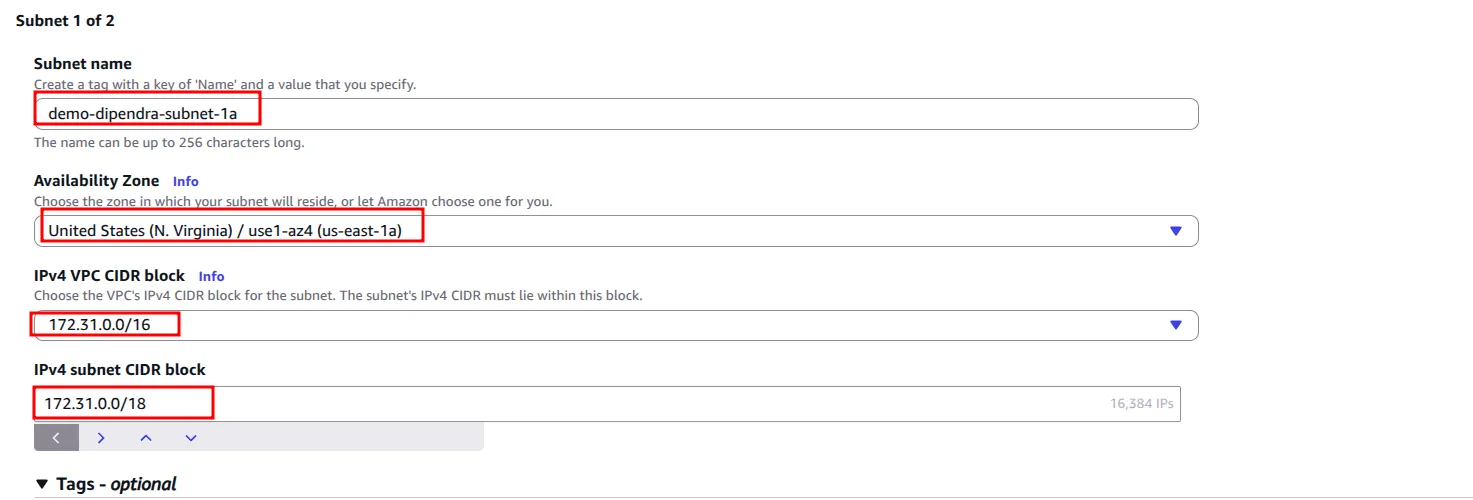
- Need to create two subnets. ie; public and private
- you can find the subnet CIDR block using the calculator and assign them here.
- Now after assigning this you can now create the vpc.
Now create route table
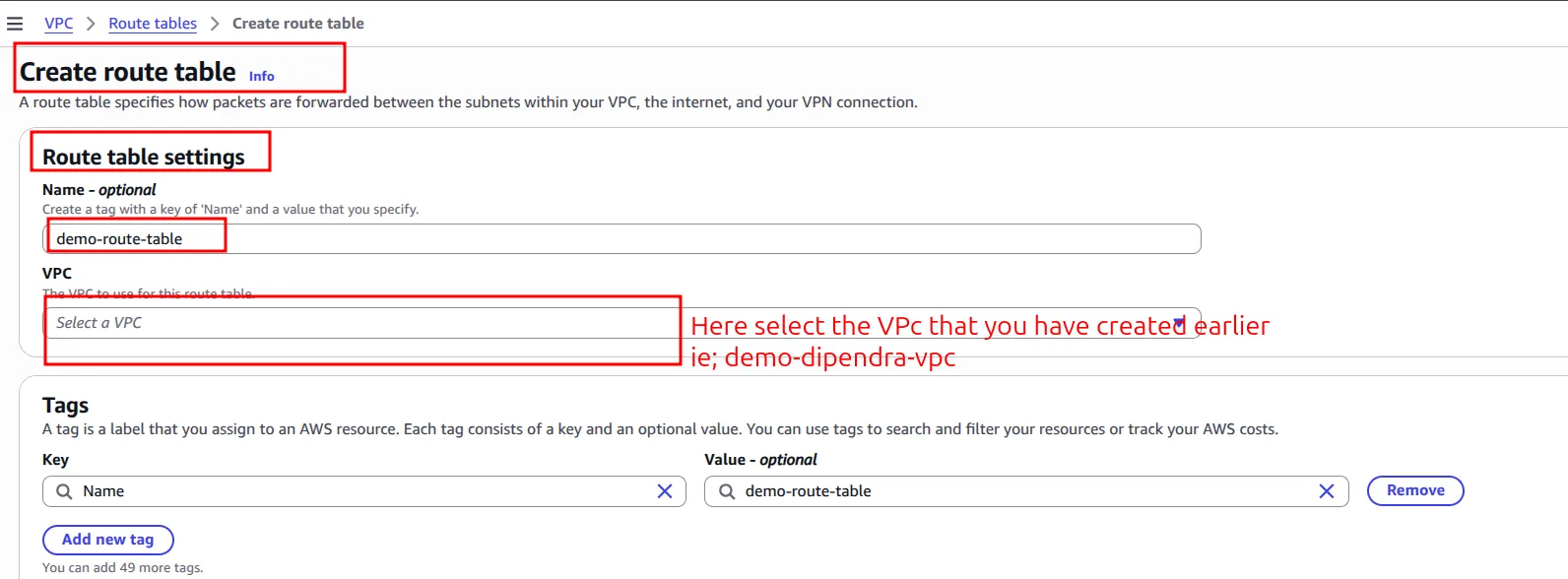
Now we need to attach the subnet here.
- Public subnet should be attached here

- To attach the public subnet
- Edit subnet association
- Select public subnet
Now in route table you can see like this
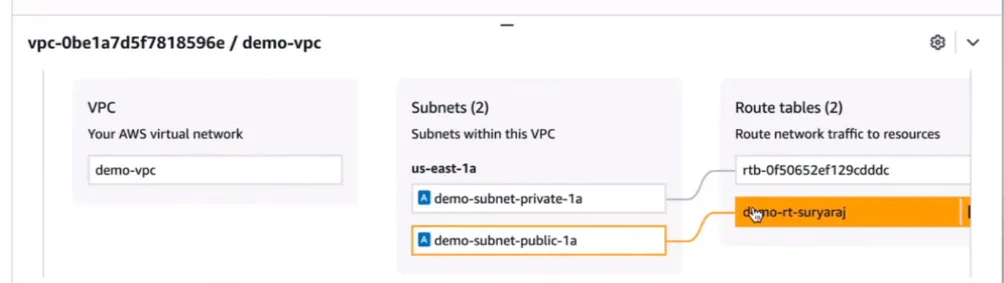
- Now let’s launch the EC2 instance in this VPC.
- Go to instance and create a new instance attaching this new vpc that we have created recently.
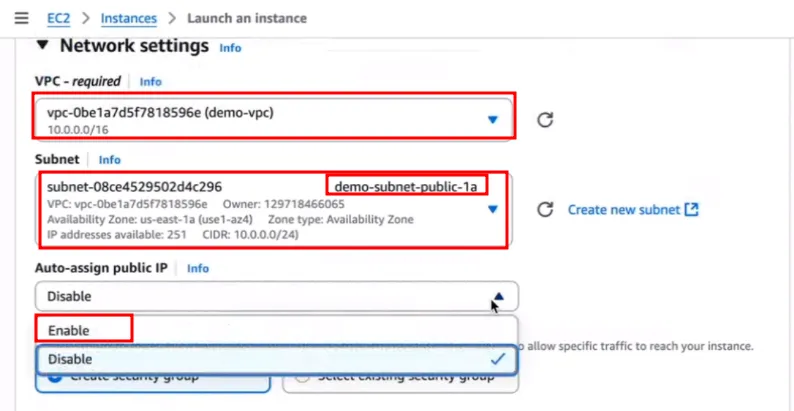
- All other things are similar.
- Now you can launch the instances.
After launching instance this will not work because we have missed to attach the internet gateway route. Select the route table and edit the routes here.
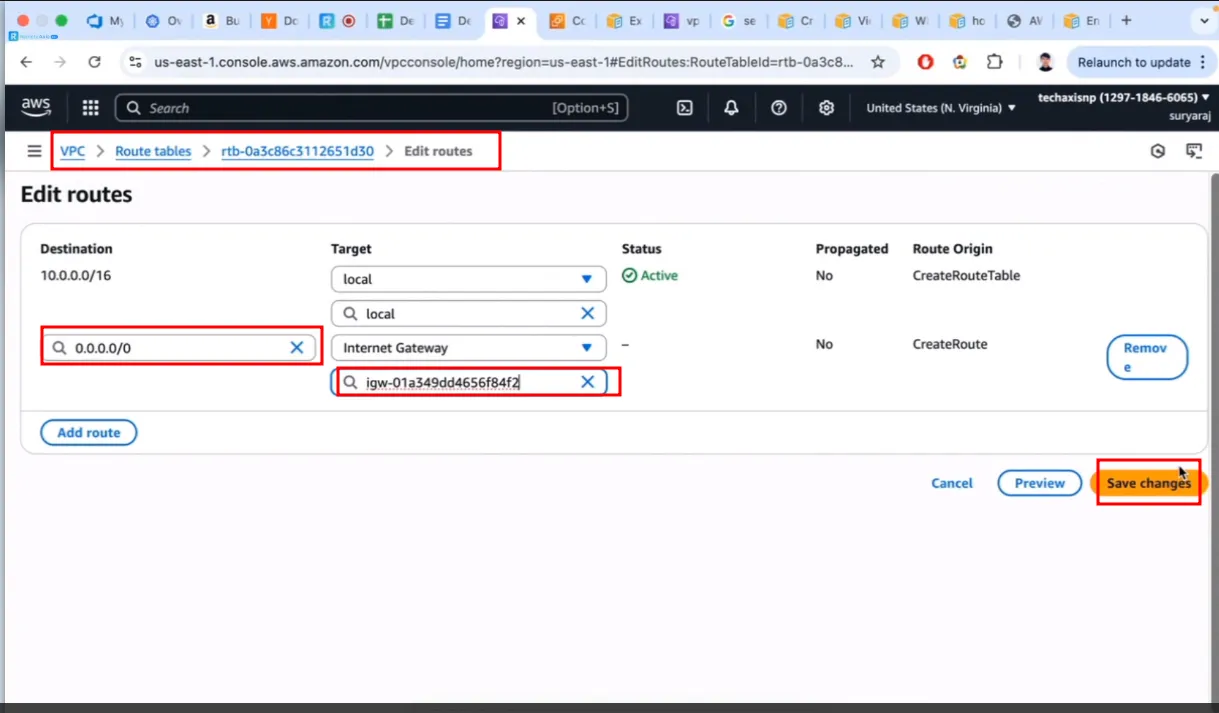
- Now we can connect the machine remotely from our machine.
NOTE:
- We cannot connect the machine using private IP and it is not better to use private ip.
- If we run instance in private ip then it will not be able to communicate with internet.
- For example:
- If we are building multi tier application that have frontend, backend and database
- frontend: user can access
- backend: user cannot access
- database: User cannot access
- Here the frontend will internally communicate with backend and database.
- So here it will be better to attach public ip to frontend and for backend and database we can use private ip. Because they don’t need to be accessed over the internet.
Keep reading
- AWS Global Infrastructure cert
AWS Global Infrastructure Overview The AWS Global Infrastructure is designed and built to deliver a flexible, reliable, scalable, and secure cloud computing environment with high-quality global…
- Cloud Computing Economics
Fundamentals of pricing AWS Pricing Model Three fundamental drivers of cost with AWS There are three fundamental drivers of cost with AWS: compute, storage, and outbound data transfer. These…
- AWS Developer Tools
Why Developer tools Host code and quickly and effectively build, test, and deploy your applications with AWS developer tools. Leverage core tools like software development kits (SDKs), code editors…