AWS Global Infrastructure cert
AWS Global Infrastructure Overview The AWS Global Infrastructure is designed and built to deliver a flexible, reliable, scalable, and secure cloud computing environment with high-quality global…

ON THIS PAGE
AWS Global Infrastructure Overview
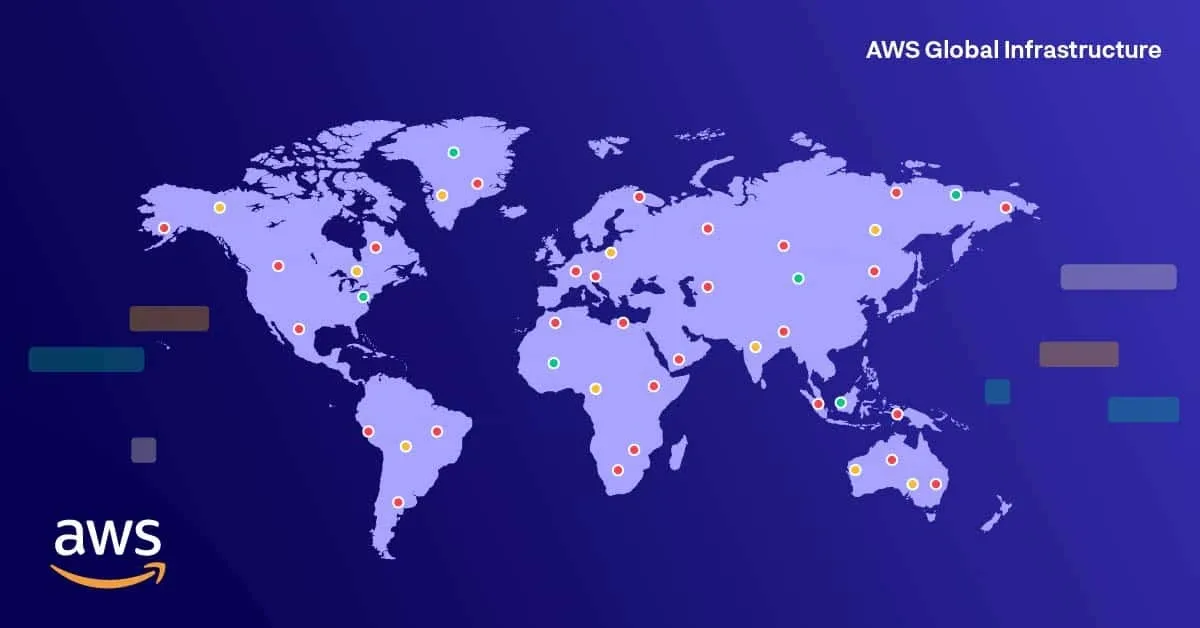
- The AWS Global Infrastructure is designed and built to deliver a flexible, reliable, scalable, and secure cloud computing environment with high-quality global network performance.
- AWS continually updates its global infrastructure footprint. Visit one of the following web pages for current infrastructure information:
- AWS Global Infrastructure Map: Choose a circle on the map to view summary information about the Region represented by the circle.
- Regions and Availability Zones: Choose a tab to view a map of the selected geography and a list of Regions, Edge locations, Local zones, and Regional Caches
To learn more about the AWS Regions that are currently available, use one of the following links
AWS Regions
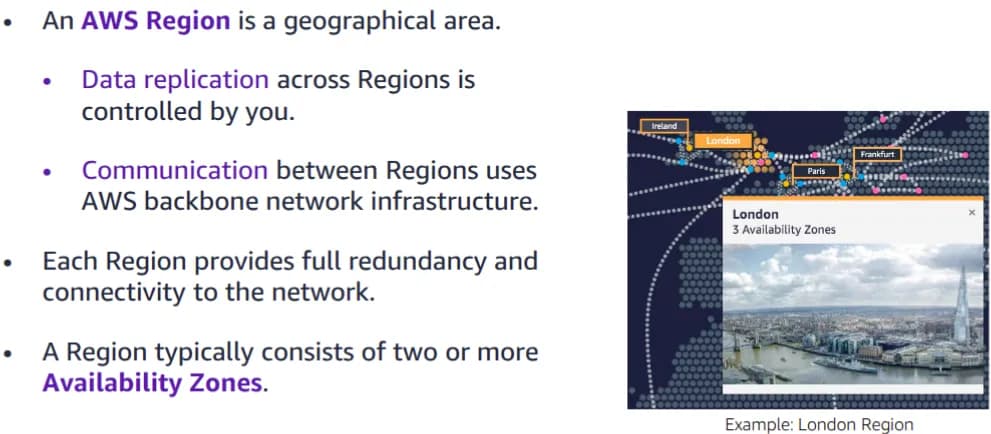
The AWS Cloud infrastructure is built around Regions. AWS has 33 Regions worldwide. An AWS Region Is a physical geographical location with one or more Availability Zones. Availability Zones in turn consist of one or more data centers.
To achieve fault tolerance and stability, Regions are isolated from one another. Resources in one Region are not automatically replicated to other Regions. When you store data in a specific Region, it is not replicated outside that Region.
It is your responsibility to replicate data across Regions, if your business needs require it.
AWS Regions that were introduced before March 20, 2019 are enabled by default. Regions that were introduced after March 20, 2019—such as Asia Pacific (Hong Kong) and Middle East (Bahrain)—are disabled by default. You must enable these Regions before you can use them. You can use the AWS Management Console to enable or disable a Region.
Some Regions have restricted access. An Amazon AWS (China) account provides access to the Beijing and Ningxia Regions only. To learn more about AWS in China, see: link. The isolated AWS GovCloud (US) Region is designed to allow US government agencies and customers to move sensitive workloads into the cloud by addressing their specific regulatory and compliance requirements.
- For accessibility: Snapshot from the infrastructure.aws website that shows a picture of downtown London including the Tower Bridge and the Shard. It notes that there are three Availability Zones in the London region. End of accessibility description.
- Breaking Down this
- Region (London) → A physical location where AWS has multiple data centers. In this case, it’s London.
- Availability Zone (AZ) → An isolated group of one or more data centers within that region. Each AZ has independent power, networking, and cooling, but they’re connected to each other with fast, low-latency links.
- So when AWS says “three Availability Zones in the London region”, it means that if you choose the London region for your resources (like EC2, RDS, etc.), AWS will distribute them across three separate but interconnected data centers in/around London. his setup improves reliability, fault tolerance, and disaster recovery. For example, if one AZ goes down, your resources can still run in the other two.
- Breaking Down this
Selecting a Region
There are a few factors that you should consider when you select the optimal Region or Regions where you store data and use AWS services.
One essential consideration is data governance and legal requirements. Local laws might require that certain information be kept within geographical boundaries. Such laws might restrict the Regions where you can offer content or services. For example, consider the European Union (EU) Data Protection Directive.
All else being equal, it is generally desirable to run your applications and store your data in a Region that is as close as possible to the user and systems that will access them. This will help you reduce latency. CloudPing is one website that you can use to test latency between your location and all AWS Regions.
To learn more about CloudPing, Link
Keep in mind that not all services are available in all Regions. To learn more, see:
LINK
Finally, there is some variation in the cost of running services, which can depend on which Region you choose. For example, as of this writing, running an On-Demand t3.medium size Amazon Elastic Compute Cloud (Amazon EC2) Linux instance in the US East (Ohio) Region costs $0.0416 per hour, but running the same instance in the Asia Pacific (Tokyo) Region costs $0.0544 per hour.
Availability Zones
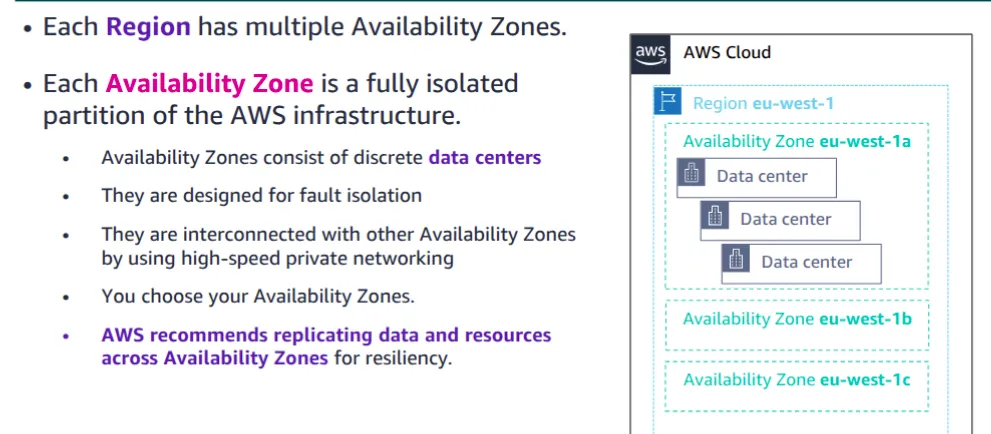
Each AWS Region has multiple, isolated locations that are known as Availability Zones.
Each Availability Zone provides the ability to operate applications and databases that are more highly available, fault-tolerant, and scalable than would be possible with a single data center. Each Availability Zone can include multiple data centers (typically three), and at full-scale, they can include hundreds of thousands of servers. They are fully isolated partitions of the AWS Global Infrastructure. Availability Zones have their own power infrastructure, and they are physically separated by many kilometers from other Availability Zones—though all Availability Zones are within 100 km of each other.
All Availability Zones are interconnected with high-bandwidth, low-latency networking over fully redundant, dedicated fiber that provides high-throughput between Availability Zones. The network accomplishes synchronous replication between Availability Zones.
Synchronous replication means that when data is written to one Availability Zone (AZ), AWS makes sure the same data is instantly written to another AZ at the same time — before confirming the write was successful.
Availability Zones help build highly available applications. When an application is partitioned across Availability Zones, companies are better isolated and protected from issues such as lightning, tornadoes, earthquakes, and more.
You are responsible for selecting the Availability Zones where your systems will reside. Systems can span multiple Availability Zones. AWS recommends replicating across Availability Zones for resiliency. You should design your systems to survive the temporary or prolonged failure of an Availability Zone if a disaster occurs.
AWS data centers
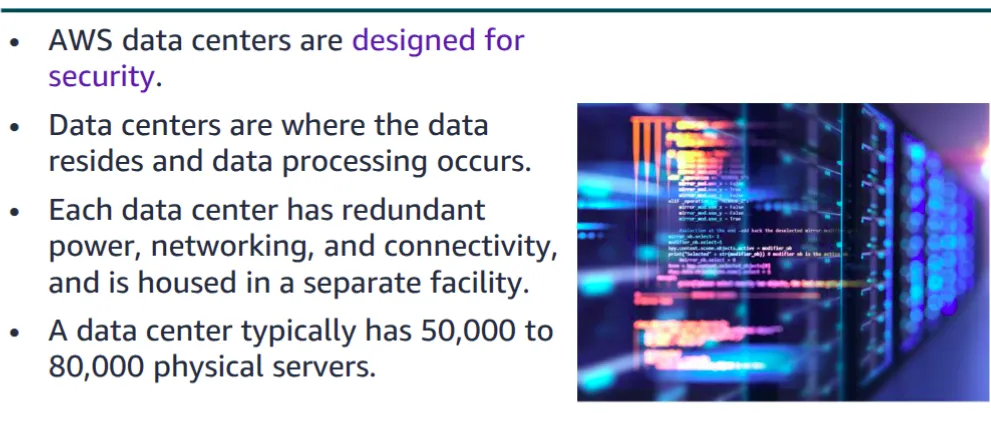
The foundation for the AWS infrastructure is the data centers. Customers do not specify a data center for the deployment of resources. Instead, an Availability Zone is the most granular level of specification that a customer can make. However, a data center is the location where the actual data resides. Amazon operates state-of-the-art, highly available data centers. Although rare, failures can occur that affect the availability of instances in the same location. If you host all your instances in a single location that is affected by such a failure, none of your instances will be available.Data centers are securely designed with several factors in mind:Each location is carefully evaluated to mitigate environmental risk.
- Data centers have a redundant design that anticipates and tolerates failure while maintaining service levels.
- To ensure availability, critical system components are backed up across multiple Availability Zones.
- To ensure capacity, AWS continuously monitors service usage to deploy infrastructure to support availability commitments and requirements.
- Data center locations are not disclosed and all access to them is restricted.
- In case of failure, automated processes move data traffic away from the affected area.
AWS uses custom network equipment sourced from multiple original device manufacturers (ODMs).ODMs design and manufacture products based on specifications from a second company. The second company then rebrands the products for sale.
Points of Presence
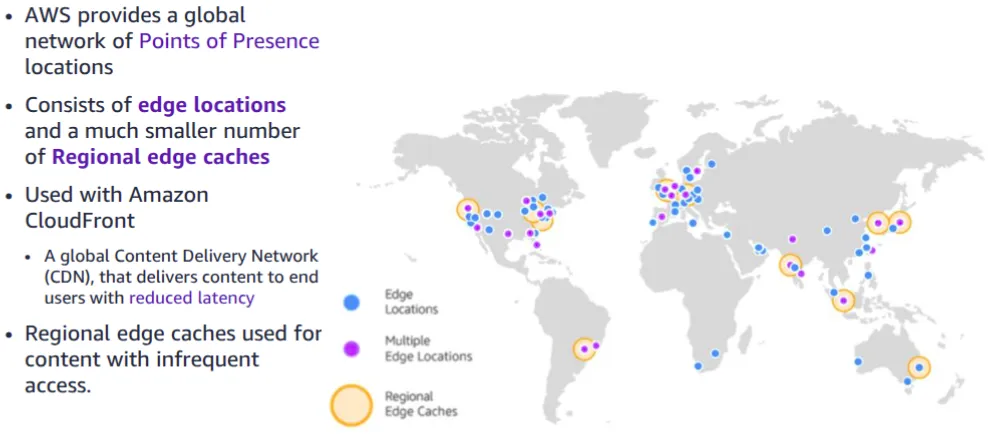
Amazon CloudFront is a content delivery network (CDN) used to distribute content to end users to reduce latency. Amazon Route 53 is a Domain Name System (DNS) service. Requests going to either one of these services will be routed to the nearest edge location automatically in order to lower latency.
AWS Points of Presence are located in most of the major cities around the world. By continuously measuring internet connectivity, performance and computing to find the best way to route requests, the Points of Presence deliver a better near real-time user experience. They are used by many AWS services, including Amazon CloudFront, Amazon Route 53, AWS Shield, and AWS Web Application Firewall (AWS WAF) services. Regional edge caches are used by default with Amazon CloudFront.
Regional edge caches are used when you have content that is not accessed frequently enough to remain in an edge location. Regional edge caches absorb this content and provide an alternative to that content having to be fetched from the origin server.
AWS infrastructure features
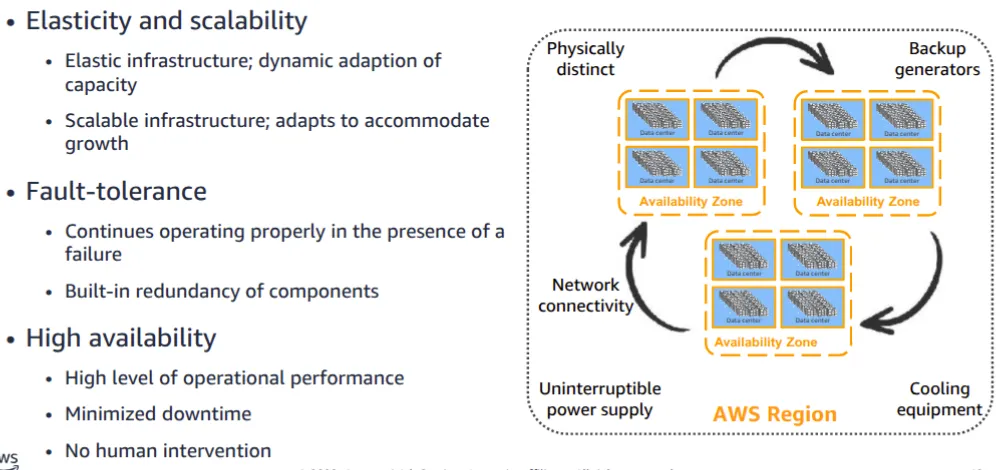
Now that you have a good understanding of the major components that comprise the AWS Global Infrastructure, let’s consider the benefits provided by this infrastructure.The AWS Global Infrastructure has several valuable features:
- First, it is elastic and scalable. This means resources can dynamically adjust to increases or decreases in capacity requirements. It can also rapidly adjust to accommodate growth.
- Second, this infrastructure is fault tolerant, which means it has built-in component redundancy which enables it to continue operations despite a failed component.
- Finally, it requires minimal to no human intervention, while providing high availability with minimal down time.
Some key takeaways from this section of the module include:
- The AWS Global Infrastructure consists of Regions and Availability Zones.
- Your choice of a Region is typically based on compliance requirements or to reduce latency.
- Each Availability Zone is physically separate from other Availability Zones and has redundant power, networking, and connectivity.
- Edge locations, and Regional edge caches improve performance by caching content closer to users.
AWS services and service category overview
AWS offers a broad set of global cloud-based products that can be used as building blocks for common cloud architectures. Here is a look at how these cloud based products are organized.
AWS foundational services
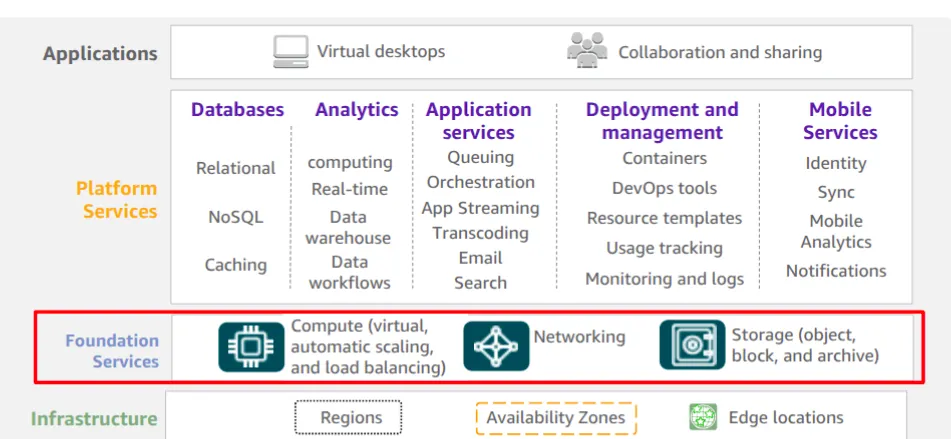
As discussed previously, the AWS Global Infrastructure can be broken down into three elements: Regions, Availability Zones, and Points of Presence, which include edge locations. This infrastructure provides the platform for a broad set of services, such as networking, storage, compute services, and databases—and these services are delivered as an on-demand utility that is available in seconds, with pay-as-you-go pricing.
For accessibility: Marketing diagram showing infrastructure at the bottom, consisting of Regions, Availability Zones, and edge locations. The next level up is labeled Foundational Services and includes graphics for compute, networking, and storage. That level is highlighted. Next level up is platform services that includes databases, analytics, app services, deployment and management, and mobile services. Top layer is labeled applications and includes virtual desktops and collaboration and sharing. End of accessibility description
Summary of accessibility
1. Infrastructure (Bottom Layer)
- Regions → Physical geographic areas (like London, N. Virginia, Mumbai).
- Availability Zones (AZs) → Independent data centers inside each region, connected with low-latency links.
- Edge Locations → Smaller sites used for services like CloudFront (CDN) to deliver content closer to users.
👉 This is the foundation of AWS — the physical and networking backbone.
2. Foundational Services (Highlighted in your snapshot)
- Compute → EC2, Lambda, ECS, etc. (processing power).
- Networking → VPC, Route 53, Load Balancers, etc. (connectivity).
- Storage → S3, EBS, EFS, Glacier, etc. (data storage).
👉 These are the core building blocks. Everything else in AWS depends on compute, networking, and storage.
3. Platform Services (Next Layer Up)
- Databases → RDS, DynamoDB, Aurora.
- Analytics → Redshift, EMR, Athena.
- App Services → API Gateway, Step Functions, SNS, SQS.
- Deployment & Management → CloudFormation, CloudWatch, Elastic Beanstalk.
- Mobile Services → Amplify, Cognito, AppSync.
👉 These services make it easier for developers to build and manage applications on top of the foundational layer.
4. Applications (Top Layer)
- Virtual Desktops → Amazon WorkSpaces, AppStream.
- Collaboration & Sharing → Chime, WorkDocs, WorkMail.
👉 These are end-user applications that you or your organization can directly use, built on top of all the lower layers.
- Infrastructure = physical backbone.
- Foundational services = basic cloud building blocks.
- Platform services = advanced services for developers.
- Applications = ready-to-use AWS apps for end-users.
AWS categories of services
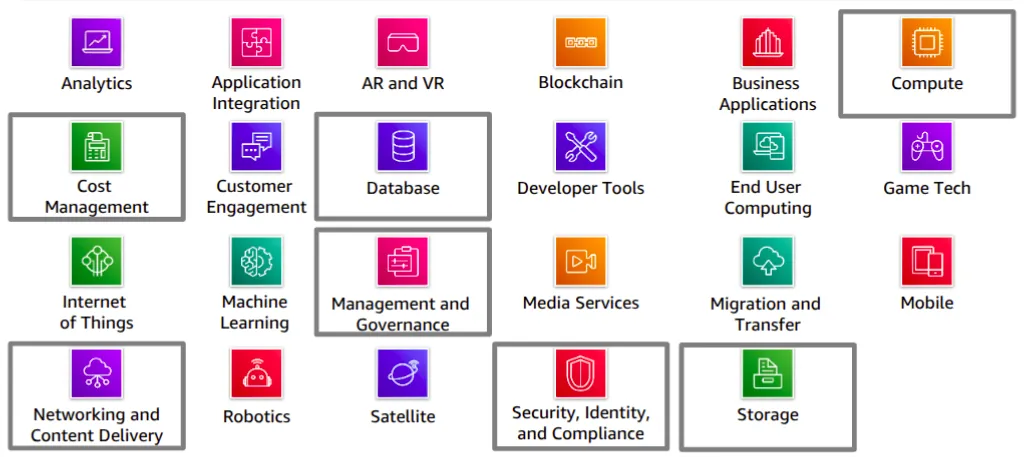
AWS offers a broad set of cloud-based services. There are 23 different product or service categories, and each category consists of one or more services. This course will not attempt to introduce you to each service. Rather, the focus of this course is on the services that are most widely used and offer the best introduction to the AWS Cloud. This course also focuses on services that are more likely to be covered in the AWS Certified Cloud Practitioner exam.
The categories that this course will discuss are highlighted on the slide: Compute, Cost Management, Database, Management and Governance, Networking and Content Delivery, Security, Identity, and Compliance, and Storage.To learn more about AWS products, see Cloud Products at
All AWS products are organized into the service categories that are shown here. For example, if you click Compute,you will see that Amazon Elastic Compute Cloud (Amazon EC2) is first on the list. The compute category also lists many other products and services.
If you click Amazon EC2,it takes you to the Amazon EC2 page. Each product page provides a detailed description of the product and lists some of its benefits.
Explore the different service groups to understand the categories and services within them. Now that you know how to locate information about different services, this module will discuss the highlighted service categories.
Storage service category
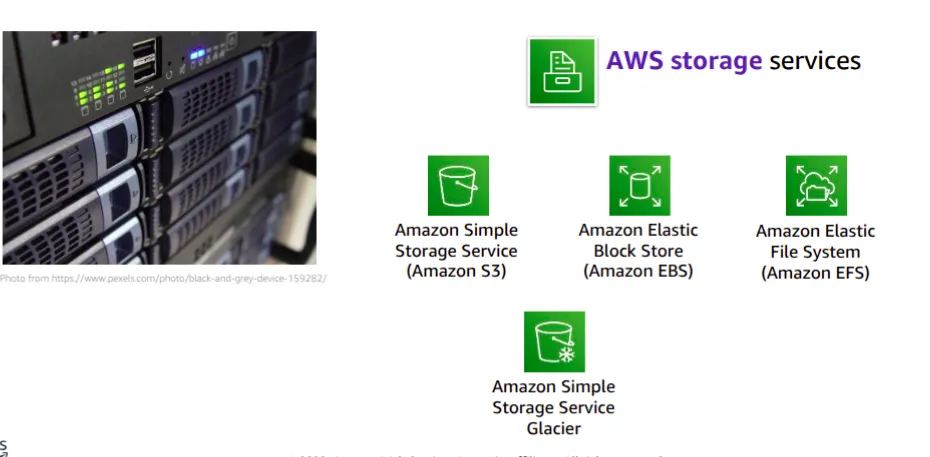
AWS storage services include the services listed here, and many others.
- Amazon Simple Storage Service (Amazon S3) is an object storage service that offers scalability, data availability, security, and performance. Use it to store and protect any amount of data for websites, mobile apps, backup and restore, archive, enterprise applications, Internet of Things (IoT) devices, and big data analytics.
- Amazon Elastic Block Store (Amazon EBS) is high-performance block storage that is designed for use with Amazon EC2 for both throughput and transaction intensive workloads. It is used for a broad range of workloads, such as relational and non-relational databases, enterprise applications, containerized applications, big data analytics engines, file systems, and media workflows.
- Amazon Elastic File System (Amazon EFS) provides a scalable, fully managed elastic Network File System (NFS) file system for use with AWS Cloud services and on-premises resources. It is built to scale on demand to petabytes, growing and shrinking automatically as you add and remove files. It reduces the need to provision and manage capacity to accommodate growth.Amazon Simple Storage Service Glacier is a secure, durable, and extremely low-cost Amazon S3 cloud storage class for data archiving and long-term backup. It is designed to deliver 11 9s of durability, and to provide comprehensive security and compliance capabilities to meet stringent regulatory requirements
Compute service category
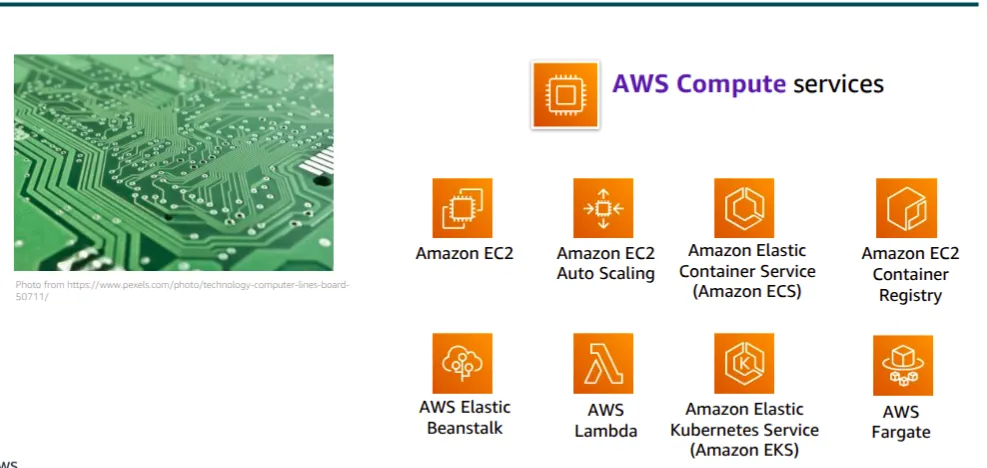
AWS compute services include the services listed here, and many others.
- Amazon Elastic Compute Cloud (Amazon EC2) provides resizable compute capacity as virtual machines in the cloud. Amazon EC2 Auto Scaling enables you to automatically add or remove EC2 instances according to conditions that you define.
- Amazon Elastic Container Service (Amazon ECS) is a highly scalable, high-performance container orchestration service that supports Docker containers.
- Amazon Elastic Container Registry (Amazon ECR) is a fully-managed Docker container registry that makes it easy for developers to store, manage, and deploy Docker container images.
- AWS Elastic Beanstalk is a service for deploying and scaling web applications and services on familiar servers such as Apache and Microsoft Internet Information Services (IIS).
- AWS Lambda enables you to run code without provisioning or managing servers. You pay only for the compute time that you consume. There is no charge when your code is not running.
- Amazon Elastic Kubernetes Service (Amazon EKS) makes it easy to deploy, manage, and scale containerized applications that use Kubernetes on AWS.
- AWS Fargate is a compute engine for Amazon ECS that allows you to run containers without having to manage servers or clusters
Database service category
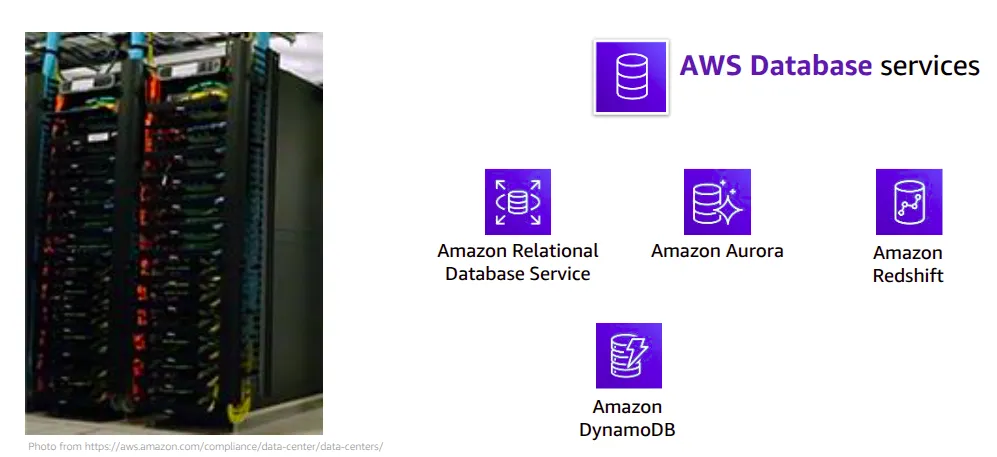
AWS database services include the services listed here, and many others.
- Amazon Relational Database Service (Amazon RDS) makes it easy to set up, operate, and scale a relational database in the cloud. It provides resizable capacity while automating time-consuming administration tasks such as hardware provisioning, database setup, patching, and backups.
- Amazon Aurora is a MySQL and PostgreSQL-compatible relational database. It is up to five times faster than standard MySQLdatabases and three times faster than standard PostgreSQL databases.
- Amazon Redshift enables you to run analytic queries against petabytes of data that is stored locally in Amazon Redshift, and directly against exabytes of data that are stored in Amazon S3. It delivers fast performance at any scale.
- Amazon DynamoDB is a key-value and document database that delivers single-digit millisecond performance at any scale, with built-in security, backup and restore, and in-memory caching.
Networking and content delivery service category
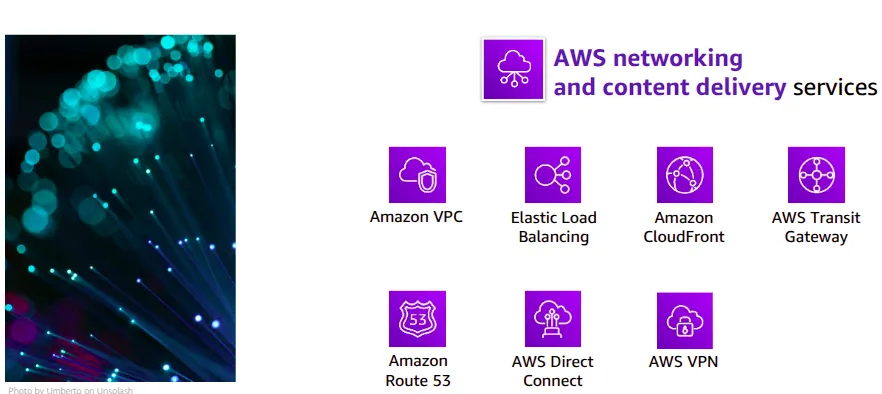
AWS networking and content delivery services include the services listed here, and many others.
- Amazon Virtual Private Cloud (Amazon VPC) enables you to provision logically isolated sections of the AWS Cloud.
- Elastic Load Balancing automatically distributes incoming application traffic across multiple targets, such as Amazon EC2 instances, containers, IP addresses, and Lambda functions.
- Amazon CloudFront is a fast content delivery network (CDN) service that securely delivers data, videos, applications, and application programming interfaces (APIs) to customers globally, with low latency and high transfer speeds.
- AWS Transit Gateway is a service that enables customers to connect their Amazon Virtual Private Clouds (VPCs) and their on-premises networks to a single gateway.
- Amazon Route 53 is a scalable cloud Domain Name System (DNS) web service designed to give you a reliable way to route end users to internet applications. It translates names (like http://www.example.com) into the numeric IP addresses (like 192.0.2.1) that computers use to connect to each other.
- AWS Direct Connect provides a way to establish a dedicated private network connection from your data center or office to AWS, which can reduce network costs and increase bandwidth throughput.
- AWS VPN provides a secure private tunnel from your network or device to the AWS global network.
Security, identity, and compliance service category
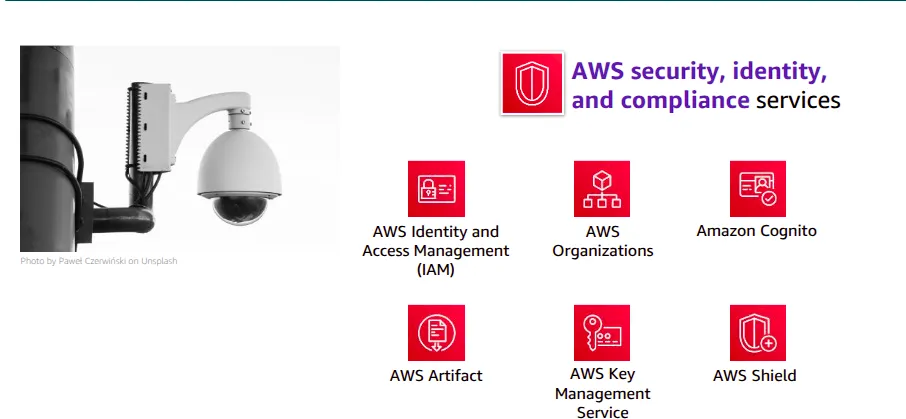
AWS security, identity, and compliance services include the services listed here, and many others.
- AWS Identity and Access Management (IAM) enables you to manage access to AWS services and resources securely. By using IAM, you can create and manage AWS users and groups. You can use IAM permissions to allow and deny user and group access to AWS resources.
- AWS Organizations allows you to restrict what services and actions are allowed in your accounts.
- Amazon Cognito lets you add user sign-up, sign-in, and access control to your web and mobile apps.
- AWS Artifact provides on-demand access to AWS security and compliance reports and select online agreements.
- AWS Key Management Service (AWS KMS) enables you to create and manage keys. You can use AWS KMS to control the use of encryption across a wide range of AWS services and in your applications.
- AWS Shield is a managed Distributed Denial of Service (DDoS) protection service that safeguards applications running on AWS
AWS cost management service category
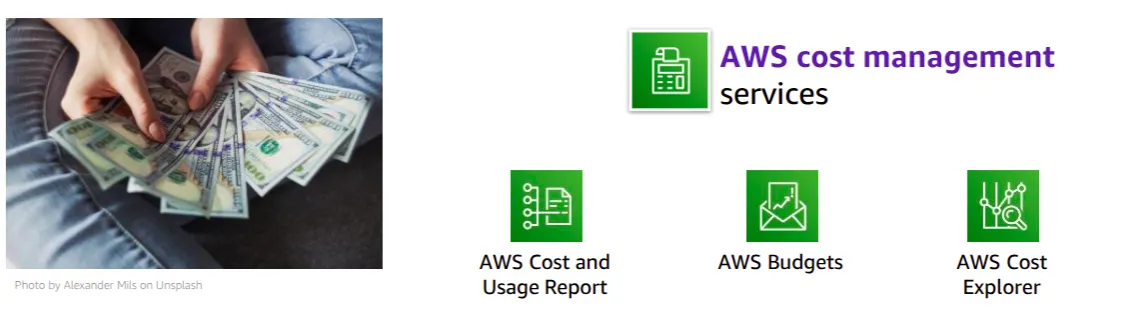
AWS cost management services include the services listed here, and others.
- The AWS Cost and Usage Report contains the most comprehensive set of AWS cost and usage data available, including additional metadata about AWS services, pricing, and reservations.
- AWS Budgets enables you to set custom budgets that alert you when your costs or usage exceed (or are forecasted to exceed) your budgeted amount.
- AWS Cost Explorer has an easy-to-use interface that enables you to visualize, understand, and manage your AWS costs and usage over time
Management and governance service category
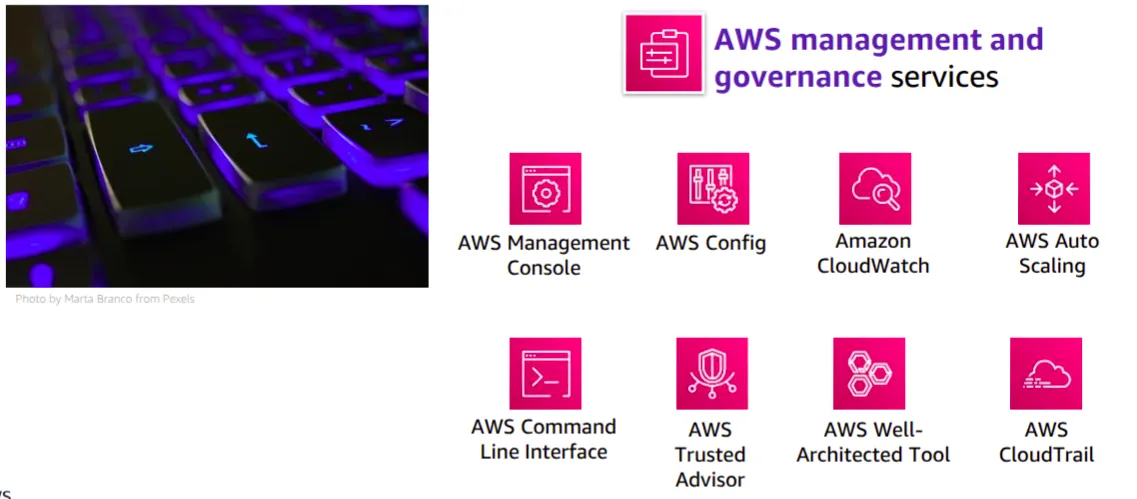
- AWS management and governance services include the services listed here, and others.
- The AWS Management Console provides a web-based user interface for accessing your AWS account.
- AWS Config provides a service that helps you track resource inventory and changes.
- Amazon CloudWatch allows you to monitor resources and applications.
- AWS Auto Scaling provides features that allow you to scale multiple resources to meet demand.
- AWS Command Line Interface provides a unified tool to manage AWS services.
- AWS Trusted Advisor helps you optimize performance and security.
- AWS Well-Architected Tool provides help in reviewing and improving your workloads.
- AWS CloudTrail tracks user activity and API usage.
Hands-on activity: AWS Management Console clickthrough
- 1.Launch the Sandboxhands-on environment and connect to the AWS Management Console.
- 2.Explore the AWS Management Console.
- A.Click the Servicesmenu.
- B.Notice how services are grouped into service categories. For example, the EC2service appears in the Computeservice category.
- Question #1: Under which service category does the IAM service appear? Question #2: Under which service category does the AmazonVPCservice appear?
- C.Click the AmazonVPCservice. Notice that the dropdown menu in the top-right corner displays an AWS Region (for example, it might display N. Virginia).
- D.Click the Region menu and switch to a different Region. For example, choose EU (London).
- E.Click Subnets(on the left side of the screen). The Region has three subnets in it. Click the box next to one of the subnets. Notice that the bottom half of the screen now displays details about this subnet.
- Question #3: Does the subnet you selected exist at the level of the Region or at the level of the Availability Zone?
- F.Click Your VPCs. An existing VPC is already selected.
- Question #4: Does the VPC exist at the level of the Region or the level of the Availability Zone?
- Question #5: Which services are global instead of Regional? Check Amazon EC2, IAM, Lambda, and Route 53.
Activity answer key
- Question #1: Under which service category does the IAM service appear?
- Answer: Security, Identity, & Compliance.
- Question #2: Under which service category does the AmazonVPCservice appear
- Answer: Networking & Content Delivery
- Question #3: Does the subnet that you selected exist at the level of the Region or the level of the Availability Zone?
- Answer: Subnets exist at the level of the Availability Zone.
- Question #4: Does the VPC exist at the level of the Region or the level of the Availability Zone?
- Answer: VPCs exist at the Region level.
- Question #5: Which of the following services are global instead of Regional? Check Amazon EC2, IAM, Lambda, and Route 53.
- Answer: IAM and Route 53 are global. Amazon EC2 and Lambda are Regional.
Questions?
- Identify the difference between AWS Regions, Availability Zones, and edge locations
- Identify AWS service and service categories?
Sample question:
Which component of AWS global infrastructure does Amazon CloudFront use to ensure low-latency delivery?
- A. AWS Regions
- B. AWS edge locations
- C. AWS Availability Zones
- D. Amazon Virtual Private Cloud (Amazon VPC
The correct answer is AWS edge loactions
Additional resources
Keep reading
- Cloud Computing Economics
Fundamentals of pricing AWS Pricing Model Three fundamental drivers of cost with AWS There are three fundamental drivers of cost with AWS: compute, storage, and outbound data transfer. These…
- VPC
VPC We can isolate resources from other resources and also isolate it from other resources.Amazon Virtual Private Cloud (VPC) is an Amazon Web Services (AWS) service that allows you to launch AWS…
- AWS Developer Tools
Why Developer tools Host code and quickly and effectively build, test, and deploy your applications with AWS developer tools. Leverage core tools like software development kits (SDKs), code editors…