AWS Introduction cert
Trends in AWS Introduction Cloud computing is always changing, and AWS is always innovating. AWS is regularly introducing new services and features and making improvements, such as lower costs, more…

ON THIS PAGE
Trends in AWS
Introduction
Cloud computing is always changing, and AWS is always innovating. AWS is regularly introducing new services and features and making improvements, such as lower costs, more granular billing options, higher quotas, new Regions, and faster performance. Because of these changes, it is vital to stay up to date on what is happening. This document provides an overview of some of the latest trends in cloud computing at AWS, along with resources that you can use to stay informed.
Latest advancements
Generative AI is changing the way that organizations do work. AWS has infrastructure, tools, and applications to help customers use generative AI in their business. Here are some of the generative AI services that AWS has announced:
- Amazon Bedrock is a fully managed service that offers a choice of high-performing foundation models (FMs) along with a broad set of capabilities that you need to build generative AI applications. Amazon Bedrock simplifies development with security, privacy, and responsible AI.
- Amazon Q is a generative AI-powered assistant for work that is designed to be secure and private by default. Amazon Q is integrated into many AWS products. Two of the primary Amazon Q products are the following:
- Amazon Q Business is a generative AI-powered assistant that can answer questions, provide summaries, generate content, and securely complete tasks. You can tailor Amazon Q Business to do any of those tasks based on data and information in your enterprise systems.
- Amazon Q Developer is a coding assistant that can accelerate development time for developers of all skills levels and for many tasks across the software development lifecycle. Amazon Q Developer can chat about code, provide in-line code completions, generate new code, and scan your code for security vulnerabilities. It can also make code upgrades and improvements, such as language updates, debugging, and optimizations. With Amazon Q Developer, you can describe the application you want to create in natural language, and Amazon Q Developer will generate and suggest code for the application.
Prereqs
- General IT knowlege
- Networking
- Operating system administration
- File management
- Base level understanding of security
- General IT buisness knowledge
- How IS is used by business models.
Cloud Concepts Overview
Introduction
Cloud computing is the on-demand delivery of compute power. database storage, applications and other IT resources via the internet with pay-as-you-go pricing.
These resources run on server computers that are located in large data centers in different locations around the world. When you use a cloud service provider like AWS you are using the computers owned by that service provider. These resources can be used together like building blocks to manufacturing solutions that will help you meet your business goals and satisfy technology requirements.
TO learn more about cloud computing
Infrastructure as software
Cloud computing enables you to stop thinking of your infrastructure as hardware. Instead think of it like software.
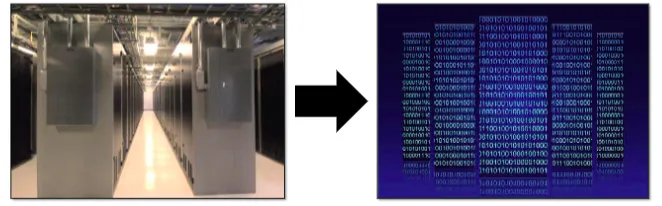
But what does that mean?
Traditional computing model
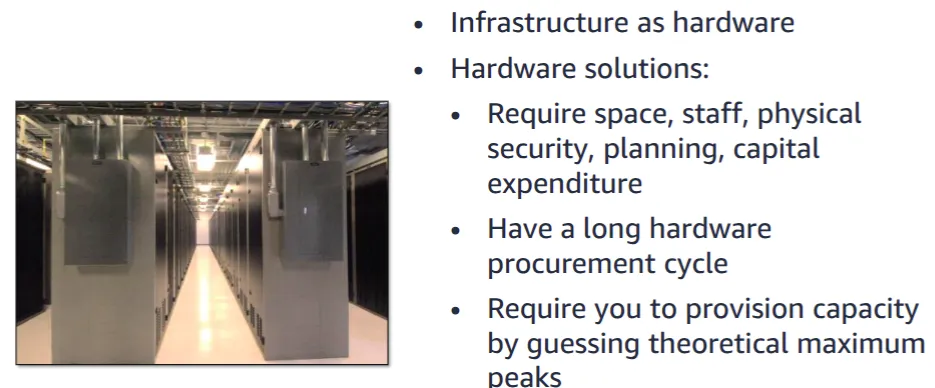
In traditional compute model, infrastructure is thought of as hardware. Hardware solutions are physical, which means they require space, staff to maintain it, Physical security planning and a capital expenditure
In addition to significant upfront investments, another prohibitive aspect of traditional computing is the long hardware procurement cycle that involves acquiring, provisioning, and maintaining on-premises infrastructure.
With a hardware solution you must ask if there’s enough resource capacity or sufficient storage to meet your needs and you provision capacity guessing theoretical maximum peaks.If you don’t meet your theoretical projected maximum peak, then you pay for expensive resources that stay idle and don;t render you any benefit. If you exceed your projected maximum peak, then you don’t have sufficient capacity to meet your needs and your customers do not receive the service that they desire. If your need change, then you must spend the time and money required to implement a new solution.
For example, if you wanted to provision a new website then you have to go outside and buy the hardware, rack and stack it. Put in the data center, then manage it or have someone else manage it. This approach is very expensive and time consuming.
Cloud Computing model
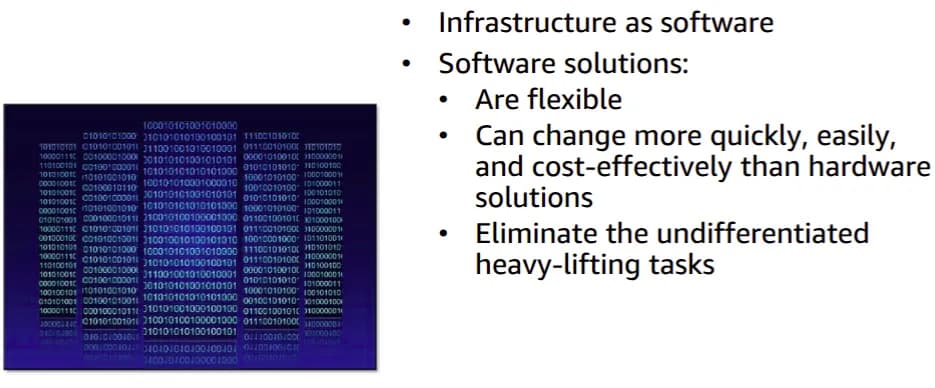
By contrast cloud computing enables you to think of your infrastructure as a software. software solutions are flexible. that means you can select cloud services that best matches your needs. procision them and terminate their use based on your demand. You also pay only for what you use, when you use it. You can scale resources up and down in an automated fashions as a way to expand and contract your deployment in order to meet your customer demand. With the cloud computing model, you can treat resources as temporary and disposable. The flexibility that cloud computing offers allow businesses to implement new solutions quickly with very low upfront cost.
Compared to hardware solutions, software solutions can change much more quickly, easily and cost-effectively.
Cloud computing helps developers and IT departments avoid undifferentiated heavy lifting work like procurement, maintenance and capacity planning, thus enabling them to focus on what matters most.
As cloud computing has grown in popularity, several different service models and deployment strategies have merged. This will help you meet your specific needs for different business users. Each type of cloud service model and deployment strategy provides you with a different level of control, a different level of flexibility and management. Understanding these differences between these cloud service models and deployments strategies can help you to decide what set of services is right for your needs.
Cloud Service Models
There are three main cloud service models:
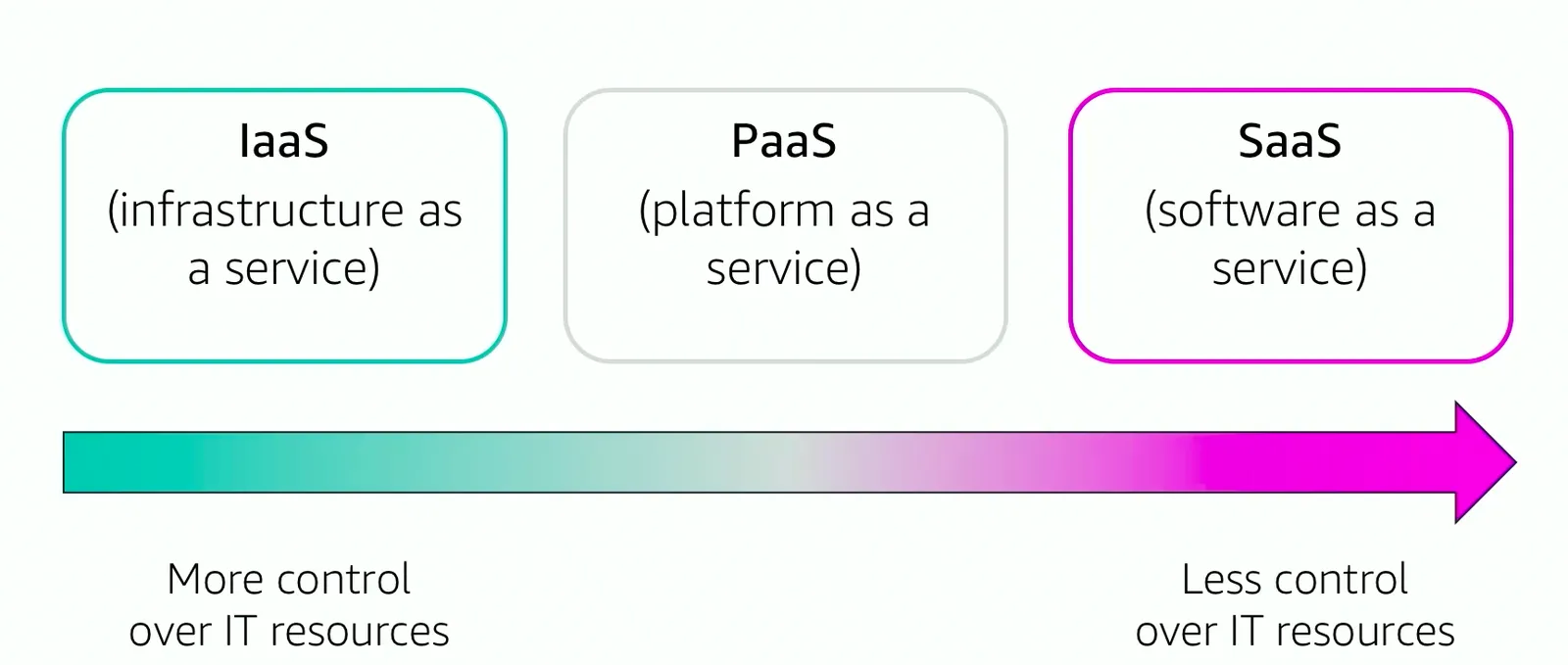
- IAAS
- They are the basic building blocks for you cloud information technology and typically provide you with access to networking features, computers whether it’s virtual or dedicated and provided storage space. IAAS provides you with the highest level of flexibility and control over your IT resources. It is most similar to your existing implementation that many IT departments and developers are familiar with today.
- PAAS
- Removes the need for you to manage underlying infrastructure. Usually this related to the hardware ans OS. It does it through automation and allows you to focus on the deployment and management of your applications as opposed to the provisioning.
- SAAS
- Provides you with a complete product that is run and managed by the service provider. In most cases, software as a service refers to the end-user applications. With SAAS, you do not have to think about how the service is maintained or how the underlying infrastructure is manages. You only need to think about how you will use the particular piece of the software. Example: Web-based email application where you can send and receive email without having to manage the server, the email product or maintaining the os in that email system.
Cloud computing deployment modules
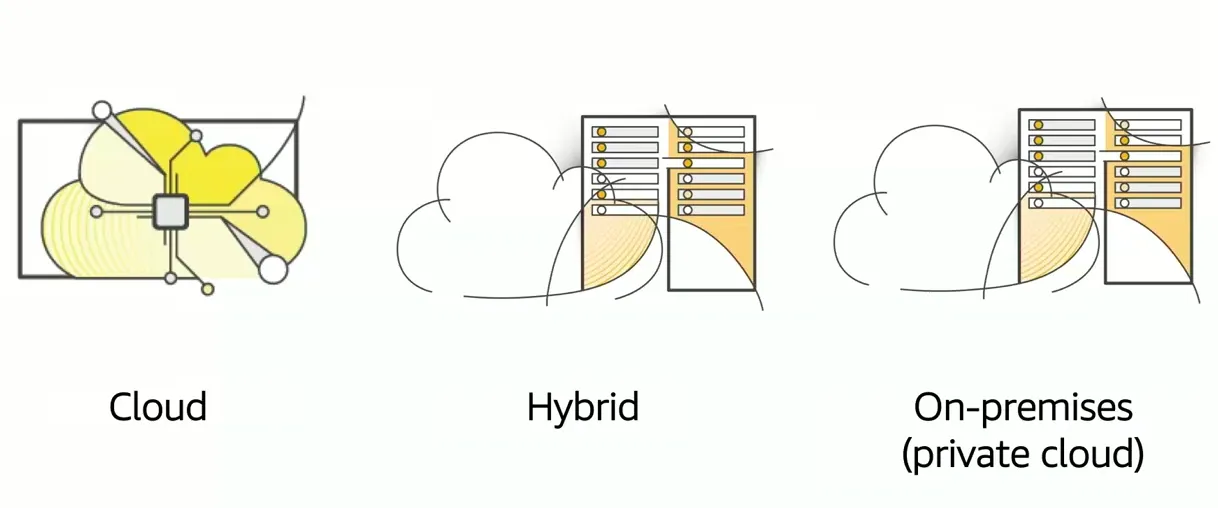
Each of these represent the cloud environment that you applications can be deployed in.
- Cloud: A cloud-based application is fully deployed in the cloud, and all parts of the application run in the cloud. Applications in the cloud have either been created in the cloud or have been migrated from an existing infrastructure to take advantage of the benefits of cloud computing (see https://aws.amazon.com/what-is-cloud-computing/). Cloud-based applications can be built on low-level infrastructure pieces or they can use higher-level services that provide abstraction from the management, architecting, and scaling requirements of core infrastructure.
- Hybrid: A hybrid deployment is a way to connect infrastructure and applications between cloud-based resources and existing resources that are not located in the cloud. The most common method of hybrid deployment is between the cloud and existing on-premises infrastructure. This model enables an organization to extend and grow their infrastructure into the cloud while connecting cloud resources to internal systems.
- On-premises: Deploying resources on-premises, using virtualization and resource management tools, is sometimes called private cloud. While on-premises deployment does not provide many of the benefits of cloud computing, it is sometimes sought for its ability to provide dedicated resources. In most cases, this deployment model is the same as legacy IT infrastructure, but it might also use application management and virtualization technologies to increase resource utilization.
Similarities between AWS and tradition IT
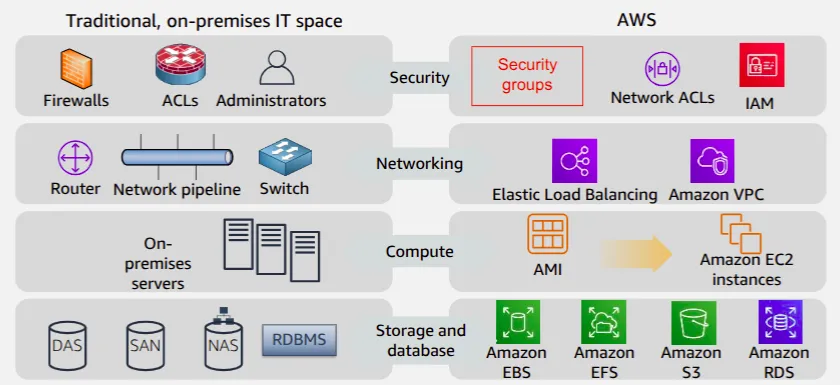
There are many similarities between AWS and the traditional, on-premises IT space:
- Aws security groups and network access control lists are similar to firewalls. AWS IAM is similar to user provisioning and access control lists.
- Elastic load balancing and Amazon virtual private clod represent your cloud networking infrastructure, which compares to routers, network pipelines and switches.
- Amazon machine images are used to initialize Amazon EC2 instances. They are similar to your on-premise virtual servers.
- Amazon elastic block store represents a hard disk that attaches to your virtual machine and is equivalent to a direct attached storage. Amazon elastic file system also attaches to your virtual machines, but it represents a traditional storage area network. Amazon simple storage service or S3 provides the ability for you to store files using the internet and is similar to the network attached storage.Amazon RDS is the equivalent to your physical relational database management system.
With AWS services and features, you can do almost everything that you would want to do with a traditional data center.
Summary
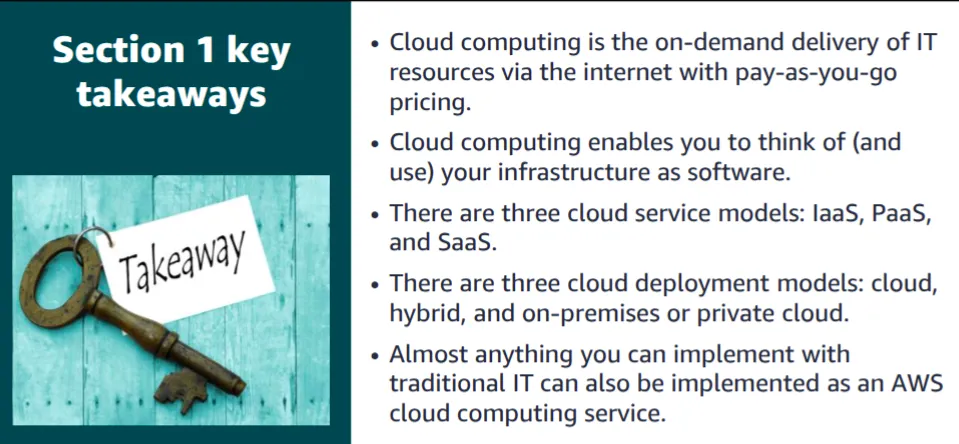
Some key takeaways from this section of the module include:
- Cloud computing is the on-demand delivery of IT resources via the internet with pay-as-you-go pricing.
- Cloud computing enables you to think of (and use) your infrastructure as software.
- There are three cloud service models: IaaS, PaaS, and SaaS.
- There are three cloud deployment models: cloud, hybrid, and on-premises or private cloud.
- There are many AWS service analogs for the traditional, on-premises IT space.
Advantages of cloud computing
1. Trade capital expense for variable expense
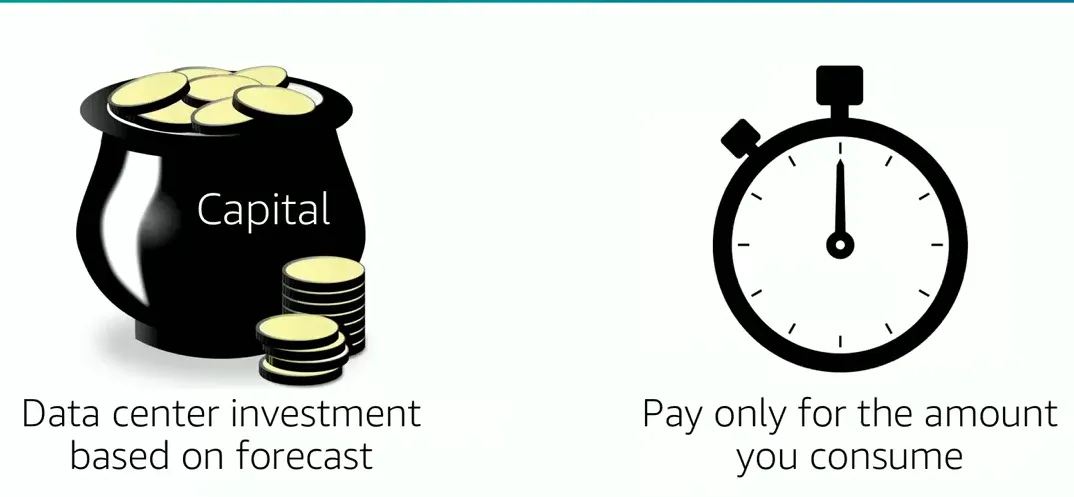
Capital expenses (capex) are funds that a company uses to acquire, upgrade, and maintain physical assets such as property, industrial buildings, or equipment. Do you remember the data center example in the traditional computing model where you needed to rack and stack the hardware, and then manage it all? You must pay for everything in the data center whether you use it or not.
By contrast, a variable expense is an expense that the person who bears the cost can easily alter or avoid. Instead of investing heavily in data centers and servers before you know how you will use them, you can pay only when you consume resources and pay only for the amount you consume. Thus, you save money on technology. It also enables you to adapt to new applications with as much space as you need in minutes, instead of weeks or days. Maintenance is reduced, so you can spend focus more on the core goals of your business.
2. Massive economies of scale
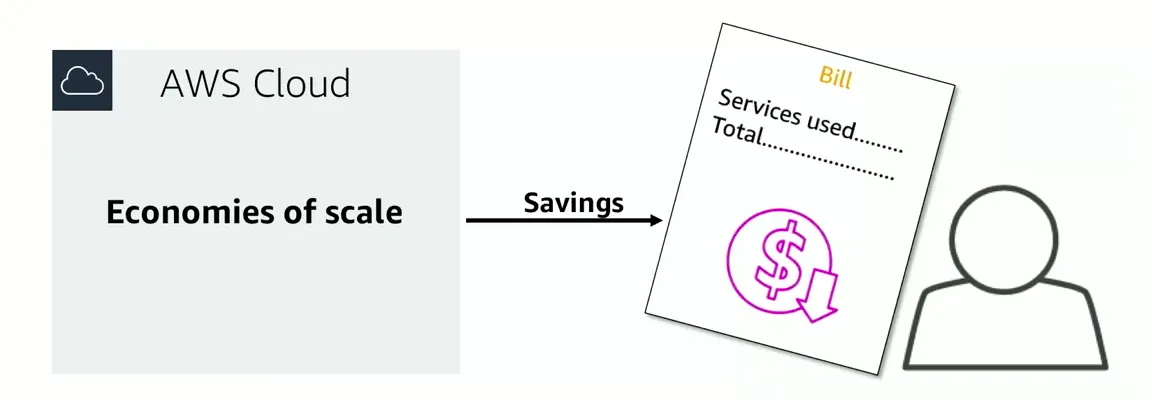
By using cloud computing you can achieve a lower variable cost than you can get on your very own. Because usage from hundreds of thousands of customers is added up in the cloud, providers such as AWS can achieve higher economics of scale that translates into lower pay-as-you go prices to you.
3. Stop guessing capacity
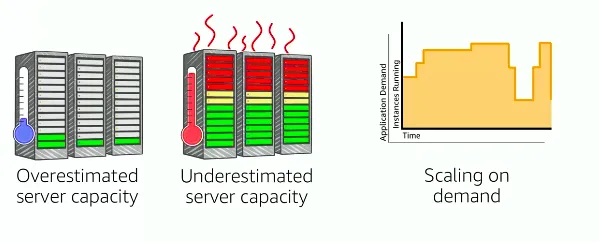
Eliminating guessing about your infrastructure capacity needs. When you make decisions about capacity before you deploy an application you often either have expensive idle resources, or deal with limited capacity. With cloud computing these problems go away. You can access as much or as little as you need, and scale up and down as required with only a few minutes notice.
4. Increase speed and agility
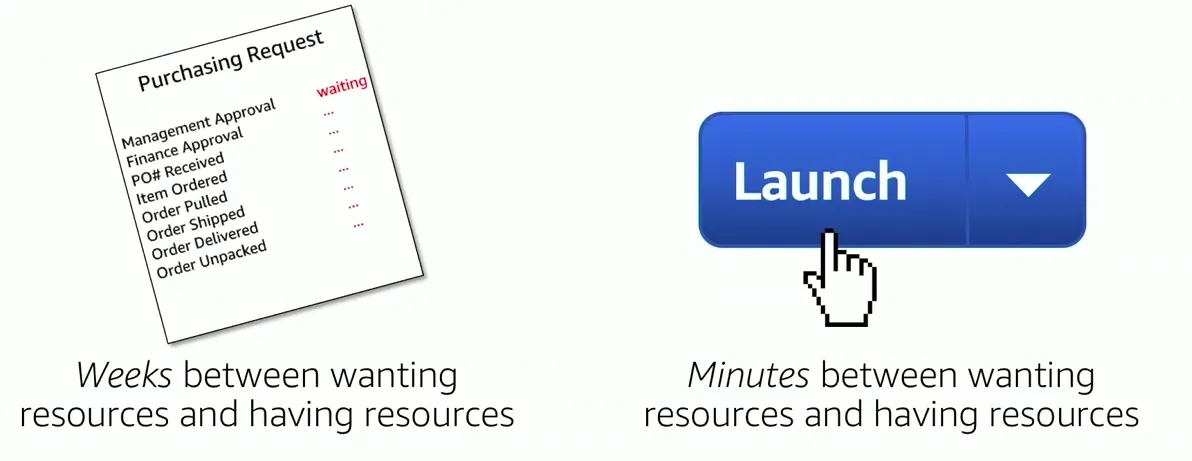
In a cloud computing environment, new information technology resources are only a click away. Which means that you reduce the time it tries to make those resources available to your developers from weeks to just minutes. The result is a dramatic increase in agility for the organization because the cost and time that it takes to experiment and develop are significantly lower.
5. Stop spending money on running and maintaining data centers
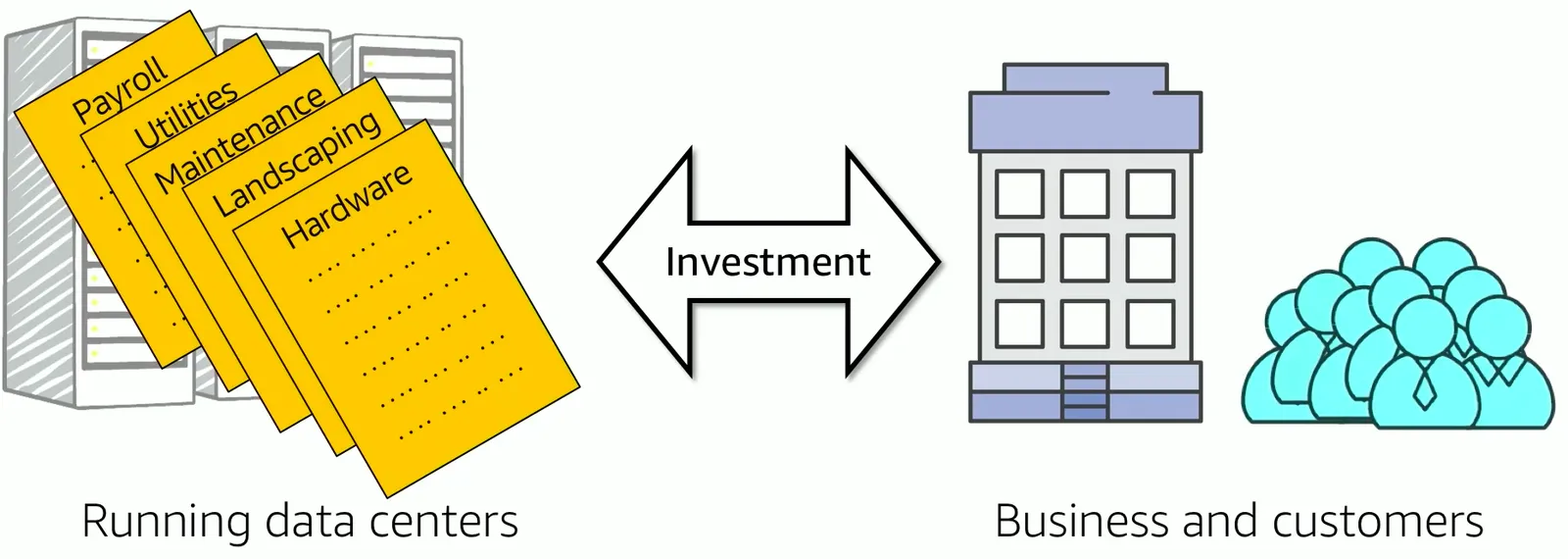
Focus on the projects that differentiate your business instead of focusing in the infrastructure. Cloud computing enables you to focus on your own customers, instead of manual racking, stacking and powering the servers.
6. Go Global in minutes
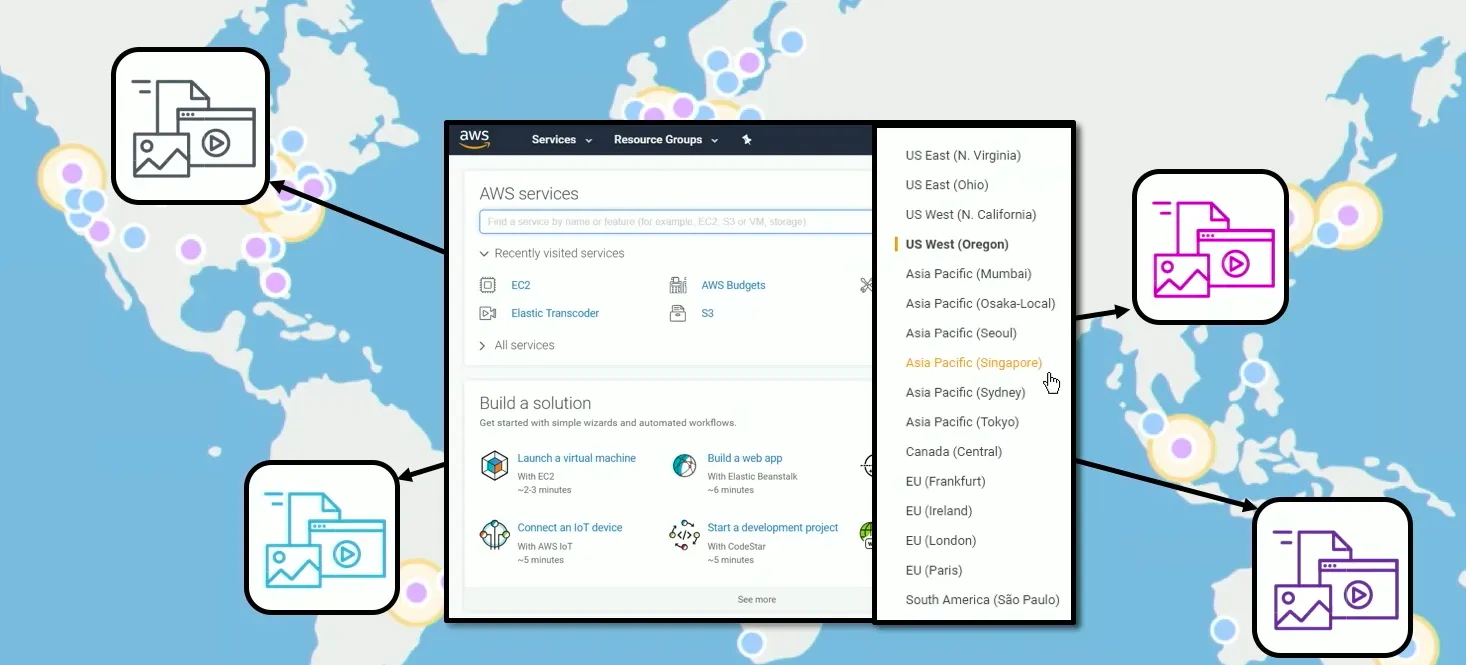
You can deploy your application in multiple AWS regions around the world with just a few clicks. As a result, you can provide lower latency and a better experience for you customers simply and at a minimal cost.
Summary
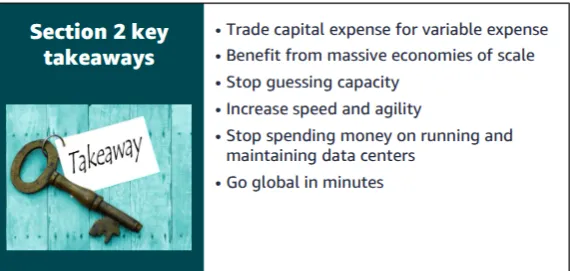
The key takeaways from this section of the module include the six advantages of cloud computing:
- Trade capital expense for variable expense
- Massive economies of scale
- Stop guessing capacity
- Increase speed and agility
- Stop spending money on running and maintaining data centers
- Go global in minutes
Introduction to Amazon Web Services(AWS)
What are Web services?
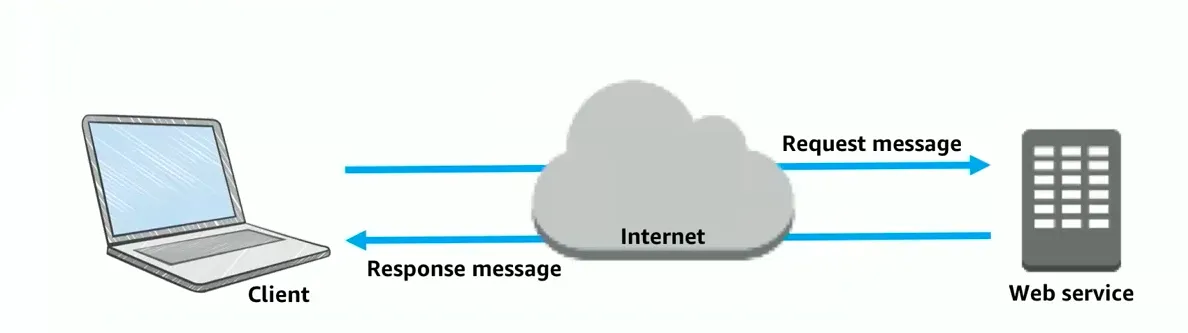
A web service is an application that is provisioned using the internet. We only concern ourselves with what type of datasets we provision. Do this service in order to do its job and then we worry about what datasets the service gives us back as a response. The implementation details pretty much falls into a “I don’t care” space. we no longer have to be concerned about the language or the platform in which the application is provisioned. So in general a web service is a piece of software that makes itself over the internet or you can actually have it on your private network. A web service normally uses a standardized format for input datasets as well as output dataset. This format can be in extensible markup language(XML) or JavaScript Object Notation(JSON). This is the dataset and the format that is used for the request and the response in order to interact with that web service through an application program interface (API). It is not tied to the OS, it is not tied to the language that was used to develop the software. It is self describing using an interface definition file and more importantly, it is discoverable.
What is AWS?
Amazon Web Services (AWS) is a secure cloud platform that offers a broad set of global cloud-based products. Because these products are delivered over the internet, you have on-demand access to the compute, storage, network, database, and other IT resources that you might need for your projects and the tools to manage them. You can immediately provision and launch AWS resources. The resources are ready for you to use in minutes.
AWS offers flexibility. Your AWS environment can be reconfigured and updated on demand, scaled up or down automatically to meet usage patterns and optimize spending, or shut down temporarily or permanently. The billing for AWS services becomes an operational expense instead of a capital expense.
AWS services are designed to work together to support virtually any type of application or workload. Think of these services like building blocks, which you can assemble quickly to build sophisticated, scalable solutions, and then adjust them as your needs change.
Categories of AWS services
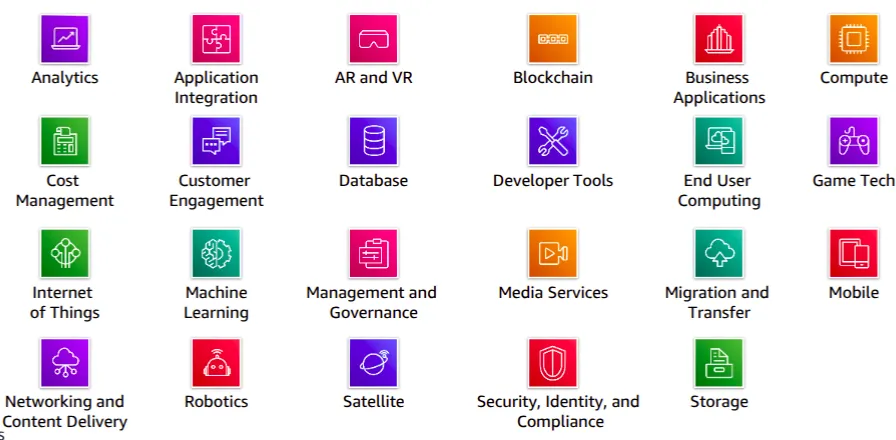
AWS services fall under different categories, and each category contains one or more services. You can select the services that you want from these different categories to build your solutions.
Simple Solution Example
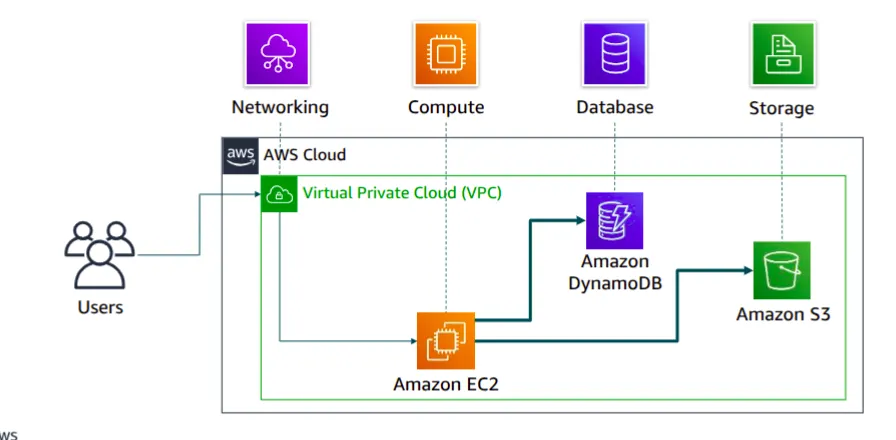
For example, say you’re building a database application. Your customers might be sending data to your Amazon Elastic Compute Cloud (Amazon EC2) instances, which is a service in the compute category. These EC2 servers batch the data in one-minute increments and add an object per customer to Amazon Simple Storage Service (Amazon S3), the AWS storage service you’ve chosen to use. You can then use a nonrelational database like Amazon DynamoDB to power your application, for example, to build an index so that you can find all the objects for a given customer that were collected over a certain period. You might decide to run these services inside an Amazon Virtual Private Cloud (Amazon VPC), which is a service in the networking category.
The purpose of this simple example is to illustrate that you can select web services from different categories and use them together to build a solution (in this case, a database application). Of course, the solutions you build can be quite complex.
Choosing a service
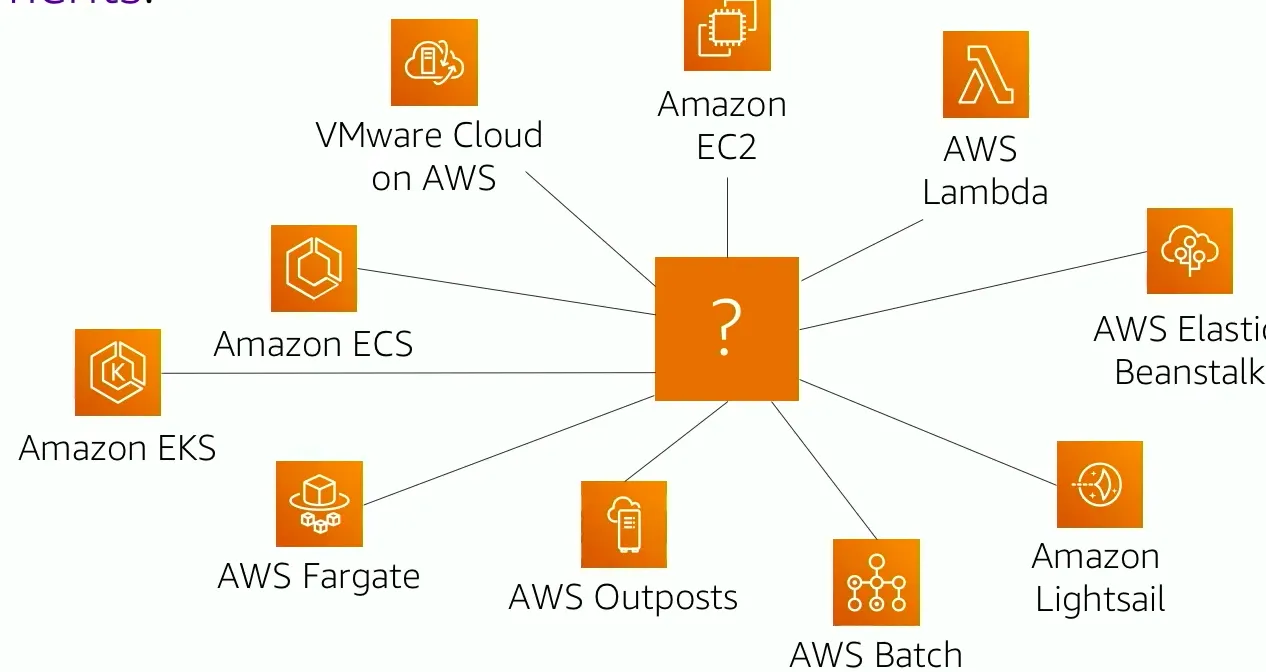
Which service you choose to use will depend on your business goals and technology requirements. In the example you just looked at, the solution made use of Amazon EC2 as the compute service. However, that is only one of many compute services that AWS offers. Here are some other AWS compute offerings that you might choose to use for the following example use cases:
- Amazon EC2: You want complete control over your AWS computing resources.
- AWS Lambda : You want to run your code and not manage or provision servers
- AWS Elastic Beanstalk : You want a service that deploys, manages, and scales your web applications for you.
- Amazon Lightsail: You need a lightweight cloud platform for a simple web application.
- AWS Batch: You need to run hundreds of thousands of batch workloads.
- AWS Outposts: You want to run AWS infrastructure in your on-premises data center.
- Amazon Elastic Container Service (Amazon ECS)
- Amazon Elastic Kubernetes Service (Amazon EKS)
- AWS Fargate: You want to implement a containers or microservices architecture.
- VMware Cloud on AWS: You have an on-premises server virtualization platform that you want to migrate to AWS.Similarly, there are a variety of services for you to choose from in the other categories, and the number of offerings keeps growing.
There are also a variety of services you to choose from in other categories and the number of offerings keeps growing.
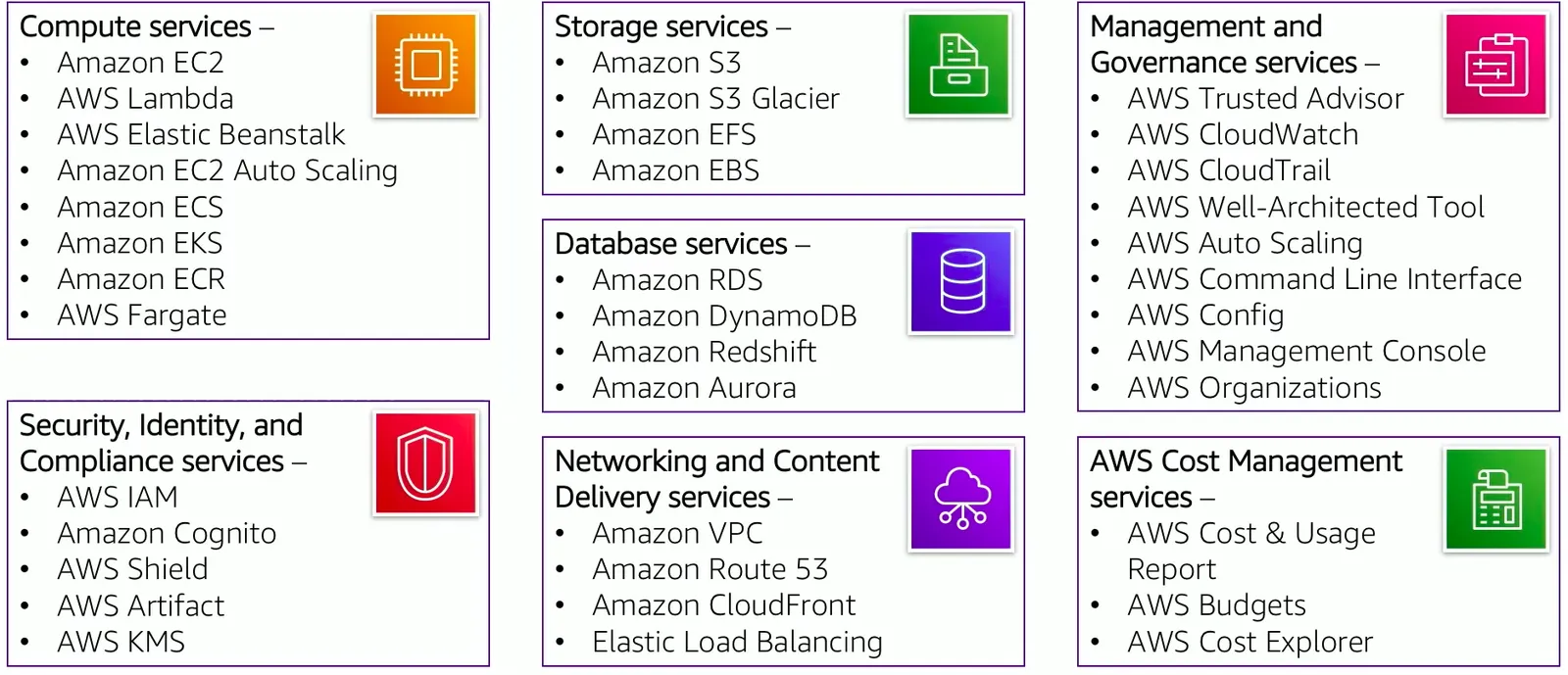
Ways Of interacting with AWS
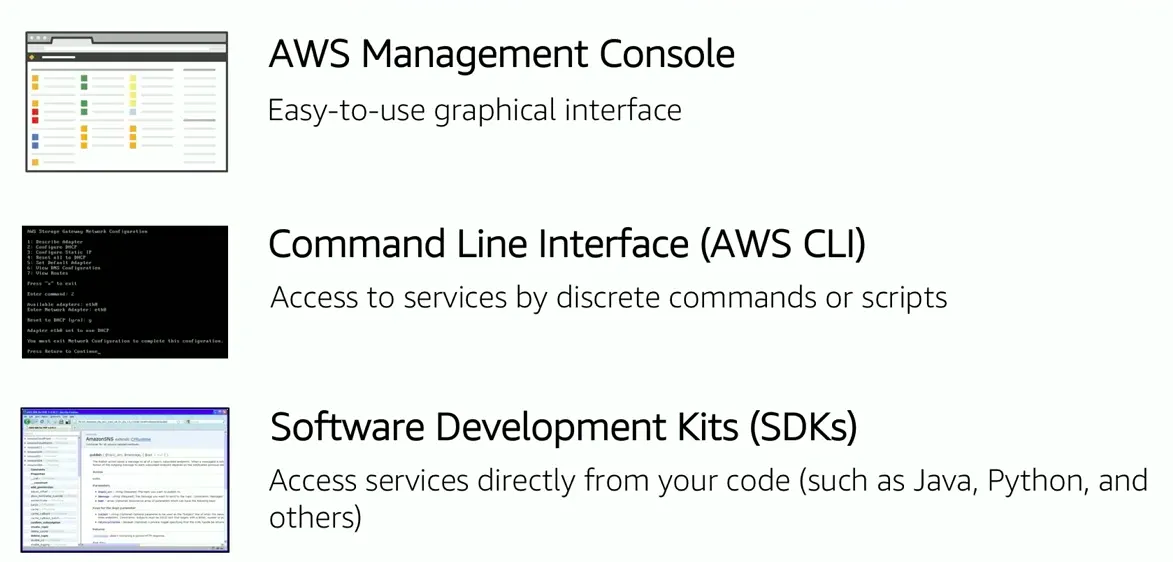
- AWS management console: The console provides you with a rich graphical user interface using a web browser, to the majority of the services and features of those services. (Note: From time to time, new features might not have all of their capabilities included in the console when the feature initially launches.)
- AWS command line is a way of scripting your interaction with the ecosystem. The AWS cli provides a suite of utilities that can be launched from a command script using a linux os. macos or even windows.
- If you are developer you can use a software development kit in order to interact with the AWS ecosystem. AWS provides packages that enable accessing AWS in a variety of popular programming languages like Java, C#, Python, Node.js and others. This will make it easy for you as a developer to use AWS in your existing applications. It also enables you to create applications that deploy and monitor complex systems entirely through code.
All three options are build using REST like application programming interface. To learn more about tools you can use to develop and manage applications on AWS, see link
The key takeaways from this section of the module include:
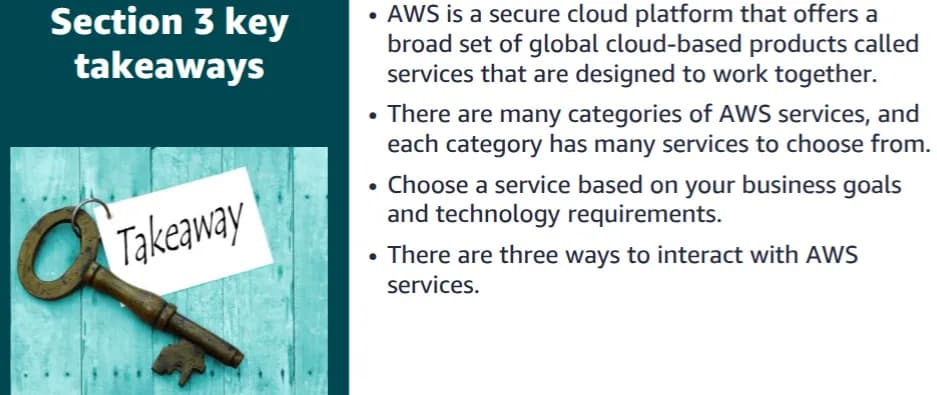
- AWS is a secure cloud platform that offers a broad set of global cloud-based products called services that are designed to work together.
- There are many categories of AWS services, and each category has many services to choose from.
- Choose a service based on your business goals and technology requirements.
- There are three ways to interact with 3 key takeaways
- AWS is a secure cloud platform that offers a broad set of global cloud-based products called services that are designed to work together.•There are many categories of AWS services, and each category has many services to choose from.
- Choose a service based on your business goals and technology requirements.
- There are three ways to interact with AWS services.AWS Training and Certification.
Moving to the AWS Cloud using the cloud adoption framework
Cloud computing offers many advantages over the traditional model. However for most organizations, cloud adoption does not happen instantly. Technology is one thing but an organization also consists of people and processes and these three elements must all be in alignment for successful cloud adaption. Cloud computing introduces a significant shift in how technology is obtained, used, and managed. It also shifts how organizations budget and pay for technology services. Cloud adaption require that fundamental changes are discussed and considered across an entire organization. It also requires that stakeholders across all of the organization’s units, both within and outside information Technology, support all these new changes.
Each organization’s cloud adoption journey is unique. however in order for any organization to successfully migrate its IT portfolio to the cloud, three elements ie; people, process and technology must be in alignment. Business and technology leaders in an organization must understand the organization’s current state, target state and the transition that is needed to achieve the target state so that they can set goals and create processes for the staff.
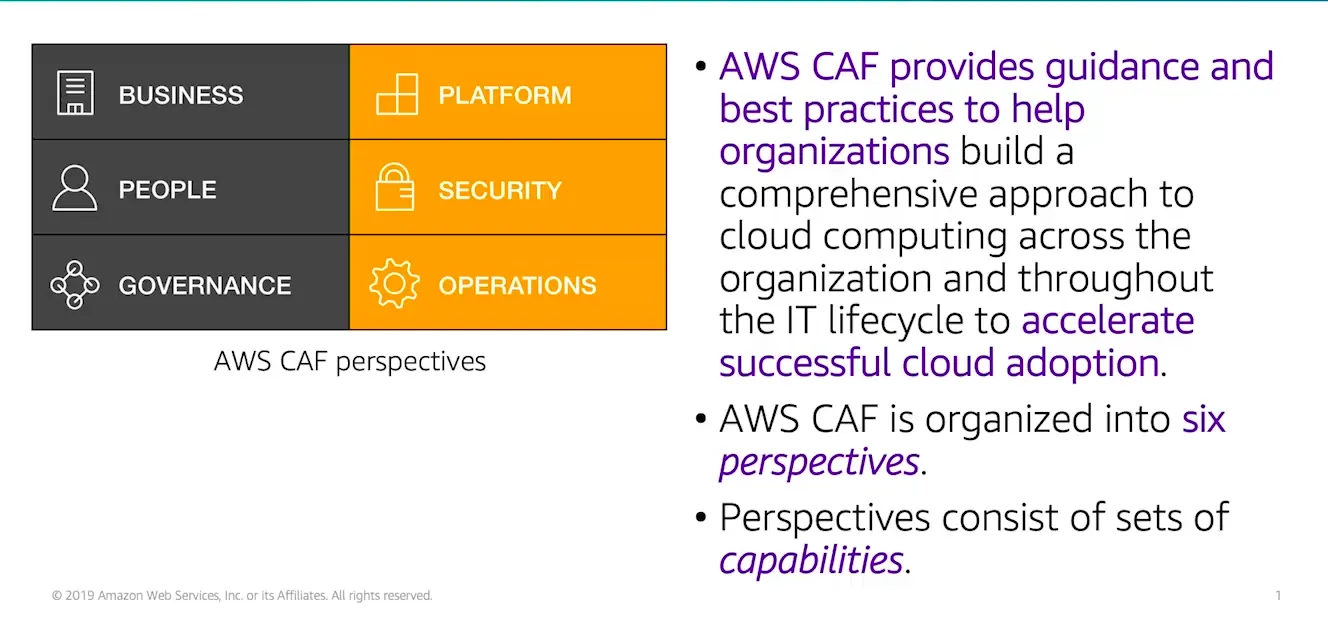
The AWS cloud adoption Framework provides guidance and best practices to help organizations identify gaps in skills and processes. It also helps organizations build a comprehensive approach to cloud computing both across the organization and throughout the IT life cycle. This will accelerate successful cloud adoption.
At the highest level the AWS cloud adoption framework organizes guidance into six areas of focus called perspectives. Perspectives can cut across people, processes and technology . Each perspective consists of a set of capabilities which covers different responsibilities that are owned or managed by cross-functional teams.
Capabilities within each perspective are used to identify which areas of an organization required attention. By identifying gaps, prescriptive work streams can be created that support a successful cloud journey.
Six Core perspectives
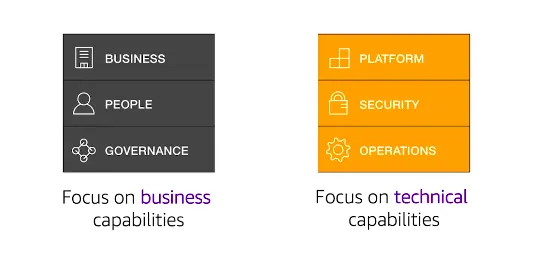
In general, the business, people and governance perspectives focus on business capabilities while the platform, security and operations perspectives focus on technical capabilities.
Business perspective
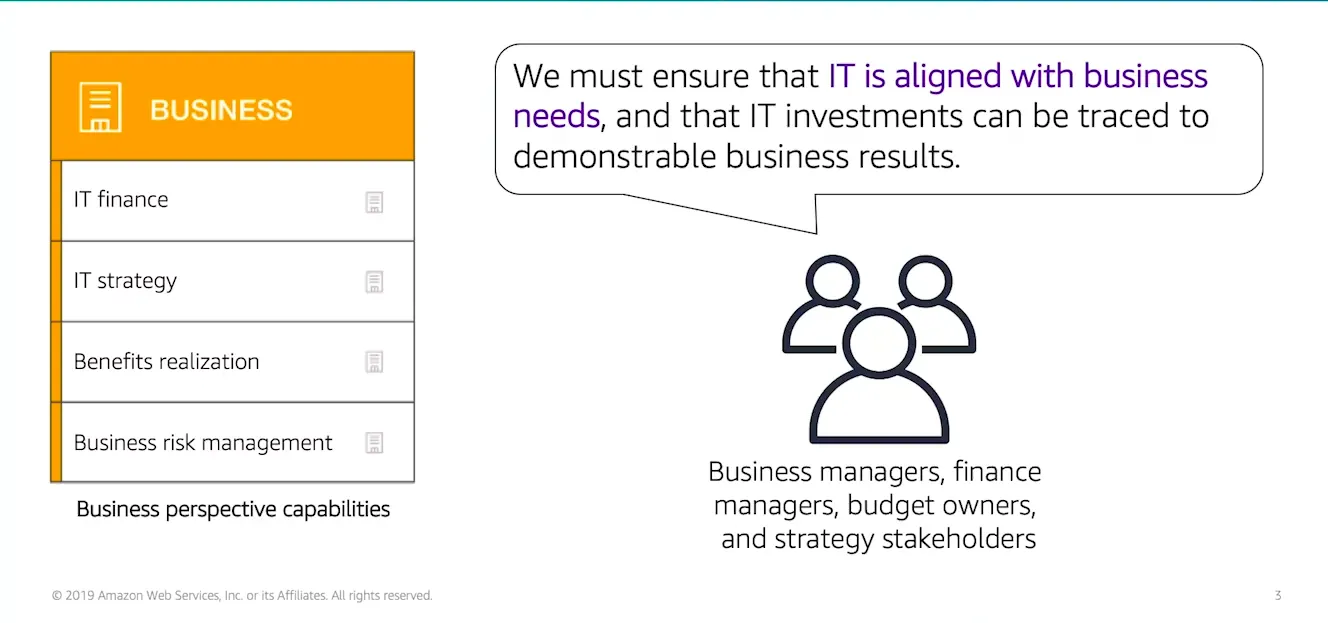
- Stakeholders from Business perspective that includes business managers, finance managers, budget owners and strategy stakeholders, can use the aws cloud adoption framework to create a strong business case for vcloud adoption and prioritize cloud adoption initiatives. Stakeholders shall ensure that an organization’s business strategies and goals aligned with its IT strategies and goals.
People perspective
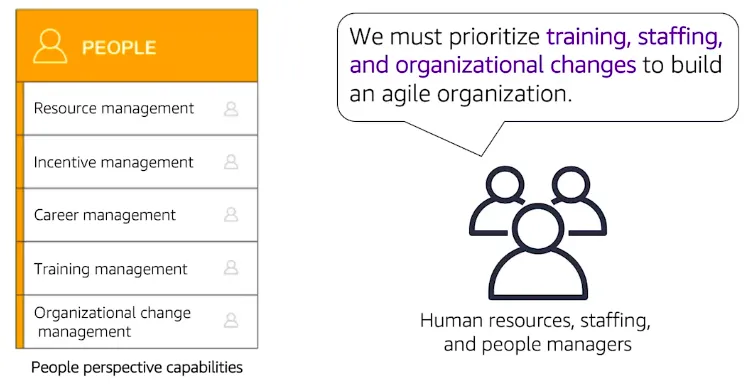
- Members within the people perspective, like human resources, staffing and people managers can use the AWS cloud adoption framework to evaluate the organization’s structures and roles, new skills and process requirements and identify gaps in them. Performing an analysis of needs and gaps can help prioritize training, staffing and organization changes to build an agile organization.
Governance perspective
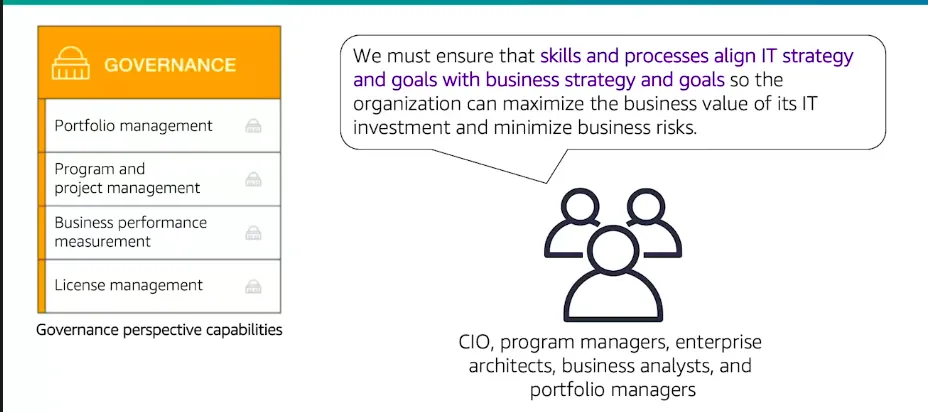
- Stakeholders from the government perspective for example, the chief information officer or program managers, Enterprise architects, business analysts and portfolio managers can actually use the AWS cloud adoption framework to focus on the skills and processes that are needed to align IT strategy and goals with the business strategy and goals. This helps the organization focus on maximizing the business value of its Itt investment and minimize the business risks.
Platform perspective
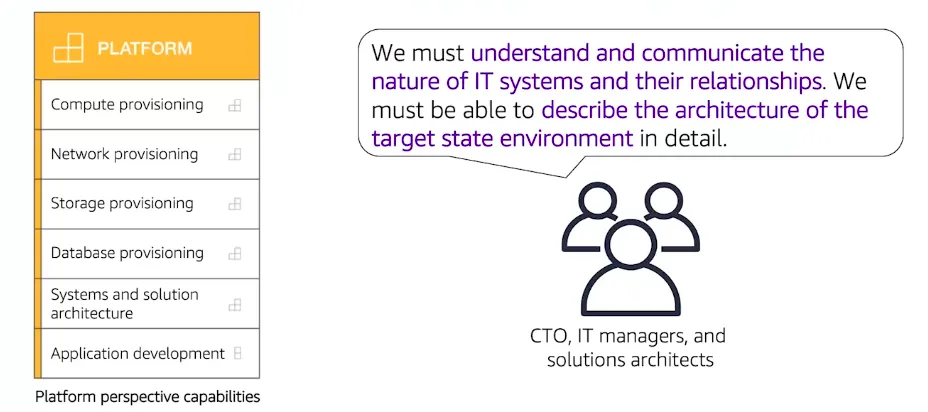
- Stakeholders from the platform perspective, for example, the chief technology officer, It managers and solutions architect use a variety of architectural dimensions and modules to understand and communicate the nature of IT systems and their relationship. They must be able to describe the architecture of the target state environment in detail.The AWS cloud adoption framework includes principles and patterns for implementing new solutions on the cloud or migrating on-premises workload to the cloud.
Security perspective
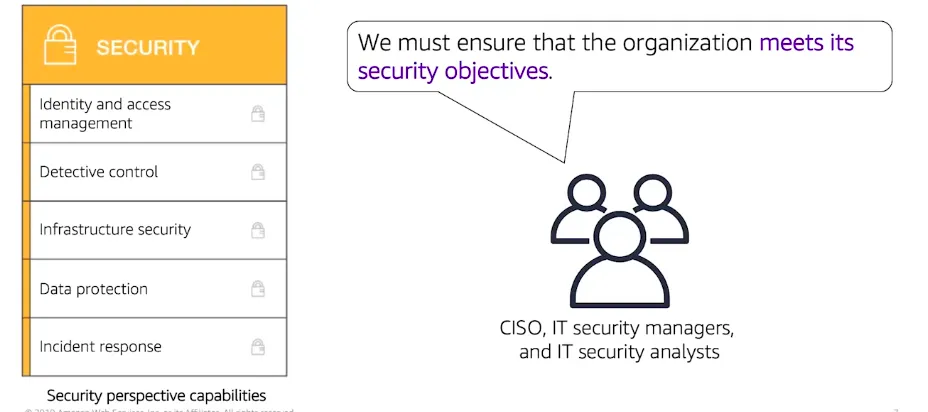
- Within the security perspective members such as the chief information security officer, the IT security managers and It security analyst must ensure that the organization meets the security objectives for its visibility, auditability, control and agility. Security perspective stakeholders can use the AWS cloud adoption framework to structure the selection and implementation of security controls that meet the organization’s needs.
Operations perspective
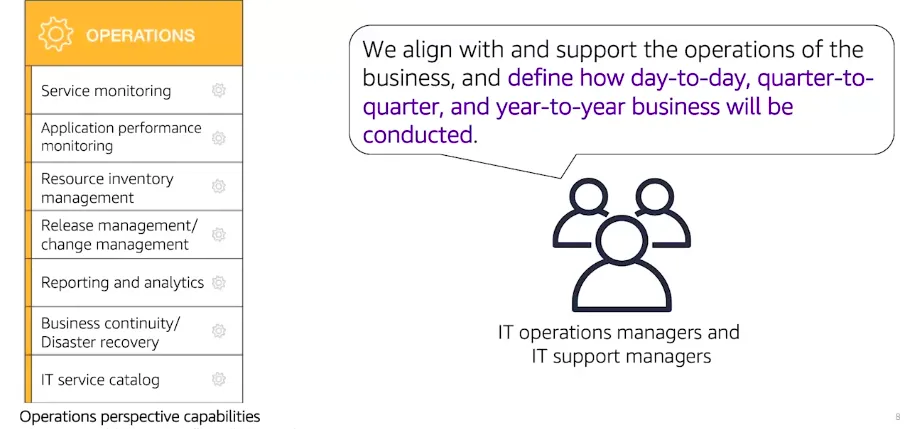
- The operational team members include IT operations manager and IT support managers to define how day-to-day, quarter-to-quarter and year-to-year businesses are conducted.Stakeholders from the operations perspective align and support the operations of the business. The AWS cloud adoption framework helps these stakeholders define current operating procedures. It also helps them identify the process changes and training that are needed to implement a successful cloud adoption.
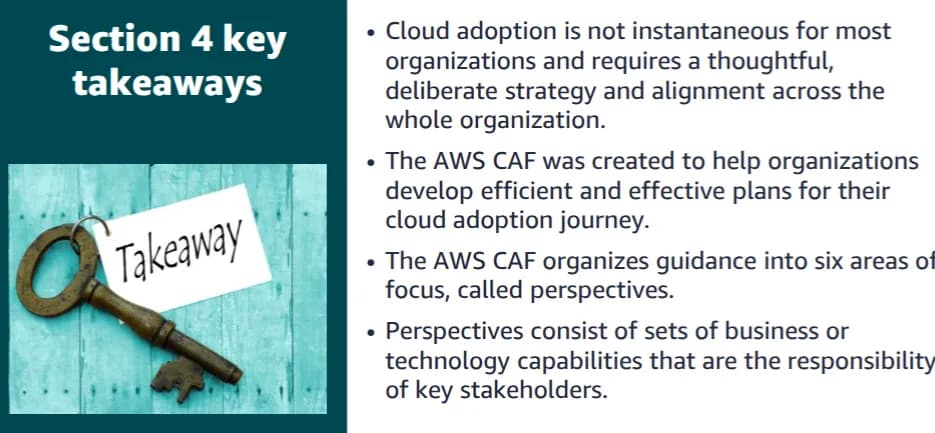
The key takeaways from this section of the module include:
- Cloud adoption is not instantaneous for most organizations and requires a thoughtful, deliberate strategy and alignment across the whole organization.
- The AWS CAF was created to help organizations develop efficient and effective plans for their cloud adoption journey.
- The AWS CAF organizes guidance into six areas of focus, called perspectives.
- Perspectives consist of sets of business or technology capabilities that are the responsibility of key stakeholders
Overall Summary
In summary, in this blog you learned how to:
- Define different types of cloud computing models
- Describe six advantages of cloud computing
- Recognize the main AWS service categories and core services
- Review the AWS Cloud Adoption Framework
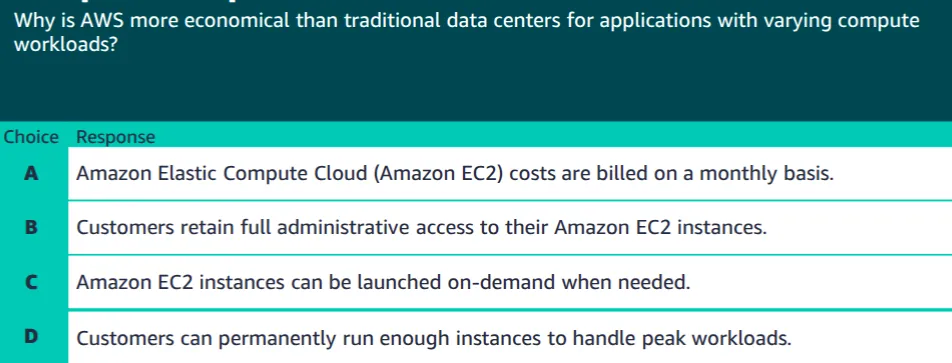
The correct answer is C. Amazon EC2 instances can be launched on-demand when needed.
Incorrect answers:
- Answer A: Amazon Elastic Compute Cloud (Amazon EC2) costs are billed on a monthly basis.
- Answer B: Customers retain full administrative access to their Amazon EC2 instances.
- Answer D: Customers can permanently run enough instances to handle peak workloads.
Additional resources
Keep reading
- AWS Global Infrastructure cert
AWS Global Infrastructure Overview The AWS Global Infrastructure is designed and built to deliver a flexible, reliable, scalable, and secure cloud computing environment with high-quality global…
- Cloud Computing Economics
Fundamentals of pricing AWS Pricing Model Three fundamental drivers of cost with AWS There are three fundamental drivers of cost with AWS: compute, storage, and outbound data transfer. These…
- VPC
VPC We can isolate resources from other resources and also isolate it from other resources.Amazon Virtual Private Cloud (VPC) is an Amazon Web Services (AWS) service that allows you to launch AWS…