Docker Orchestration
Container Orchestration Container orchestration automates the deployment, management, scaling, and networking of containers. It is a solution that consists of a set of tools and scripts that can help…

ON THIS PAGE
Container Orchestration
- Container orchestration automates the deployment, management, scaling, and networking of containers.
- It is a solution that consists of a set of tools and scripts that can help host containers in a production environment.
- Typically a container orchestration solution consists of multiple docker hosts that can host containers so that even if one fails, the application is still accessible to others.
There are multiple container orchestration solutions available.
- Docker Swarm
- Kubernetes
- Apache Mesos
Mesos is quite difficult to setup and get started but it supports many advanced
features.
Kubernetes is the most popular of all. It is a bit difficult to setup and get started but provides a lot of options to customize deployments and has support for many vendors. Supported on all public cloud service providers(GCP, Azure, AWS). The Kubernetes project is one of the top ranked projects on github.
For now i will deep dive into Docker Swarm
Docker Swarm
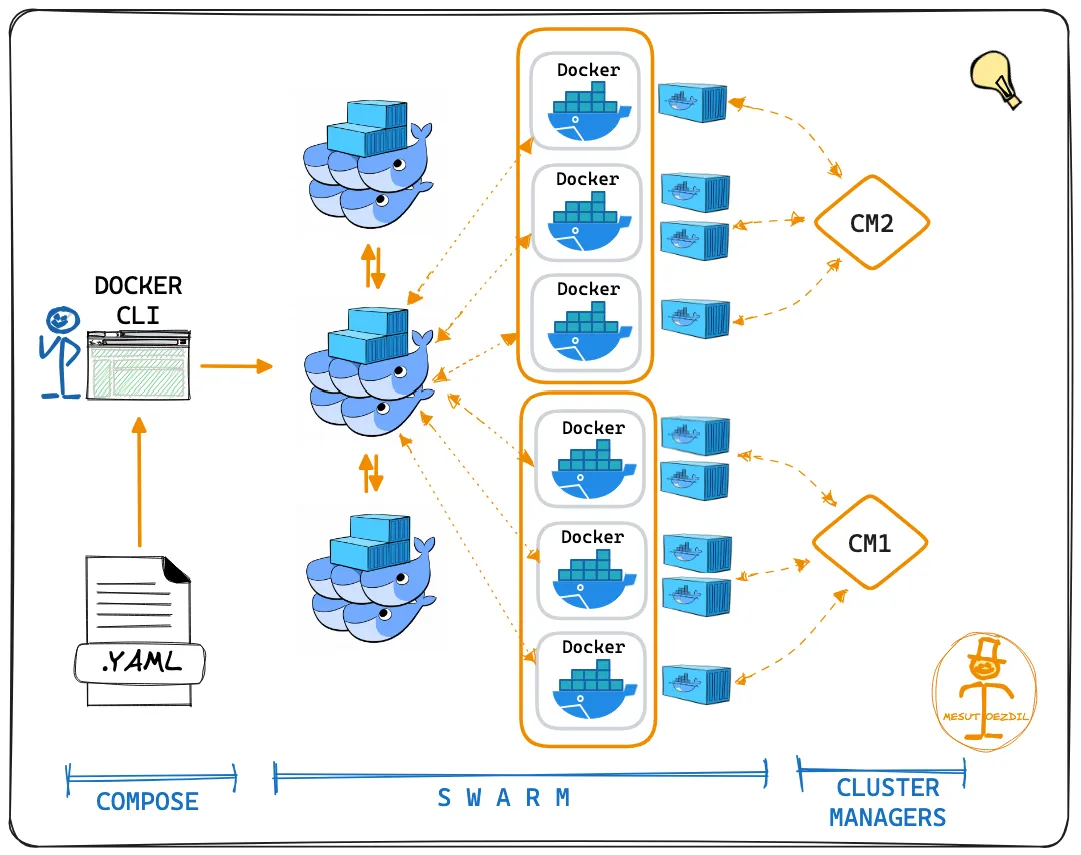
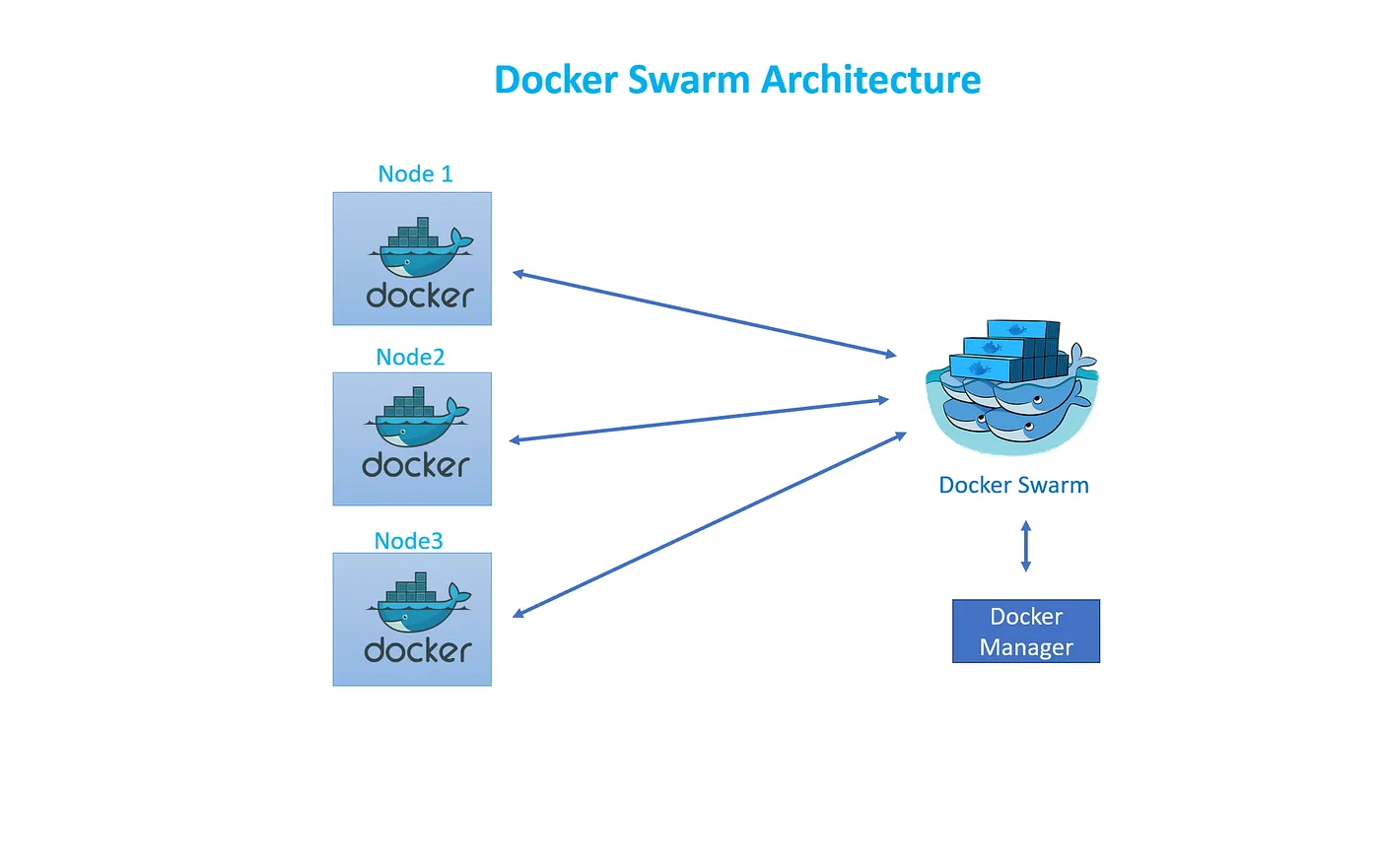
Docker Swarm is easy to set up and get started. It lacks some of the advanced auto scaling features. Swarm was initially a separate product layered on Docker. But since Docker 1.12 it became part of the engine
- Combines multiple Docker host machines together into a single cluster.
- Docker swarm will take care of distributing services into separate hosts for high availability and for load balancing across different systems and hardware
E.g If we want to run 10 instances of nginx. And we would go to the master
and tell we want to run 10 instances of nginx. Let’s say for some reason we
only have 3 worker nodes, then it does it’s best to be able allocate each one of
the worker nodes to run an X amount of that application
Components of Swarm cluster
Consists of one or multiple Docker nodes- Nodes are either a manager or a worker. Swarm cluster consists of at least one manager node
Manager Node
- Isresponsible for receiving instructions from a user or via an API and getting the worker to execute the given tasks.
- It can also run workloads on them by default, but we can optionally configure manager node to perform management tasks alone and have the workloads run exclusively on the worker nodes.
- It is responsible for maintaining the desired state of the Swarm cluster and & takes necessary action if a node fails or a new node is added to the cluster.-
- Auserprovides instruction to the manager node to deploy an application by submitting a service definition.-
- The manager then creates tasks and assigns them to the worker nodes, the worker nodes on receiving the tasks, deploys the necessary containers.
- Dispatches tasks to the worker Worker node.
- Receives instructions or tasks from the manager nodes and runs containers.
- Accepts and executes the tasks.
Configuration data / state is held in etcd, etcd run in memory in manager node.
Features
- Cluster management integrated with Docker Engine: Docker CLI allows you to create a swarm of Docker Engines where you can deploy your application. No additional software is needed.
- Decentralized design: Docker Engine handles specialization at runtime, allowing you to deploy an entire swarm from a single disk image.
- Declarative service: Allows you to define the desired state of various services in your application stack.
- Scaling: You can scale up or down and the swarm manager automatically adapts by adding or removing tasks to maintain the desired state.
- Desired state reconciliation: The swarm manager constantly monitors the cluster state. It will recognize any differences between the actual state and the desired state and act to reconcile the two.
- Multi-host networking: Swarm manager will automatically assign addresses to the containers on an overlay network when the container is initialized or updated.
- Service Discovery: Each service in the swarm is assigned a unique DNS name
- Load Balancing: Ports for services can be exposed to an external load balancer and internally the swarm lets you configure how to distribute service containers between your worker nodes.
- Secure by default: Each worker node in the swarm enforces TLS mutual authentication and encryption between itself and the nodes.
- Rolling updates: Swarm lets you control the delay between service deployments to different sets of nodes. If something goes wrong, you can roll back to a previous state.
Setting Up swarm cluster
Setup 3 virtual machines.
- Install Docker engine.
- Configure ip address on the manager node.
- Open protocols and ports between the hosts .The following ports must be available. On some systems, these ports are open by default.
● TCP port 2377 for cluster management communications
● TCP and UDP port 7946 for communication among nodes
● UDPport4789 for overlay network traffic
# -*- mode: ruby -*-
# vi: set ft=ruby :

$install_docker_script = <<SCRIPT
echo "Installing dependencies ..."
sudo apt-get update
echo Installing Docker...
curl -sSL https://get.docker.com/ | sh
sudo usermod -aG docker vagrant
SCRIPT

BOX_NAME = "generic/ubuntu2204"
MEMORY = "1024"
MANAGERS = 1
MANAGER_IP = "192.168.56.1"
WORKERS = 1
WORKER_IP = "192.168.56.10"
CPUS = 1
VAGRANTFILE_API_VERSION = "2"

Vagrant.configure(VAGRANTFILE_API_VERSION) do |config|
    #Common setup
    config.vm.box = BOX_NAME
    config.vm.synced_folder ".", "/vagrant"
    config.vm.provision "shell",inline: $install_docker_script, privileged: true
    config.vm.provider "virtualbox" do |vb|
      vb.memory = MEMORY
      vb.cpus = CPUS
    end
    #Setup Manager Nodes
    (1..MANAGERS).each do |i|
        config.vm.define "manager0#{i}" do |manager|
          manager.vm.network :private_network, ip: "#{MANAGER_IP}#{i}"
          manager.vm.hostname = "manager0#{i}"
          if i == 1
            #Only configure port to host for Manager01
            manager.vm.network :forwarded_port, guest: 8080, host: 8080
            manager.vm.network :forwarded_port, guest: 5001, host: 5001
            manager.vm.network :forwarded_port, guest: 9000, host: 9000
          end
        end
    end
    #Setup Woker Nodes
    (1..WORKERS).each do |i|
        config.vm.define "worker0#{i}" do |worker|
            worker.vm.network :private_network, ip: "#{WORKER_IP}#{i}"
            worker.vm.hostname = "worker0#{i}"
        end
    end
end- I have used this file to create 3 vm and to forward the ports.
Now let’s setup swarm and also discuss the commands used in swarm.
Initialize and generate token
- docker system info | grep -i swarm: To check if swarm mode is enabled
- docker swarm init: To initialize the cluster but you will see an error with a solution. The solution is to run
- docker swarm init –advertise-addr [Now swarm is active]
- To generate token [Main machine]
- docker swarm join-token worker: For worker
- docker swarm join-token manager: For manager
- To join [worker node/manager node]
- docker swarm join –token <Generated_token>
Managing swarm nodes
- docker node ls: Listing nodes
- docker node inspect [Node_Name]: Inspecting the node
- docker node inspect manager1– pretty
- docker node promote [Node_Name]: Promoting the worker node to a manager
- **docker node demote [Node_Name]:**Demoting manager to a worker
- docker node rm-f [Node_Name]: Removing a node from the Swarm
- docker swarm leave: Have a node leave the swarm, run following on the node
- docker node update–availability drain worker01 : To update the availability
while using docker node ls command
On the ID is to represent where the command is being run.
Availability: This column indicates the status of a node for scheduling the processes.
Status can be-Active,-Pause,-Drain
Active– Scheduler can assign tasks to the node.
Pause– Scheduler doesn’t assign new tasks to the node but existing tasks remain running
Drain– Scheduler doesn’t assign new tasks to the node. The scheduler shutdown any existing tasks
In Name
Leader: Manager node
Reachable: Manager node added later by leader
blank: Worker node
To create a service
- Creating a service
- docker service create-d– name [NAME]-p [host port: container port] replicas [replicas] [image] [cmd]
- docker service create-d– name nginx_serivce-p 8080:80– replicas 2 nginx:latest
- docker service create-d– name [NAME]-p [host port: container port] replicas [replicas] [image] [cmd]
- docker service ls: List services
- docker service inspect [name]: Inspecting a service
- docker service logs [name]: Getting logs for a service
- docker service ps [name]: Listing all tasks of a service
- docker service scale [name]=[replicas]: Scaling a service up and down
- docker service scale nginx_service=3
- docker service update [option] [name]-h for help: Updating a service
Using networks in Swarm mode
- docker network create-d overlay my_overlay: creating a overlay network
- docker network create-d overlay–opt encrypted encrypted_overlay: To encrypt
Example:- docker service create-d–name nginx_overlay–network my_overlay-p 8081:80–replicas 2 nginx:latest
- docker network create-d overlay–opt encrypted encrypted_overlay: To encrypt
- docker network ls: To list all the available networks
- docker network rm network_name: To remove network
- docker network inspect encrypted_overlay: To inspect the network
- To add service to network
- docker service update–network-add my_overlay nginx_service
- Removing a service from a network
- docker service update–network-rm my_overlay nginx_service
Using Volumes in Swarm Mode
- docker plugin install [plugin] [options]; To add plugins
- Volume plugins
- Rex-Ray
- StorageOS
- docker plugin install splunk/docker-logging-plugin
- Volume plugins
- docker plugin disable (ID of Plugin): To disable the plugin
- docker plugin rm (id): To remove the plugin
- docker plugin ls: To list all the available plugins
Creating a volume using a driver
- docker volume create-d [driver] [name]
- docker volume create-d local portainer_data
- docker volume ls
Keep reading
- DOCKER Introduction
Docker container Container standard and industry leadership Micro kernel Monolithic Kernel Can we run Linux container on windows and vice versa? Can we run linux container on mac and vice versa?…
- Docker Compose
Docker Compose Tool for defining and running multi container applications. Simplifies the control of your entire application stack, making it easy yo manage servicess, networks and volumes in a…
- Docker file, Best practices and Registry
Dockerfile Docker can build images automatically by reading the instructions from a Dockerfile. A Dockerfile is a text document that contains all the commands a user could call on the command line to…