Ansible Playbooks: Apache, MariaDB, Variables, Conditionals and Loops
Write Ansible playbooks that install Apache and MariaDB, create a database and user, and use variables, facts, when conditions and loops across Ubuntu and CentOS VMs.

ON THIS PAGE
Ad-hoc commands from part 1 configure machines quickly but leave no record of what changed. Playbooks are YAML files you can review, rerun and keep in Git. This guide writes playbooks that set up an Apache web server and a MariaDB database server, then makes them reusable with variables, facts, when conditions and loops across Ubuntu and CentOS Stream VMs.
Prerequisites
- A control node with Ansible installed, as set up in part 1.
- Ubuntu and CentOS Stream 9 Vagrant VMs that the control node can reach over SSH.
YAML basics
Playbooks are written in YAML (JSON also works but is rarely used). YAML represents data as key-value pairs, lists and dictionaries, and uses indentation (spaces, never tabs) to show nesting. The same record in JSON and in YAML:
{
  "servers": [
    { "name": "server1", "owner": "Dipendra", "status": "active" }
  ]
}# A comment starts with #
servers: # key with a list as its value
- name: server1 # "-" starts a list item
owner: Dipendra # a space after ":" is required
status: activeThe rules that matter most:
key: valueneeds a space after the colon.- A
-marks one item of a list. - A dictionary groups properties under a key. All properties at the same level must have exactly the same indentation.
fruits:
  - banana:
      calories: 105
      carbs: 27g
  - grape:
      calories: 62
fat: 0.4gMisaligning a single property (for example fat indented one space more than calories) makes the file invalid.
Write a playbook for an Apache web server
The first playbook installs Apache, starts and enables its service, and copies an index.html that sits next to the playbook.
---
- name: Set up web server
  hosts: vm1
  become: true
  tasks:
    - name: Install apache2
      ansible.builtin.apt:
        name: apache2
        state: present

    - name: Start and enable apache2
      ansible.builtin.service:
        name: apache2
        state: started
        enabled: true

    - name: Copy index.html
      ansible.builtin.copy:
        src: index.html
dest: /var/www/html/- A playbook is a list of plays. Each play maps a group of
hoststo a list oftasks. become: trueruns every task withsudo, like--becomeon the command line.- Each task calls one module. This guide uses the fully qualified collection name (FQCN), such as
ansible.builtin.apt, so it is always clear which module runs. src: index.htmlis relative to the playbook, so no path is needed.
Essential playbook commands
These commands cover most day-to-day playbook work:
| Command | What it does |
|---|---|
ansible-playbook -i inventory playbook.yaml --syntax-check | checks the YAML and playbook structure without connecting to any host |
ansible-playbook -i inventory playbook.yaml -C | check mode (dry run): shows what would change on the hosts without changing anything |
ansible-playbook -i inventory playbook.yaml | runs the playbook |
ansible-playbook playbook.yaml | runs it with the inventory set in ansible.cfg |
ansible-doc -l | lists every module that is installed |
ansible-doc apt | shows the options and examples for one module |
Add a database server
The database runs on a new Vagrant VM built from the eurolinux-vagrant/centos-stream-9 box. Set up SSH key login to it as in part 1, and add it to the inventory.
Groups and group variables
vm1 ansible_host=192.168.56.211 ansible_password=vagrant
centosvm1 ansible_host=192.168.56.212 ansible_user=vagrant ansible_ssh_private_key_file=/home/vagrant/ansible_examples/example3/ansible_key

[webser]
vm1

[dbser]
centosvm1

# A group of groups
[myservergrp:children]
webser
dbser

# Variables for every host in a group
[webser:vars]
ansible_user=vagrantThe :children suffix creates a group made of other groups, and :vars sets inventory variables for every host in a group. You can target a host, a group or everything:
$ ansible -i inventory -m ping centosvm1
$ ansible -i inventory -m ping webser
$ ansible -i inventory -m ping myservergrp
$ ansible -i inventory -m ping all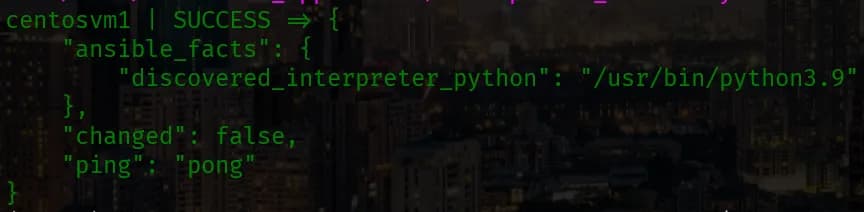
A playbook with two plays
---
- name: Set up web server
  hosts: webser
  become: true
  tasks:
    - name: Install apache2
      ansible.builtin.apt:
        name: apache2
        state: present

    - name: Start and enable apache2
      ansible.builtin.service:
        name: apache2
        state: started
        enabled: true

    - name: Copy index.html
      ansible.builtin.copy:
        src: index.html
        dest: /var/www/html/

- name: Set up database server
  hosts: dbser
  become: true
  tasks:
    - name: Install mariadb-server
      ansible.builtin.dnf:
        name: mariadb-server
        state: present

    - name: Start and enable mariadb
      ansible.builtin.service:
        name: mariadb
        state: started
enabled: trueOn CentOS the MariaDB service is not started or enabled after install (unlike Ubuntu), so the service task is required. My first version used the yum module; in current ansible-core, ansible.builtin.yum is only a redirect to ansible.builtin.dnf, so the playbook uses dnf directly.
To avoid passing -i inventory on every run, add an ansible.cfg to the project folder:
[defaults]
inventory = ./inventoryFinding module documentation
ansible-doc -l lists every installed module with a one-line description, and ansible-doc <module> shows all options and examples.
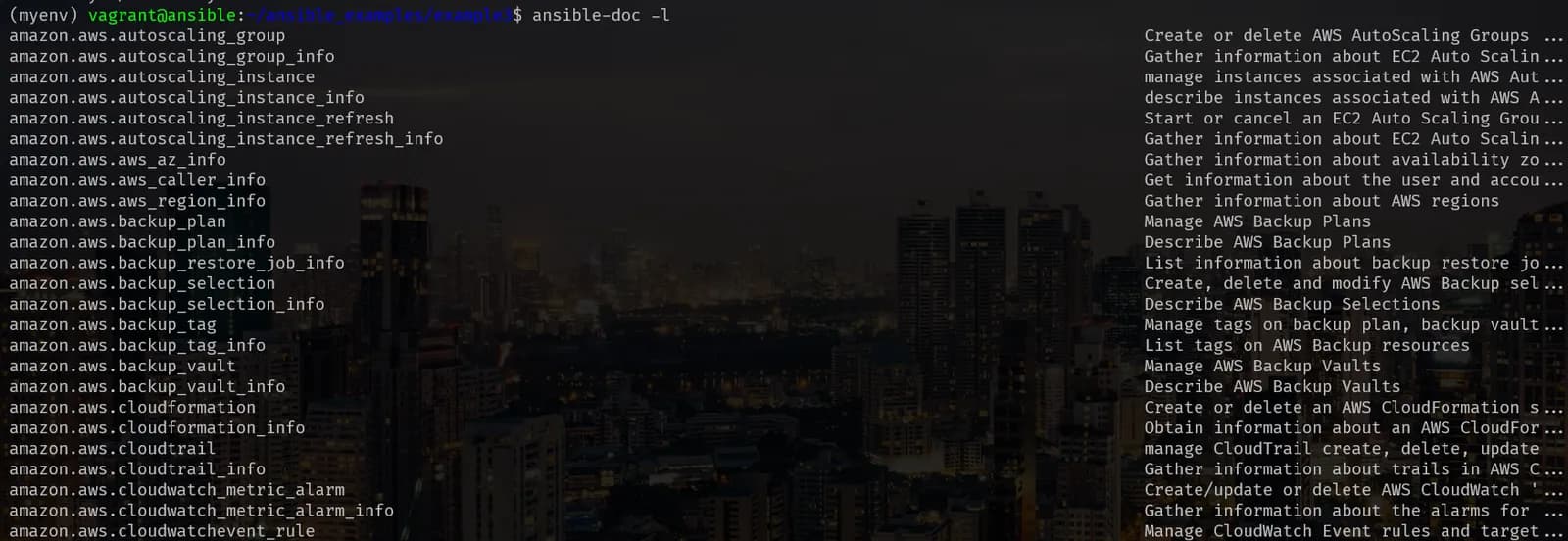
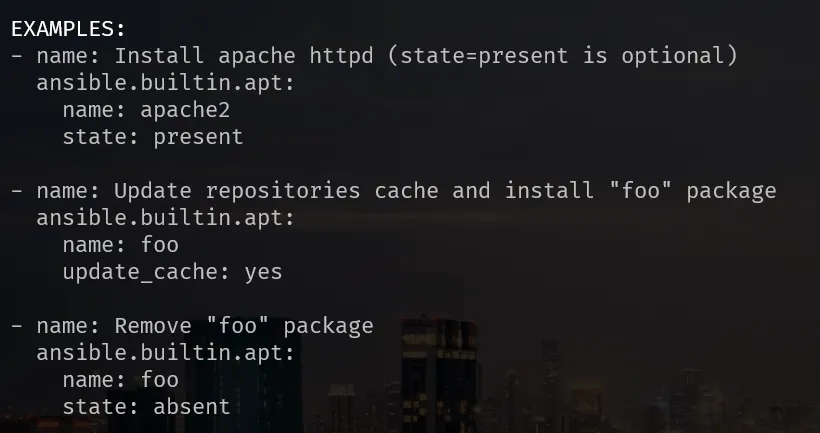
In the browser, the ansible.builtin collection index lists every built-in module with the same details.
Create a database and a user
This example creates a database and a user on an Ubuntu database VM (db_VM), using the following inventory:
web_VM ansible_host=192.168.56.211 ansible_ssh_private_key_file=/home/vagrant/ansible/example3/ansible_key
db_VM ansible_host=192.168.56.212 ansible_user=vagrant ansible_ssh_private_key_file=/home/vagrant/ansible/example3/ansible_key

[webser]
web_VM

[webser:vars]
ansible_user=vagrant

[dbser]
db_VMAfter every inventory change, check connectivity first:
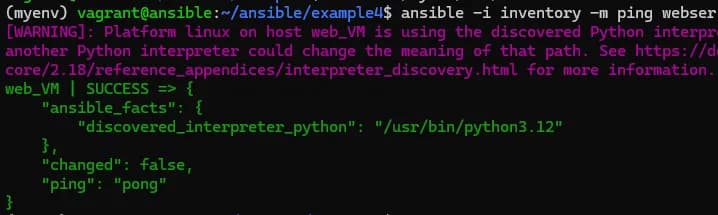
---
- name: Set up database server
  hosts: dbser
  become: true
  tasks:
    - name: Install mariadb-server
      ansible.builtin.apt:
        name: mariadb-server
        state: present

    - name: Start and enable mariadb
      ansible.builtin.service:
        name: mariadb
        state: started
        enabled: true

    - name: Install PyMySQL on the database host
      ansible.builtin.apt:
        name: python3-pymysql
        state: present

    - name: Create database devopsdb
      community.mysql.mysql_db:
        name: devopsdb
        state: present
        login_unix_socket: /run/mysqld/mysqld.sock

    - name: Create user devops with all privileges
      community.mysql.mysql_user:
        name: devops
        password: "12345"
        priv: "*.*:ALL"
        state: present
login_unix_socket: /run/mysqld/mysqld.sockKey points from this example:
- The MySQL modules need the Python MySQL client library (
PyMySQL) on the target host, because that is where the module runs. Installpython3-pymysqlbefore the database tasks. - Without
login_unix_socket, the module attempts a password login as root and fails withunable to find /root/.my.cnf. On Ubuntu, MariaDB's root user logs in through the Unix socket, so pointing the module at the socket fixes it. priv: "*.*:ALL"means all privileges (ALL PRIVILEGES) on all tables (.*) of all databases (*.). For a real application, limit it to one database, for exampledevopsdb.*:ALL.- Quote passwords. An unquoted
12345is an integer in YAML, not a string.
Variables
Variables in the playbook
Hardcoded names make a playbook hard to reuse. Move them into vars, and use the debug module to print them:
---
- name: Set up database server
  hosts: dbser
  become: true
  vars:
    dbname: devopsdb
    dbuser: devops
    dbpass: devops@123
  tasks:
    - name: Print a variable
      ansible.builtin.debug:
        var: dbname

    - name: Print a message with a variable
      ansible.builtin.debug:
        msg: "value of dbuser is {{ dbuser }}"

    - name: Create database
      community.mysql.mysql_db:
        name: "{{ dbname }}"
        state: present
        login_unix_socket: /run/mysqld/mysqld.sock

    - name: Create database user
      community.mysql.mysql_user:
        name: "{{ dbuser }}"
        password: "{{ dbpass }}"
        priv: "*.*:ALL"
        state: present
login_unix_socket: /run/mysqld/mysqld.sockThe install tasks from the previous example stay the same and are omitted here. {{ }} is Jinja2 syntax for inserting a variable. When a value starts with {{, wrap it in quotes or YAML will fail to parse it.
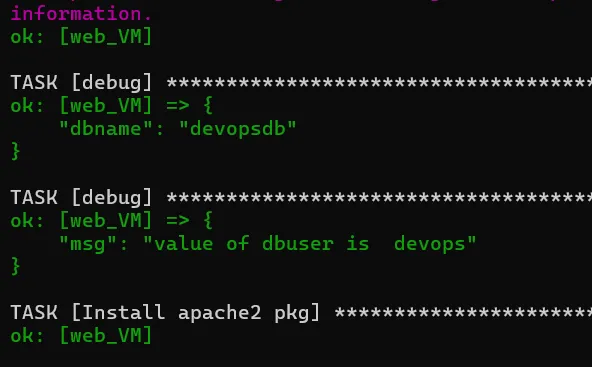
Variables in host_vars and group_vars
Ansible also loads variables from two folders next to the inventory or playbook:
host_vars/<host name>: variables for one host, for examplehost_vars/db_VM.group_vars/<group name>: variables for every host in a group, for examplegroup_vars/dbser.- A file named
allingroup_varsapplies to every host.
dbname: devopsdb
dbuser: devops
dbpass: devops@123
course: DevOpsIf the same variable is set in several places, host_vars wins over group_vars, and vars in the play wins over both.
Facts with the setup module
Before running tasks, a play gathers facts: data about each host such as IP addresses, hostname, OS distribution, memory and MAC addresses. The setup module shows them all:
$ ansible -m setup web_VM
$ ansible -m setup -a "filter=ansible_distribution*" web_VM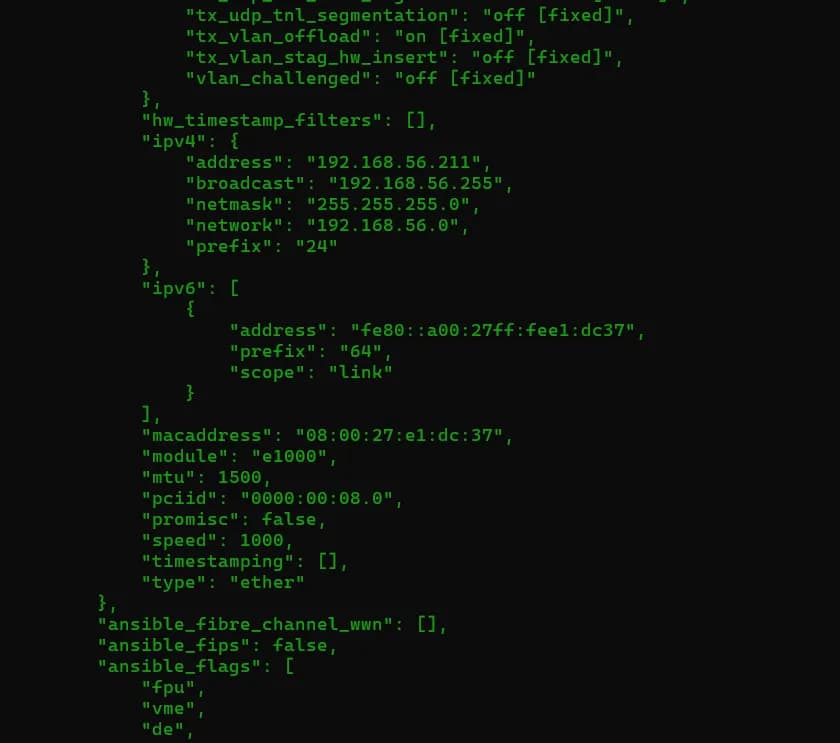
The filter argument limits the output to matching facts, which is useful because the full output is long.
Conditionals with when
when runs a task only if a condition is true. The condition can use facts, variables or the result of an earlier task. A common use is picking the right package manager for each distribution:
---
- name: Conditionals practice
  hosts: all
  become: true
  tasks:
    - name: Install apache2 on Ubuntu
      ansible.builtin.apt:
        name: apache2
        state: present
      when: ansible_distribution == "Ubuntu"

    - name: Install mariadb-server on CentOS
      ansible.builtin.dnf:
        name: mariadb-server
        state: present
when: ansible_distribution == "CentOS"The Ubuntu task skips centosvm1, and the CentOS task skips the two Ubuntu VMs. CentOS Stream reports its distribution as CentOS.
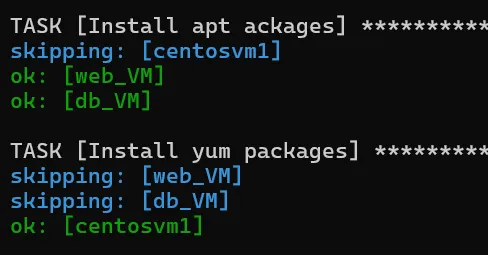
More examples are in the official Conditionals guide.
Loops
loop repeats a task for each item in a list, and {{ item }} holds the current item. when and loop can be used together; the condition is checked for every item.
Install several packages
---
- name: Install packages
  hosts: all
  become: true
  tasks:
    - name: Install packages on Ubuntu
      ansible.builtin.apt:
        name: "{{ item }}"
        state: present
      when: ansible_distribution == "Ubuntu"
      loop:
        - apache2
        - git
        - wget
        - net-tools
        - chrony

    - name: Install mariadb-server on CentOS
      ansible.builtin.dnf:
        name: mariadb-server
        state: present
      when: ansible_distribution == "CentOS"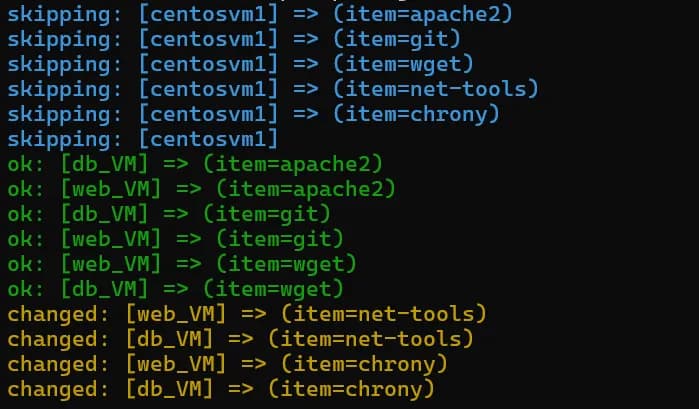
Create several users
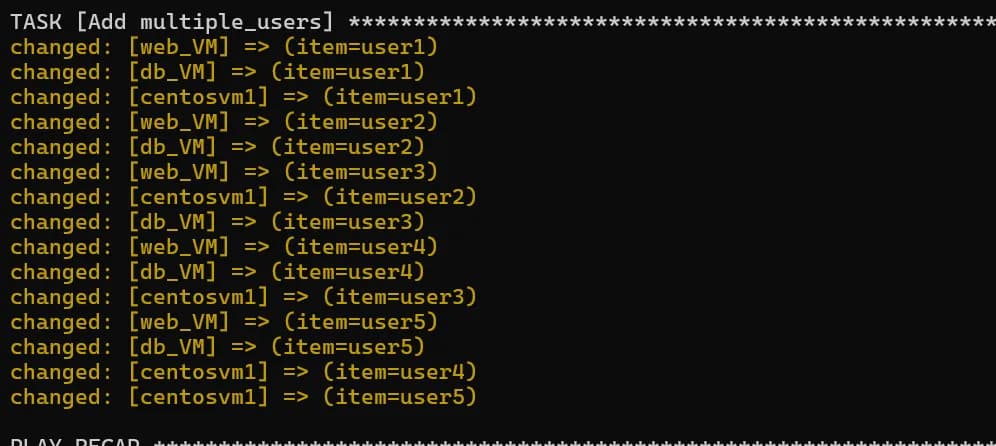
Next, add a group and a list of users to the same playbook. The user names come from group_vars/all, so they apply to every host:
usernames:
  - user1
  - user2
  - user3
  - user4
- user5 - name: Add group devopsgrp
ansible.builtin.group:
name: devopsgrp
state: present
- name: Add users
ansible.builtin.user:
name: "{{ item }}"
group: devopsgrp
loop: "{{ usernames }}"These two tasks go at the end of the tasks list above. They run on all three VMs, Ubuntu and CentOS alike, because group and user work the same on both.
Common mistakes
- Module not indented under the task: the playbook fails to parse. The module key must line up with
name:inside the task. unable to find /root/.my.cnf: setlogin_unix_socket: /run/mysqld/mysqld.sockon the MySQL tasks.- MySQL module fails on the target: install
python3-pymysqlon the database host, not only on the control node. - Wrong user even though the group variable is right: a host-line variable overrides
[group:vars]. - Unquoted
{{ var }}at the start of a value: YAML reads{as the start of a dictionary. Quote it.
Key takeaways
- A playbook is a list of plays; each play maps hosts to tasks, and each task calls one module.
- Use FQCNs (
ansible.builtin.apt,community.mysql.mysql_db) and check playbooks with--syntax-checkand-Cbefore running them. - Inventory groups,
:childrenand:varsorganize hosts; host variables beat group variables. - Keep values in
vars,host_varsandgroup_varsinstead of hardcoding them. - Facts plus
whenlet one playbook handle Ubuntu and CentOS;looprepeats a task over a list.
Next in this series: Ansible Templates, Handlers, Roles and Vault.
Keep reading
- Getting Started with Ansible: Install, Inventory and Ad-hoc Commands
Install Ansible in a Python virtual environment, connect Vagrant VMs with passwords and SSH keys, write a first inventory and manage packages with ad-hoc commands.
- Ansible Templates, Handlers, Roles and Vault
Push chrony NTP config with templates, edit sshd_config with lineinfile, restart services only on change with handlers, then organize it all into a role and encrypt secrets with Vault.
- OpenTofu: Why It Exists, Installation and Migrating from Terraform
Why OpenTofu was forked from Terraform, how to install it on Ubuntu, and how to migrate an existing Terraform project with tofu init, including the lock file warning.